

11 Best Hardware Wallets For Beginners Compared (2026)
Choosing the best hardware wallet for beginners can feel overwhelming when every brand claims to be the safest and simplest option on the market. You've got devices with touchscreens, devices with no screens at all, air-gapped models, Bluetooth-enabled cards, and price tags ranging from $30 to $250+. If you're just moving your crypto off an exchange for the first time, knowing where to start matters more than you think, because the wrong choice often leads to frustration, mistakes, or a device collecting dust in a drawer.
That's exactly why we built FinTech Dynasty. We spend our time testing, comparing, and documenting hardware wallets so you don't have to guess. No price speculation, no hype, just straightforward breakdowns of how these devices actually work, how they protect your private keys, and whether they're worth your money. Every recommendation in this guide comes from hands-on evaluation and independent research, not affiliate-driven rankings.
In this comparison, we'll walk you through 11 hardware wallets that are realistic options for someone new to cold storage in 2026. For each device, you'll get a clear look at setup difficulty, security model, supported assets, and cost. We'll also cover what actually makes a wallet "beginner-friendly" beyond marketing copy, because a secure wallet you can't figure out how to use isn't protecting anything. By the end, you'll have enough information to pick a device that matches your experience level, your budget, and the way you actually use crypto.
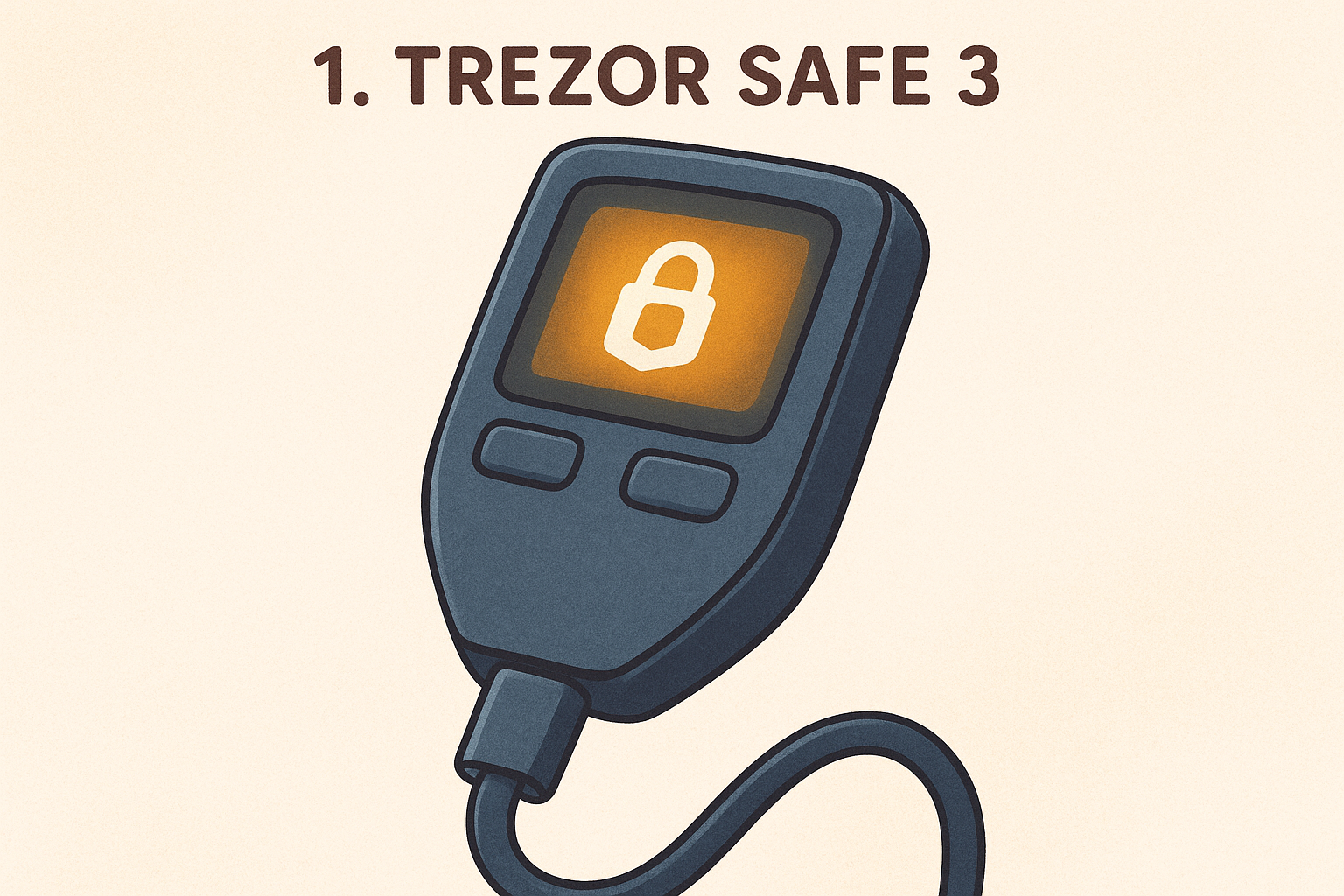
1. Trezor Safe 3
The Trezor Safe 3 sits near the top of nearly every best hardware wallet for beginners comparison for good reason. It combines a straightforward physical interface with fully open-source firmware, meaning independent security researchers have reviewed the code that protects your keys. You don't have to take Trezor's word for it, and that transparency matters when you're trusting a device with real money.
What it is and what makes it beginner-friendly
Trezor launched the Safe 3 as a direct upgrade to the original Model One, and the improvements are immediately obvious. The device has a small, readable OLED screen and two physical buttons that handle all navigation, which keeps the learning curve low. Unlike devices that drop you into a dense technical interface on first boot, the Safe 3 walks you through every step in plain language. If you've never generated a seed phrase before, the guided setup flow removes most of the guesswork.
How setup and daily use work
You connect the Safe 3 to your computer via USB-C and install Trezor Suite, the companion desktop app that handles everything from initialization to sending transactions. The app guides you through PIN creation and seed phrase backup in a logical sequence that takes roughly 15 minutes. Daily use follows the same pattern: connect the device, review transaction details on the physical screen, and press a button to confirm. No cloud account is required, and Trezor Suite runs on Windows, macOS, and Linux.
Trezor Suite is one of the most capable companion apps available for any hardware wallet, with a built-in portfolio view, coin control, and a Tor privacy option.
Security model and trade-offs
The Safe 3 uses an EAL6+ rated secure element chip to store private keys, which is a meaningful hardware upgrade over Trezor's older Model One. Because the firmware is fully open-source, the security architecture has been publicly audited. The primary trade-off is that the device relies on a USB connection to your computer. Transactions must be physically confirmed on the device screen, which protects you from remote manipulation, but the device is not air-gapped by default.
Asset support and app compatibility
The Safe 3 supports over 9,000 coins and tokens through Trezor Suite, including Bitcoin, Ethereum, and the majority of ERC-20 tokens. Third-party wallets like Exodus and Electrum also work with the device for users who prefer those interfaces. Less common assets may require checking Trezor's official supported coins list before assuming compatibility.
Typical price range
The Trezor Safe 3 retails for around $79 USD through Trezor's official website. If you buy from a third-party seller, verify the seller's authenticity carefully, because tampered hardware wallets do circulate through secondary markets and can compromise your security before you even get started.
2. Ledger Nano S Plus
The Ledger Nano S Plus is one of the most widely used cold storage devices in the world, and its low price combined with solid security makes it a frequent recommendation when someone is searching for the best hardware wallet for beginners on a tighter budget.
What it is and what makes it beginner-friendly
The Nano S Plus is a compact USB-C device with a small OLED screen and two physical buttons for navigation. Ledger updated the original Nano S with a larger screen and more internal storage, which allows you to install more coin apps simultaneously without constantly swapping them in and out. The interface is simple enough that most users get comfortable with it after just a few transactions.
How setup and daily use work
Setup runs through Ledger Live, the companion app available on desktop and mobile. You'll create a PIN, write down your 24-word recovery phrase, and install individual coin apps before you can start receiving funds. The entire process takes around 20 minutes. For daily use, you plug the device in via USB-C and confirm transactions directly on the hardware screen.
Ledger Live is one of the more polished companion apps in this space, offering a clean portfolio view and direct access to staking and swapping features.
Security model and trade-offs
The Nano S Plus stores private keys inside a CC EAL5+ certified secure element chip, which physically isolates your keys from the connected computer. The trade-off worth knowing upfront is that Ledger's firmware is not fully open-source, which some security-focused users consider a drawback compared to fully transparent alternatives.
Asset support and app compatibility
Ledger supports over 5,500 coins and tokens through Ledger Live, with additional assets accessible via third-party wallets like MetaMask and MyEtherWallet.
Typical price range
The Nano S Plus typically retails for around $79 USD through Ledger's official website.
3. Ledger Nano X
The Ledger Nano X is the premium option in Ledger's lineup and a frequent recommendation in the best hardware wallet for beginners category, particularly for users who prefer managing crypto from a phone. It builds on the Nano S Plus with Bluetooth connectivity and an internal battery, so you can use it wirelessly without being tethered to a desktop computer.
What it is and what makes it beginner-friendly
Compared to the Nano S Plus, the Nano X has a larger OLED display and the same two-button navigation layout that Ledger users recognize immediately. A bigger screen makes reading full wallet addresses and transaction amounts easier before you confirm anything. Ledger designed this device with mobile-first users in mind, so if you check your portfolio from a phone more often than from a laptop, this model fits that workflow cleanly.
How setup and daily use work
You initialize the Nano X through Ledger Live on desktop or smartphone, following the same PIN creation and seed phrase backup sequence as other Ledger devices. The Bluetooth pairing process adds only a few extra minutes to the initial setup. Once connected, you review and confirm each transaction on the physical device screen, not your phone.
The Bluetooth connection never carries your private keys. It only passes unsigned transaction data between your phone and the device for you to approve or reject on the hardware itself.
Security model and trade-offs
The Nano X uses the same CC EAL5+ certified secure element chip as the Nano S Plus, so the core protection for your private keys is identical across both models. The firmware remains partially closed-source, which is the same trade-off every Ledger device carries.
Asset support and app compatibility
Support covers over 5,500 coins and tokens through Ledger Live, and the Nano X works with the same third-party wallets as the rest of the Ledger lineup, including MetaMask and MyEtherWallet.
Typical price range
The Nano X typically retails for around $149 USD through Ledger's official website. The price premium over the Nano S Plus reflects the added Bluetooth hardware and battery, not a difference in core security.
4. BitBox02
The BitBox02 comes from Shift Crypto, a small Swiss company with a strong reputation in the open-source security community. It's a solid pick when searching for the best hardware wallet for beginners who want a minimalist device with fully transparent firmware.
What it is and what makes it beginner-friendly
The BitBox02 is a compact device with a touch slider for navigation instead of physical buttons, which feels intuitive from the first use. Shift Crypto offers two versions: Bitcoin-only and Multi Edition, so you can choose a device scoped exactly to what you actually hold.
How setup and daily use work
You manage the BitBox02 through BitBoxApp, a clean desktop application available on Windows, macOS, and Linux. Setup takes around 15 minutes, covering PIN creation and seed phrase backup. You confirm transactions on the device's small OLED screen using the touch slider, which keeps the process straightforward without a steep learning curve.
BitBoxApp includes a built-in full-node connection option, letting you validate your own transactions without relying on third-party servers.
Security model and trade-offs
The BitBox02 pairs a secure chip with an open-source microcontroller, giving you both physical key protection and publicly auditable code. The firmware has been independently reviewed, which adds meaningful trust. The main trade-off is that the device connects via USB and is not air-gapped, so physical confirmation on the screen remains your primary security layer.
Asset support and app compatibility
The Multi Edition supports Bitcoin, Ethereum, Litecoin, and most ERC-20 tokens through BitBoxApp. The Bitcoin-only version intentionally limits scope to reduce attack surface. Third-party compatibility includes Electrum and Specter Desktop.
Typical price range
The BitBox02 Multi Edition retails for around $148 USD through Shift Crypto's official website, with the Bitcoin-only version priced slightly lower.
5. Blockstream Jade
The Blockstream Jade is an open-source hardware wallet built by Blockstream, a company well-known in the Bitcoin development space. It's one of the most affordable devices you'll find in any best hardware wallet for beginners list, and it delivers well above its price point when it comes to security features.
What it is and what makes it beginner-friendly
Featuring a small color display and physical buttons for navigation, the Jade keeps the interface focused and easy to follow from the moment you turn it on. Blockstream built this device specifically for Bitcoin and Liquid Network assets, which means you won't encounter menus filled with options you have no use for.
How setup and daily use work
You set up the Jade through Blockstream Green, the companion app available on desktop and mobile. The initialization process covers PIN creation and seed phrase backup in a guided sequence that takes under 20 minutes. Connecting via QR code scanning instead of a USB cable keeps the data flow between your phone and the device fully visible and verifiable.
The Jade's QR-based connection option lets you operate it in a fully air-gapped configuration without buying additional hardware.
Security model and trade-offs
Rather than using a traditional secure element chip, the Jade relies on a "blind oracle" PIN verification system where the device decrypts your keys only after confirming your PIN with a remote server. This approach is unconventional, but Blockstream has publicly documented and audited the design, so you can review the security model yourself before committing.
Asset support and app compatibility
The Jade supports Bitcoin and Liquid Network assets natively. Compatibility also extends to Sparrow Wallet and Electrum for users who prefer a more feature-rich desktop interface.
Typical price range
Blockstream prices the Jade at around $65 USD through their official website, making it one of the most cost-effective options in this entire comparison.
6. Foundation Passport
The Foundation Passport is a Bitcoin-only hardware wallet made by Foundation Devices, a US-based company that publishes its hardware designs and firmware as fully open source. For anyone searching for the best hardware wallet for beginners who plan to hold Bitcoin long-term, the Passport stands out as a device built around transparency and verifiability from the ground up.
What it is and what makes it beginner-friendly
The Passport features a physical keypad and a color display, giving it a form factor closer to a small phone than a typical hardware wallet. That layout makes navigation feel immediate without a steep adjustment period. Foundation designed the guided on-screen interface to walk you through each step clearly, so you're not left decoding a confusing menu on your first boot.
How setup and daily use work
You initialize the Passport using its built-in keypad and screen, without connecting it to a computer at any point during setup. For signing transactions, the device uses QR code communication to stay fully air-gapped. Foundation's mobile companion app, Envoy, guides you through pairing and daily use with clear visual instructions at each step.
Envoy is built specifically for the Passport, giving you a streamlined onboarding experience that requires no technical background to follow.
Security model and trade-offs
The Passport pairs an STM32 microcontroller with a secure element, and both the firmware and hardware schematics are publicly available for independent review. Its primary trade-off is straightforward: Bitcoin is the only supported asset, so this device is not a fit if you also hold Ethereum or other tokens.
Asset support and app compatibility
Beyond the native Envoy app, the Passport supports Bitcoin exclusively with compatibility for Sparrow Wallet, Electrum, and BlueWallet for users who prefer a more advanced desktop or mobile interface.
Typical price range
The Foundation Passport retails for around $199 USD through Foundation Devices' official website, making it one of the pricier options in this comparison, though the open-source hardware design justifies the premium for security-focused buyers.
7. Tangem Wallet
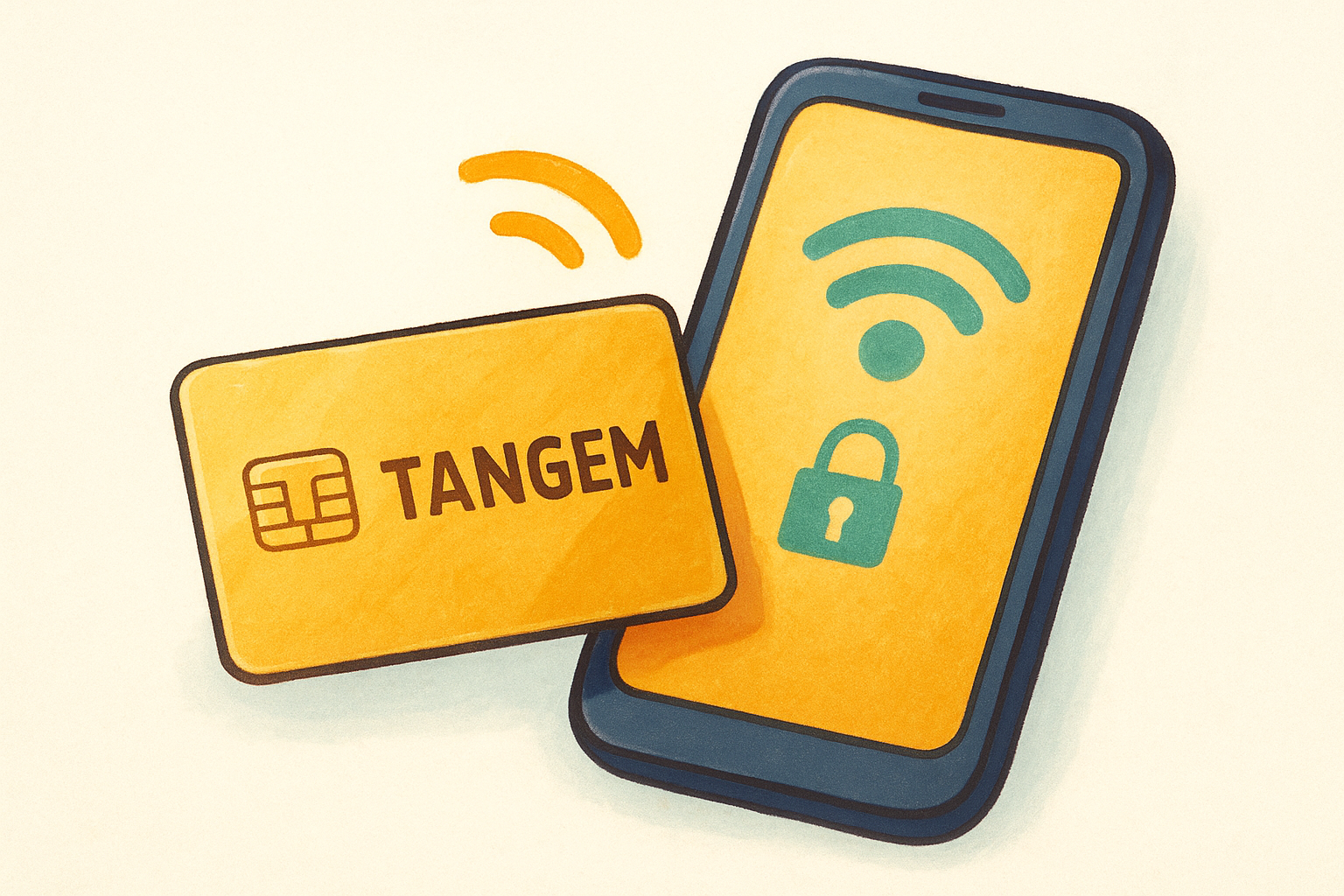
The Tangem Wallet takes a completely different approach to cold storage than anything else on this list. Instead of a USB device with a screen and buttons, Tangem uses NFC-enabled smart cards that look and feel like credit cards. If you're evaluating the best hardware wallet for beginners who want the lowest possible setup complexity, Tangem deserves a serious look.
What it is and what makes it beginner-friendly
Tangem ships as a set of two or three cards, each containing a secure chip that generates and stores your private keys. There's no screen, no buttons, and no seed phrase to write down by default, which removes one of the most common failure points for new users. Your private key never leaves the card, and setup requires nothing more than tapping a card to your phone.
How setup and daily use work
You manage everything through the Tangem mobile app, available on iOS and Android. Initial setup takes under five minutes: open the app, tap a card to your phone's NFC reader, and create a PIN. Daily use follows the same tap-to-confirm pattern, which keeps the workflow fast and accessible.
Tangem's card-based design means you can carry your cold storage wallet in your physical wallet alongside your bank cards, which genuinely changes how portable cold storage feels.
Security model and trade-offs
Each card uses a CC EAL6+ certified secure chip that has undergone third-party hardware audits. The trade-off is that Tangem's firmware is not fully open-source, so you're extending some trust to the manufacturer in a way that fully transparent alternatives don't require.
Asset support and app compatibility
The Tangem app supports Bitcoin, Ethereum, and over 6,000 tokens across multiple networks. Third-party wallet compatibility is limited compared to USB-based devices, so you'll primarily interact through Tangem's own app.
Typical price range
A two-card Tangem set retails for around $54 USD, and a three-card set runs approximately $69 USD through Tangem's official website.
8. SafePal S1
The SafePal S1 is a fully air-gapped hardware wallet that entered the market at a price point well below most competitors. For anyone comparing the best hardware wallet for beginners on a budget, the S1 offers a genuine cold storage experience without requiring a USB connection to your computer.
What it is and what makes it beginner-friendly
The S1 is a small, standalone device with a 1.3-inch color screen and a physical D-pad for navigation. SafePal designed the interface to feel closer to a basic smartphone than a typical hardware wallet, which lowers the barrier for first-time users. You get a guided onboarding flow from the moment you power on the device for the first time.
How setup and daily use work
You initialize the S1 directly on the device itself, with no computer required at any stage. The SafePal mobile app handles transaction building, and you communicate between your phone and the device exclusively through QR code scanning. Each transaction requires you to scan a QR code from your phone onto the device, confirm the details on screen, and then scan the signed transaction back.
Because the S1 never physically connects to an internet-connected device, your private keys stay isolated from online threats throughout the entire signing process.
Security model and trade-offs
The S1 destroys itself if it detects tampering, which is an unusual but effective physical security feature. The firmware is not fully open-source, which limits independent verification of the code protecting your keys.
Asset support and app compatibility
The SafePal app supports Bitcoin, Ethereum, BNB Chain, and over 30,000 tokens across dozens of networks, making it one of the broader asset coverage options in this comparison.
Typical price range
The SafePal S1 retails for around $49 USD through SafePal's official website.
9. Ellipal Titan
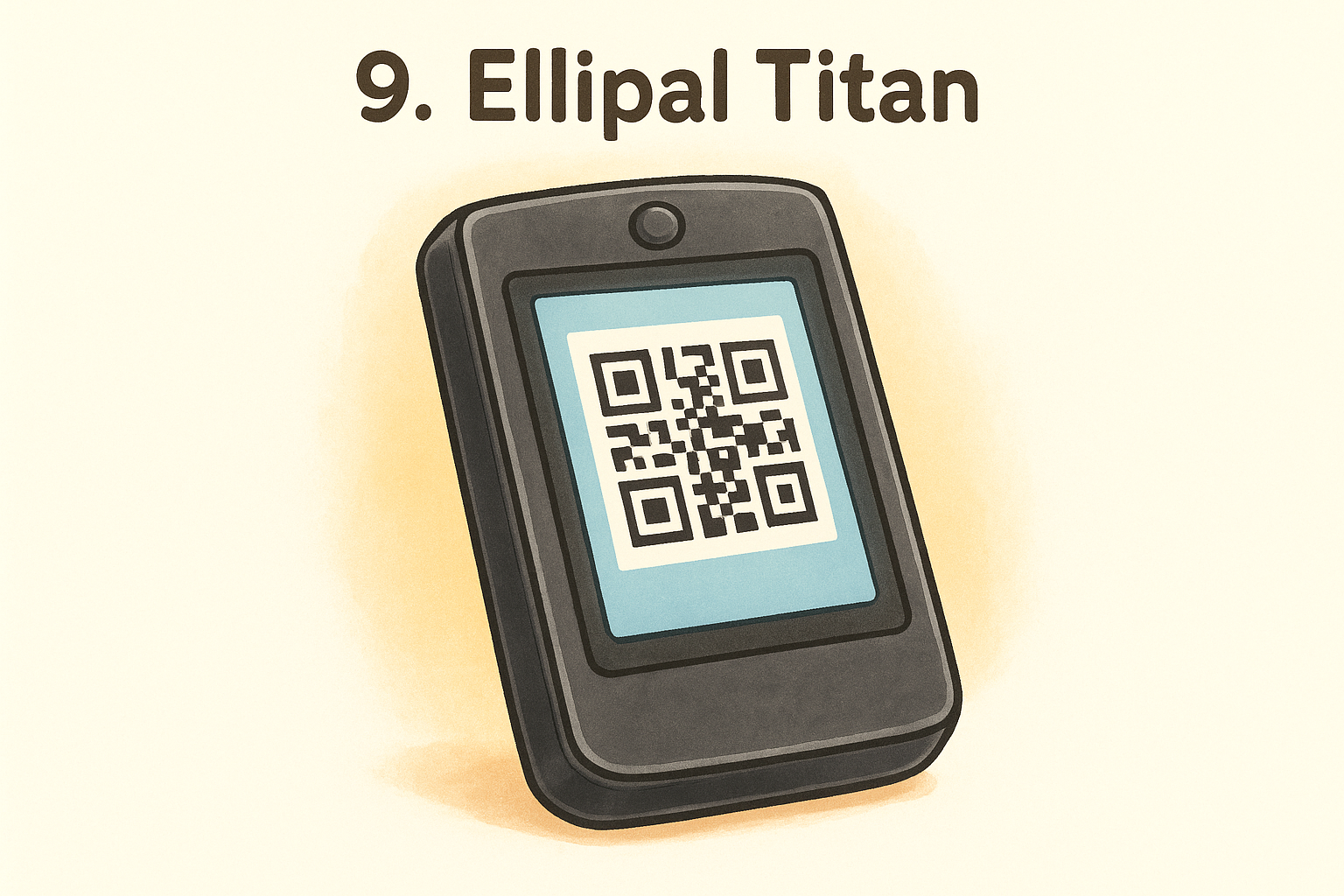
The Ellipal Titan is one of the more recognizable air-gapped hardware wallets on the market, and it consistently shows up in conversations about the best hardware wallet for beginners who want a larger, touchscreen-based device. Its physical design leans toward durability, and the all-QR communication model keeps your private keys isolated from internet-connected devices at every stage.
What it is and what makes it beginner-friendly
The Titan is a sealed metal device with a 4-inch touchscreen, making it noticeably larger than most hardware wallets in this comparison. That larger screen means you can read full wallet addresses and transaction details clearly before confirming anything. Ellipal built the interface to feel close to a basic smartphone, which helps if you're not comfortable navigating tiny screens with physical buttons.
How setup and daily use work
You initialize the Titan directly on the device itself, with no USB connection involved at any point. The Ellipal mobile app handles transaction creation, and the device communicates exclusively through QR code scanning in both directions. You scan a QR from your phone onto the Titan's camera, confirm the details on the touchscreen, and then scan the signed transaction back to your phone to broadcast it.
Because the Titan has no USB port, Bluetooth, or WiFi hardware, there is no physical pathway for remote attacks to reach your private keys.
Security model and trade-offs
The Titan's fully sealed metal body is designed to trigger a self-destruct mechanism if someone physically tampers with it. The firmware is not open-source, which limits independent code verification compared to transparent alternatives like the BitBox02 or Foundation Passport.
Asset support and app compatibility
The Ellipal app supports Bitcoin, Ethereum, and over 10,000 tokens across multiple networks, giving you broad coverage from a single device.
Typical price range
The Ellipal Titan retails for around $169 USD through Ellipal's official website.
10. Trezor Model One
The Trezor Model One is the original consumer hardware wallet, first released in 2014, and it still holds up as a practical cold storage option for anyone comparing the best hardware wallet for beginners on a tight budget. Its age works in your favor here: the device has been tested, audited, and used by millions of people, which means most potential issues have already been identified and addressed.
What it is and what makes it beginner-friendly
The Model One is a small USB device with a monochrome OLED display and two physical buttons for all navigation. Trezor kept the interface deliberately simple, so you won't encounter menus that assume advanced technical knowledge. If you're just starting with cold storage, the low price and familiar Trezor Suite companion app reduce both financial risk and setup friction.
How setup and daily use work
You connect the Model One to your computer via Micro-USB and install Trezor Suite, which guides you through PIN creation and seed phrase backup in a clear sequence. The entire initialization process takes under 15 minutes. For daily use, you confirm every transaction directly on the physical screen before anything gets signed, which keeps your keys out of reach from remote manipulation.
Trezor Suite runs on Windows, macOS, and Linux, so you're not locked into a specific operating system to manage your funds.
Security model and trade-offs
The Model One runs fully open-source firmware, meaning independent researchers have reviewed the code protecting your keys. The significant trade-off is that this device does not include a secure element chip, which puts it behind the Trezor Safe 3 in terms of hardware-level key isolation.
Asset support and app compatibility
The Model One supports over 1,000 coins through Trezor Suite, along with third-party wallets like Electrum and Exodus.
Typical price range
The Trezor Model One retails for around $49 USD through Trezor's official website.
11. Coldcard MK4
The Coldcard MK4 from Coinkite is the one device on this list that does not pretend to be the best hardware wallet for beginners. It belongs here because some readers specifically want the most security-focused Bitcoin hardware wallet available, and the MK4 delivers exactly that. Understanding what you are getting into before you buy it matters more with this device than with any other option in this comparison.
What it is and what makes it beginner-friendly
The MK4 is a Bitcoin-only device with a numeric keypad and a small monochrome screen. It does not guide you through setup with friendly prompts. Instead, it gives you a deeply configurable security tool that rewards patience and a willingness to read documentation before you start.
How setup and daily use work
You initialize the MK4 without connecting it to a computer. The device generates your seed phrase on its own hardware, and you can optionally store an encrypted backup to a microSD card. For daily use, you sign transactions using a QR code or microSD workflow, keeping the device fully air-gapped from your computer throughout.
The MK4 supports a passphrase (25th word) and a duress PIN, giving you multiple layers of access control that no other device in this comparison matches out of the box.
Security model and trade-offs
The MK4 pairs a secure element with fully open-source firmware, and independent audits of the codebase are publicly available. The primary trade-off is that the interface assumes technical confidence from the start, which creates a steeper learning curve than any other wallet on this list.
Asset support and app compatibility
Bitcoin is the only supported asset, and the MK4 works with Sparrow Wallet, Electrum, and Specter Desktop for transaction management and wallet coordination.
Typical price range
The Coldcard MK4 retails for around $157 USD through Coinkite's official website.
Simple next steps to pick and secure your wallet
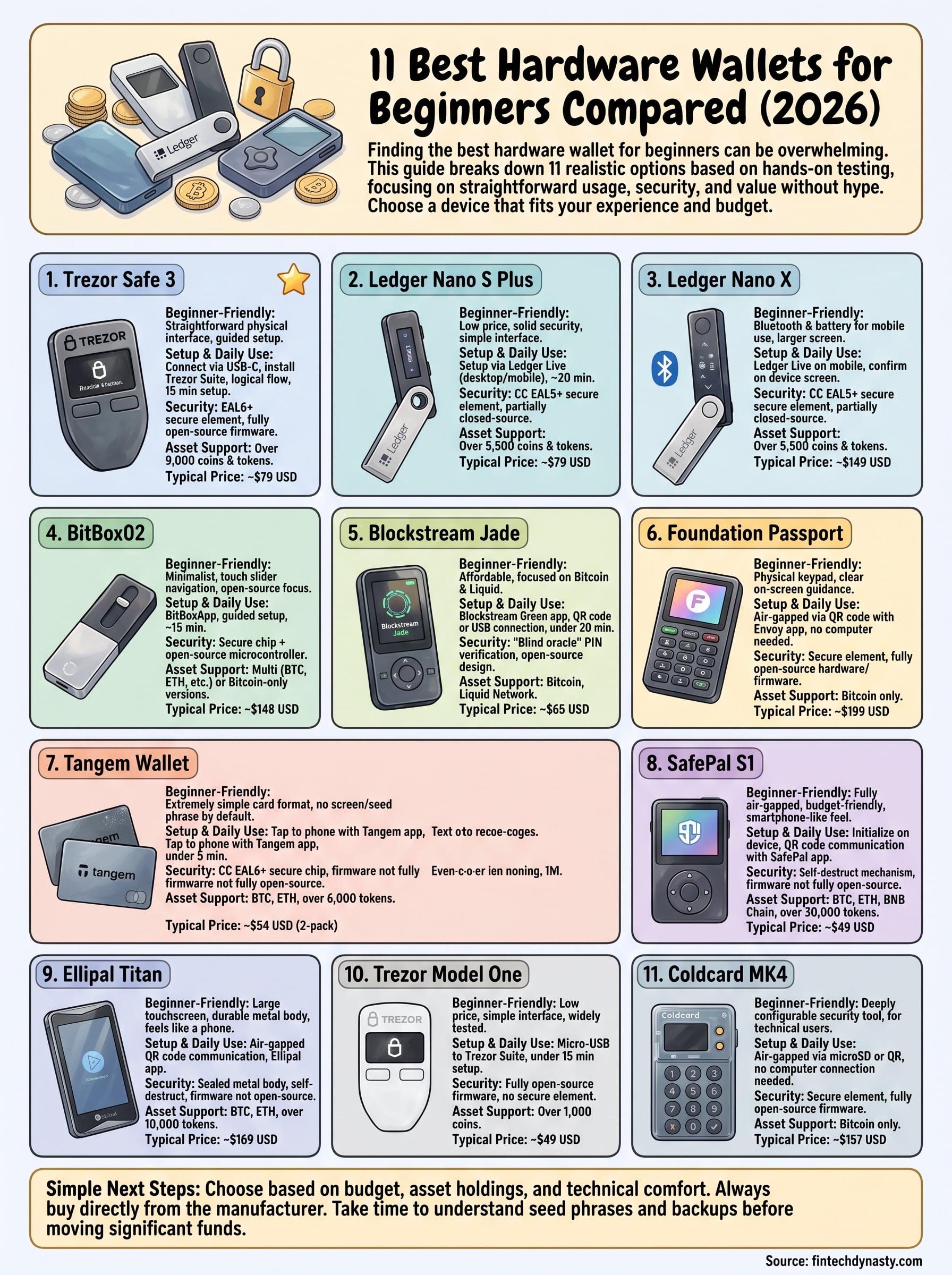
You now have a complete picture of what each device offers, where it falls short, and what it costs. Finding the best hardware wallet for beginners comes down to three practical factors: how much you're willing to spend, how many assets you hold, and how comfortable you are with technical setup.
If you want the simplest possible start, go with Tangem or the Trezor Model One. If Bitcoin security is your primary concern and you're willing to invest more, the Foundation Passport or Coldcard MK4 will serve you well. Whatever device you choose, buy directly from the manufacturer to avoid tampered hardware. Skipping that step is one of the most common and costly mistakes new buyers make.
Once your wallet arrives, take time to learn how seed phrases work, how to test your backup, and how to send a small test transaction before moving significant funds. Our crypto security and self-custody course covers every one of those steps in plain language.