

9 Hardware Wallet Review: Best Cold Wallets Ranked For 2026
Picking a cold wallet shouldn't require a leap of faith. But with over a dozen devices on the market, each claiming to be the most secure, choosing the right one can feel exactly like that. A thorough hardware wallet review is the only way to cut through the noise, and that's precisely what we built this guide to do.
At FinTech Dynasty, we test and compare cold storage devices so you don't have to rely on manufacturer marketing or Reddit threads. We've evaluated nine of the top hardware wallets available in 2026, examining everything from security architecture and supported assets to firmware update processes and daily usability. Every device on this list was assessed against the same criteria, with no affiliate bias or sponsorship influence shaping the rankings.
Whether you're moving crypto off an exchange for the first time or replacing an aging device, this breakdown gives you the specific details that actually matter, chip type, air-gap capability, backup options, and coin support. Below, you'll find each wallet ranked and reviewed, along with a clear breakdown of who each device is best suited for and why.
1. Trezor Safe 5
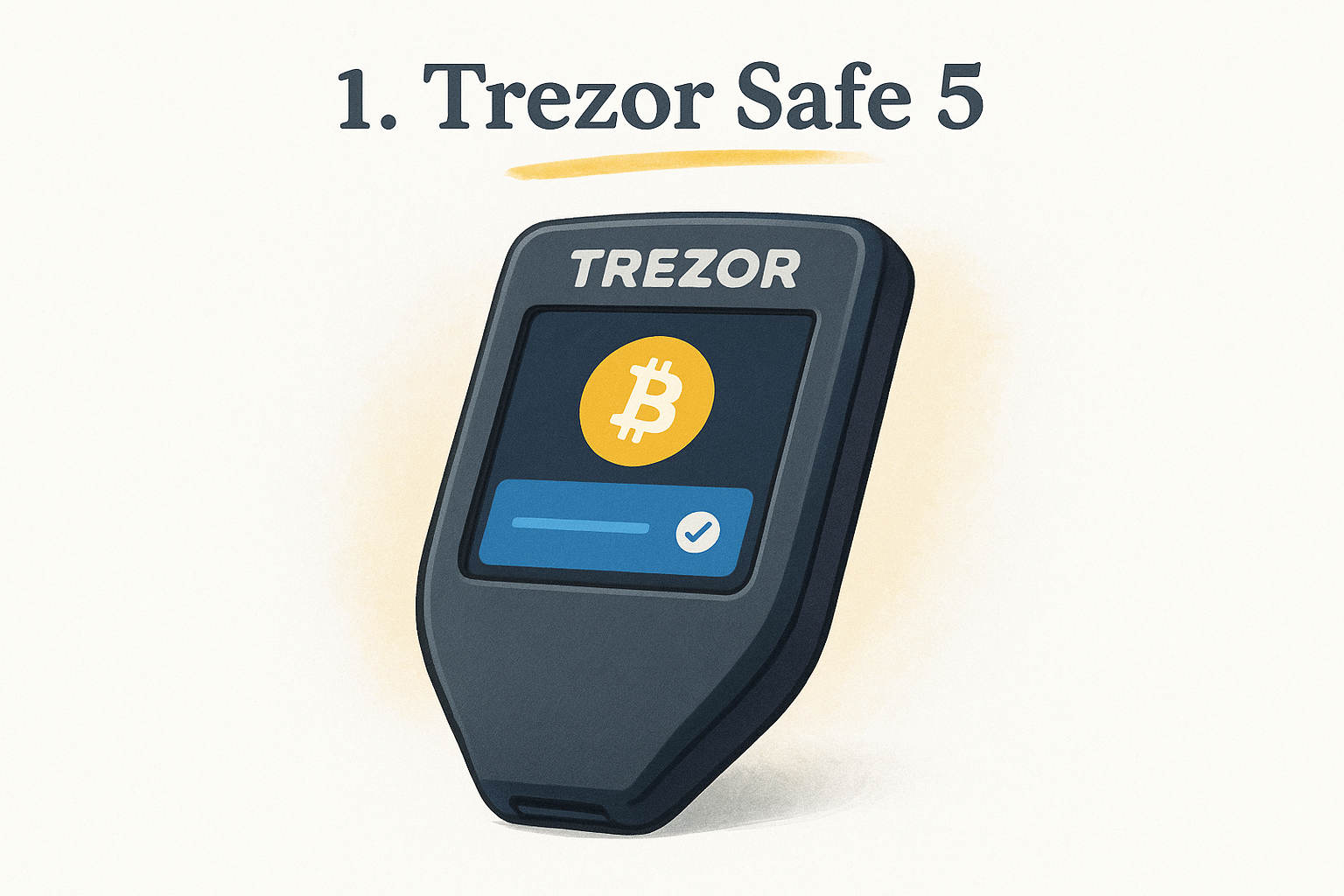
The Trezor Safe 5 sits at the top of this hardware wallet review for one clear reason: it delivers enterprise-grade security in a form factor that most people can actually use without frustration. Released in 2024 and still a top-tier choice in 2026, it combines a color touchscreen, open-source firmware, and a certified secure element to give you a device that doesn't ask you to trade usability for protection.
Security model and threat protection
Trezor built the Safe 5 around an EAL6+ certified secure element (the Infineon OPTIGA Trust M) that stores your private keys in hardware physically resistant to extraction attacks. Unlike earlier Trezor models, which relied purely on software-based protection without a dedicated chip, this model adds a hardware barrier without abandoning the fully open-source firmware that makes Trezor auditable by independent security researchers.
Trezor publishes every line of its firmware code publicly, which means researchers worldwide can flag vulnerabilities before they ever reach your device.
Transaction and message verification
Every transaction you sign appears on the color onscreen display before you approve it, and the larger screen makes reviewing wallet addresses and amounts significantly easier than reading a single-line output. You confirm each action directly on the physical device, so a compromised computer cannot silently redirect your funds without your manual input.
Setup and daily use
Setup takes roughly 15 minutes. You connect via USB-C, install Trezor Suite on your desktop, generate your seed phrase on the device itself, and record it on the included recovery cards. The touchscreen navigation is intuitive enough that you won't need video tutorials to complete your first transaction. Daily use follows a simple pattern: plug in, review, approve, unplug.
Asset support and wallet compatibility
Support extends to over 9,000 coins and tokens, including Bitcoin, Ethereum, and most major ERC-20 assets. Beyond the native Trezor Suite, the device connects to third-party interfaces like MetaMask and Exodus, giving you flexible integration without locking you into a single software environment.
Pricing and best deals to look for
Retail pricing sits at $169 USD through the official Trezor store. Third-party resellers rarely offer meaningful discounts, and buying from unauthorized sellers carries real risk, including tampered firmware. Watch the official Trezor website directly for seasonal promotions, where discounts of 10 to 15 percent occasionally appear around major holidays.
2. Ledger Flex
The Ledger Flex is Ledger's mid-range flagship, positioned between the entry-level Nano S Plus and the premium Ledger Stax. It pairs a certified secure element chip with a large E Ink touchscreen, making it a notable entry in this hardware wallet review for users who want a premium feel without paying for the top-tier device.
Security model and threat protection
Ledger built the Flex around a CC EAL6+ certified secure element (ST33K1M5) that isolates your private keys from all other device components. Every cryptographic operation runs inside the chip, meaning your keys never leave the secure enclave. One significant caveat: Ledger's firmware is not fully open-source, which security-focused users view as a meaningful tradeoff compared to fully auditable alternatives.
Ledger's closed-source firmware has drawn sustained community criticism, particularly after a 2023 data breach, so factor that history into your decision.
Transaction and message verification
Approving a transaction requires physically tapping the touchscreen on the device itself, not clicking anything on your computer. Full transaction details, including recipient addresses and token amounts, appear on the display before you confirm, which neutralizes most remote hijacking attempts.
Setup and daily use
Ledger Live handles the entire setup process on desktop and mobile, walking you through seed phrase generation in roughly 20 minutes. Built-in Bluetooth support means you can pair the device wirelessly with your phone without needing a cable for every interaction.
Asset support and wallet compatibility
With support for over 5,500 coins and tokens, Ledger Flex also connects to third-party wallets like MetaMask for expanded DeFi access.
Pricing and best deals to look for
Official retail pricing is $249 USD through Ledger's website, with bundle discounts occasionally appearing during promotional periods.
3. OneKey Pro
The OneKey Pro earns its place in this hardware wallet review as the strongest open-source alternative to the Ledger and Trezor duopoly. It combines a fully auditable codebase with an air-gapped QR code signing option, giving privacy-focused users a credible third path that doesn't compromise on either transparency or functionality.
Security model and threat protection
OneKey built the Pro around a CC EAL6+ certified secure element that keeps private keys physically isolated from the rest of the device. Both the hardware schematics and firmware are fully open-source, which means independent researchers can audit every component, not just the software layer.
Open hardware schematics are rare in this space, and OneKey's willingness to publish them signals a level of transparency most competitors still avoid.
Transaction and message verification
You review and confirm every transaction on the onboard touchscreen display before it processes. The device supports air-gapped QR code signing, letting you authorize transactions without connecting a cable, which cuts the physical attack surface to near zero.
Setup and daily use
Setup connects through the OneKey desktop and mobile app and takes under 20 minutes from unboxing. The interface is clean and beginner-accessible, though the QR-based air-gap workflow adds a few extra steps if you choose that mode over USB.
Asset support and wallet compatibility
OneKey Pro supports over 1,000 coins and tokens, including Bitcoin, Ethereum, Solana, and major ERC-20 assets. It also connects to MetaMask and other third-party interfaces for broader DeFi access.
Pricing and best deals to look for
Official pricing sits at $149 USD through the OneKey website, with periodic bundle promotions available through their official store during product launches.
4. Ledger Nano S Plus
The Ledger Nano S Plus is the most affordable entry point into Ledger's ecosystem, and it earns a spot in this hardware wallet review as the go-to choice for budget-conscious users who still want a certified secure element without paying flagship prices.
Security model and threat protection
Ledger built the Nano S Plus around a CC EAL5+ certified secure element that physically isolates your private keys from the rest of the device. Like the Flex, its firmware is not open-source, which remains a real limitation for users who prioritize full code auditability.
If firmware transparency is a hard requirement for you, the Trezor Safe 3 or OneKey Pro at similar price points offer fully auditable alternatives.
Transaction and message verification
You confirm every transaction by pressing both physical buttons simultaneously on the device itself, not on your computer screen. The small OLED display shows recipient addresses and transaction amounts before you sign, which blocks most remote hijacking attempts even on a compromised machine.
Setup and daily use
Ledger Live guides you through setup in about 15 minutes on desktop or mobile. The device connects via USB-C only, with no Bluetooth, which some users see as a security advantage and others find inconvenient for mobile workflows.
Asset support and wallet compatibility
The Nano S Plus supports over 5,500 coins and tokens and connects to third-party apps like MetaMask for DeFi access, matching the Flex in breadth of asset coverage despite the lower price.
Pricing and best deals to look for
Retail pricing sits at $79 USD through Ledger's official website, making it the most affordable certified secure element device on this list. Watch for bundle promotions on the official store during seasonal sales.
5. Trezor Safe 3
The Trezor Safe 3 is the most affordable entry point into Trezor's secure element lineup, and it earns a clear position in this hardware wallet review as the best budget option for open-source purists. It delivers the combination of a certified secure element and fully auditable firmware at a price point that undercuts most competitors without stripping the core protections that matter most.
Security model and threat protection
Trezor equipped the Safe 3 with an EAL6+ certified secure element (the Infineon SLx 9635) that physically isolates your private keys from the rest of the device. Like the Safe 5, every line of firmware remains fully open-source, which independent researchers audit continuously for vulnerabilities before they can reach your device.
Open-source firmware at this price point makes the Safe 3 one of the strongest value propositions in cold storage for security-conscious buyers on a budget.
Transaction and message verification
You confirm every transaction by pressing a physical button directly on the device. The small OLED display shows recipient addresses and amounts before you sign, so a compromised computer cannot redirect your funds without your direct, physical approval.
Setup and daily use
Setup runs through Trezor Suite on desktop and takes roughly 15 minutes. Seed phrase generation happens entirely on the device itself, keeping your backup words away from any internet-connected component throughout the entire process.
Asset support and wallet compatibility
The Safe 3 supports over 9,000 coins and tokens, matching the Safe 5 in coverage. It also connects to MetaMask and other third-party interfaces for DeFi access.
Pricing and best deals to look for
Official retail pricing sits at $79 USD through the Trezor website. Monitor the official Trezor store directly for seasonal promotions, which periodically reach 10 to 15 percent off.
6. SafePal S1 Pro
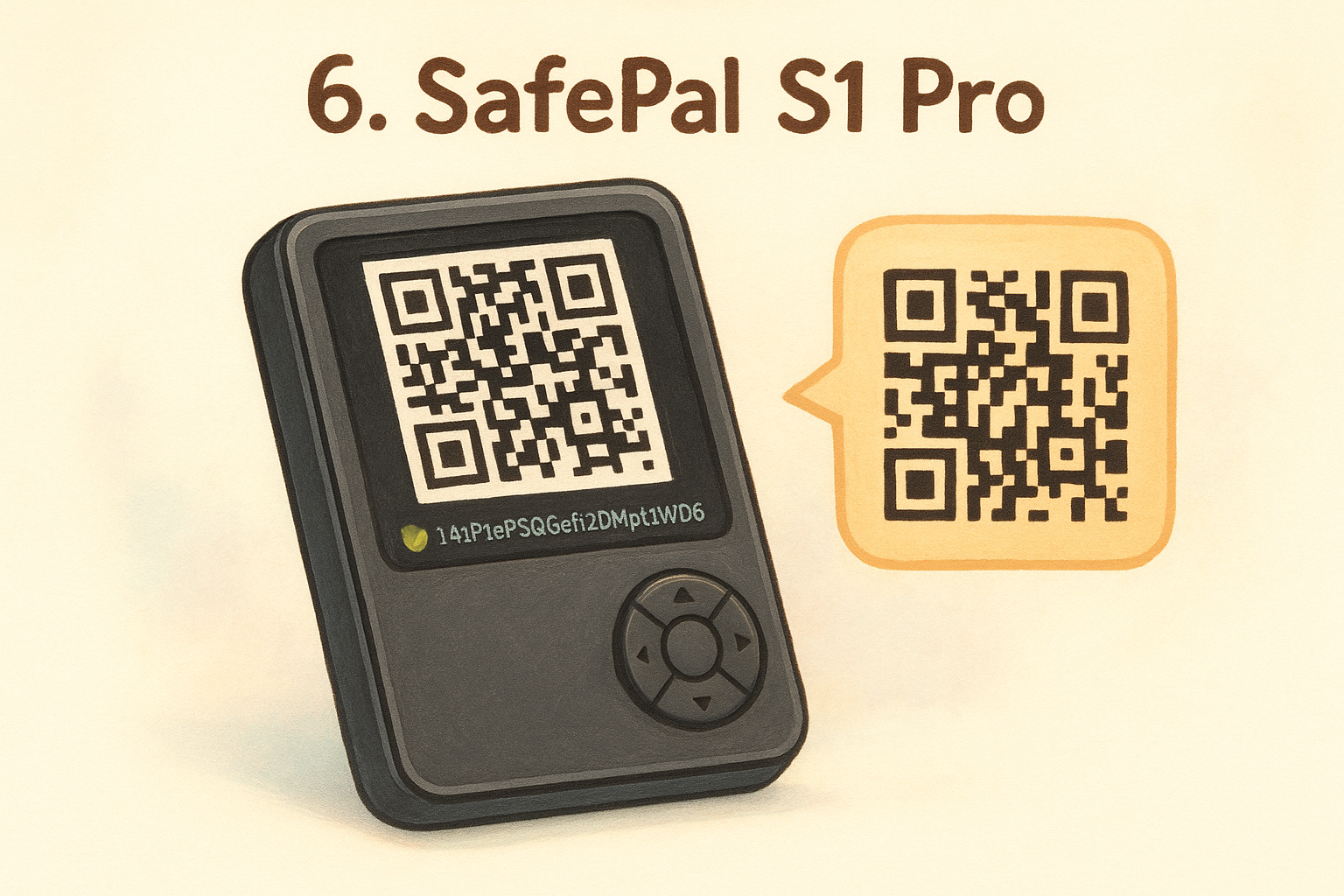
The SafePal S1 Pro takes a different approach than most devices in this hardware wallet review by operating as a fully air-gapped signing device right out of the box. It uses QR codes exclusively for transaction signing, meaning it never connects via USB, Bluetooth, or WiFi during operation, which cuts the most common hardware attack vectors completely.
Security model and threat protection
SafePal built the S1 Pro around an EAL5+ certified secure element that keeps your private keys isolated in dedicated hardware. The device also includes anti-tamper self-destruct mechanisms that automatically wipe the device if physical tampering is detected, adding a layer of protection most budget wallets skip entirely.
The combination of a certified secure element and fully air-gapped QR signing at this price point makes the SafePal S1 Pro one of the strongest budget security options currently available.
Transaction and message verification
You authorize every transaction by scanning a QR code with the device camera, reviewing the recipient address and amount on the built-in color display, and then generating a signed QR code your phone reads back. The entire signing process stays offline from start to finish.
Setup and daily use
Setup runs through the SafePal mobile app, which guides you through seed phrase generation and device pairing in about 15 minutes. The QR-based workflow adds a few extra steps compared to USB devices but becomes straightforward after a handful of transactions.
Asset support and wallet compatibility
SafePal S1 Pro supports over 30,000 coins and tokens, including Bitcoin, Ethereum, BNB Chain, and Solana. That makes it one of the broadest coverage options in this entire comparison at any price tier.
Pricing and best deals to look for
Official retail pricing sits at $49.99 USD through the SafePal website, making it the most affordable air-gapped device in this roundup. Watch the official store for periodic bundle promotions tied to product launches.
7. Ellipal Titan 2.0
The Ellipal Titan 2.0 stands apart in this hardware wallet review for one defining feature: its metal-sealed, fully air-gapped design that makes physical tampering immediately visible and cuts every wireless attack vector at the hardware level before software even enters the picture.
Security model and threat protection
Ellipal built the Titan 2.0 around an EAL5+ certified secure element housed inside a sealed metal casing that detects tampering and automatically wipes all private key data if the enclosure is breached. The device has no USB data port, no Bluetooth, and no WiFi, which removes the connection points that most remote attacks depend on.
A sealed metal casing that self-destructs on breach puts the Titan 2.0 in a small category of devices where physical security matches the software-level protections.
Transaction and message verification
You sign every transaction by scanning a QR code with the device's built-in camera, reviewing the full details on the 4-inch color touchscreen, and generating a signed QR code your phone reads back. Nothing passes through a cable or wireless signal at any point.
Setup and daily use
Setup runs through the Ellipal mobile app and takes roughly 20 minutes. The large touchscreen makes navigating menus straightforward, though the QR-based workflow requires positioning your phone and device facing each other, which takes a few tries to feel natural.
Asset support and wallet compatibility
Ellipal Titan 2.0 supports over 10,000 coins and tokens, covering Bitcoin, Ethereum, Solana, and hundreds of networks. That breadth of coverage matches or exceeds most competitors at this price point.
Pricing and best deals to look for
Retail pricing sits at $169 USD through the official Ellipal website, with bundle promotions appearing periodically through their official store.
8. Keystone 3 Pro
The Keystone 3 Pro brings a multi-layer open-source approach to this hardware wallet review that few devices at any price point can match. It runs three separate open-source chips working simultaneously, which creates redundant verification that catches tampering attempts other single-chip designs would miss entirely.
Security model and threat protection
Keystone built the Pro around three independent secure element chips that cross-verify each other during every operation, making it extraordinarily difficult for a single compromised component to silently alter your transaction data. The device is fully air-gapped by design, with no USB data transfer, no Bluetooth, and no WiFi, and its firmware is completely open-source and verifiable by independent researchers.
Three mutually verifying chips operating simultaneously is a hardware security architecture that no other wallet on this list currently replicates.
Transaction and message verification
You review and approve every transaction on the 4-inch color touchscreen before anything processes. The device reads transactions via QR code scanning and returns a signed QR code without any wired or wireless data connection involved at any stage of signing.
Setup and daily use
Setup runs through the Keystone companion app on mobile and takes roughly 20 minutes. The large touchscreen makes navigating menus straightforward, and the fingerprint sensor adds a fast biometric unlock option that speeds up daily access without reducing physical security.
Asset support and wallet compatibility
Keystone 3 Pro supports over 5,500 coins and tokens, including Bitcoin, Ethereum, Solana, and major ERC-20 assets, with direct integration into MetaMask for expanded DeFi access.
Pricing and best deals to look for
Official retail pricing sits at $169 USD through the Keystone website, with bundle options periodically available through their official store.
9. Tangem Wallet
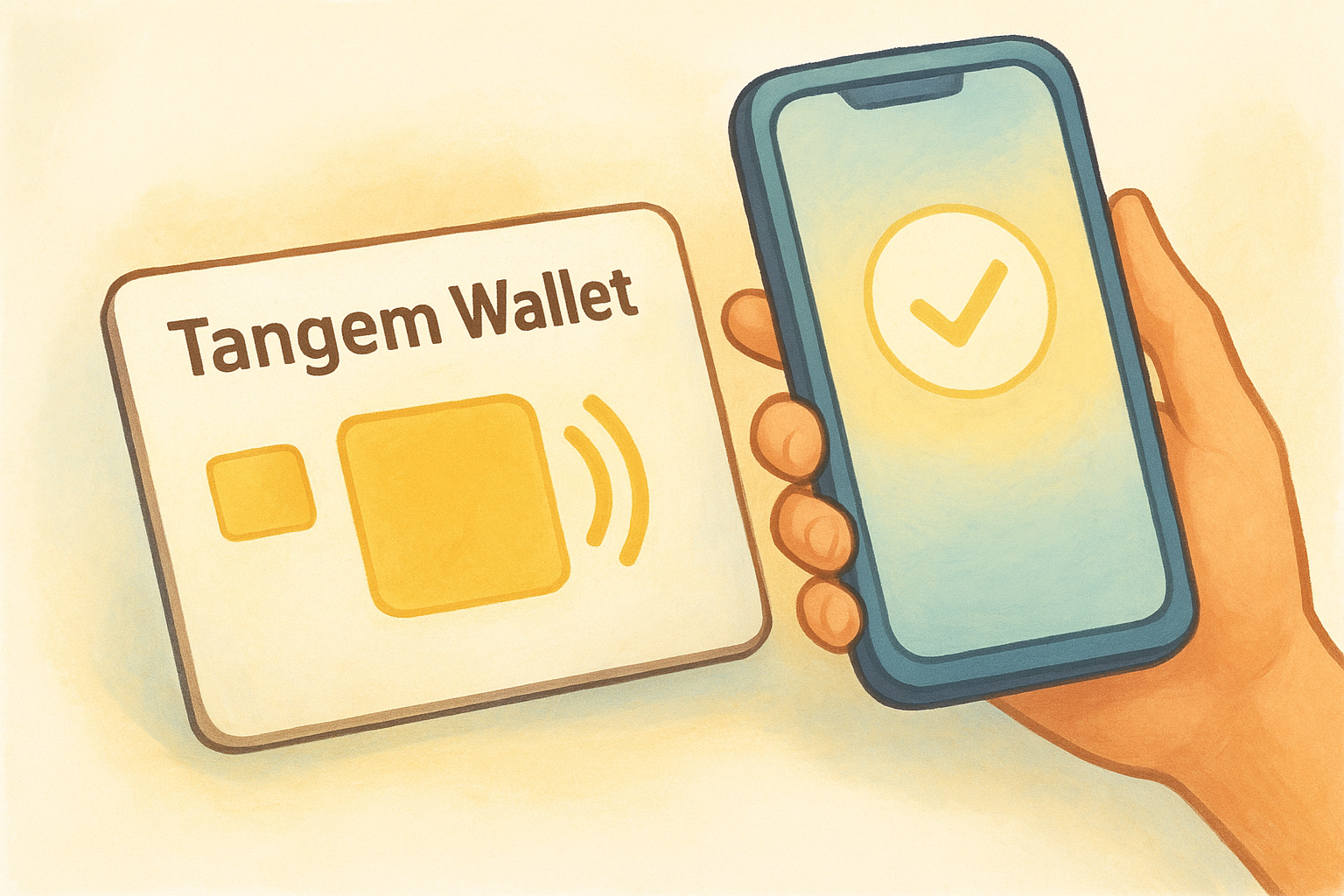
The Tangem Wallet closes out this hardware wallet review as the most unconventional device on the list. It ditches the traditional form factor entirely, replacing a plastic device with buttons for a credit card-sized NFC chip that stores your private keys directly in the card itself. For users who want the simplest possible cold storage setup, Tangem takes a completely different path than every other option here.
Security model and threat protection
Tangem builds each card around a CC EAL6+ certified secure element that generates and stores your private keys entirely within the chip, and those keys never leave the card under any circumstances. The most significant difference from every other wallet in this roundup is that Tangem offers a no-seed-phrase option, meaning your backup strategy relies on holding multiple physical cards instead of recording a word list.
A no-seed-phrase model removes the most common point of compromise for most crypto holders, but it also means losing all your cards permanently locks you out with no recovery path.
Transaction and message verification
You authorize transactions by tapping your card against your phone over NFC, reviewing the full transaction details in the Tangem app, and confirming directly through the card's hardware. No cable, no computer, and no additional software beyond the mobile app is required at any point.
Setup and daily use
Setup takes under 10 minutes through the Tangem mobile app on iOS or Android. Daily use is as straightforward as tapping your card to your phone whenever you need to sign a transaction.
Asset support and wallet compatibility
Tangem supports over 6,000 coins and tokens, including Bitcoin, Ethereum, and Solana across multiple networks.
Pricing and best deals to look for
A two-card set retails for $54.90 USD through the official Tangem website, with three-card bundles available at a small premium for users who want an additional backup card.
Final take
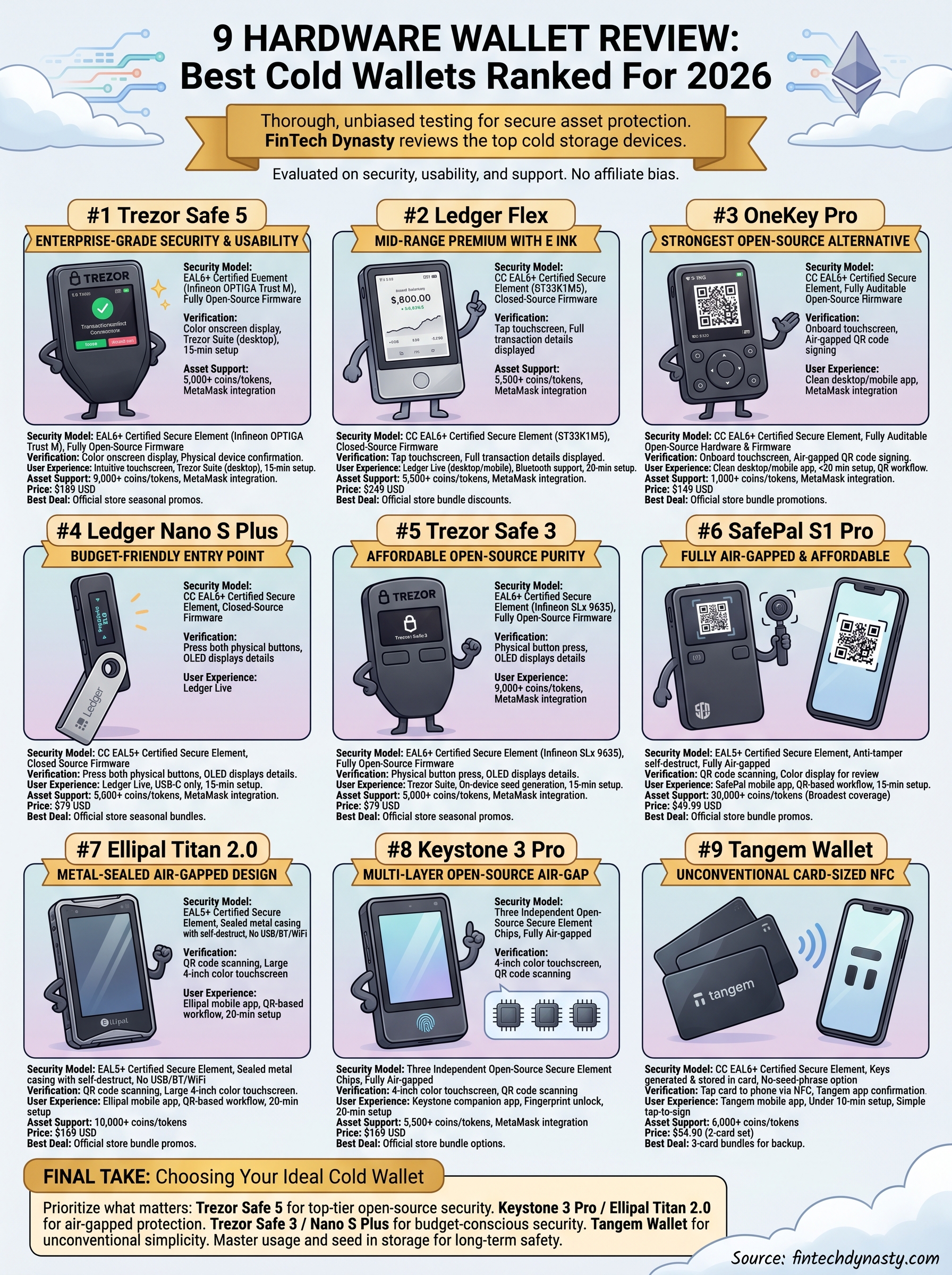
Every device in this hardware wallet review protects your private keys better than leaving your crypto on an exchange, but the right choice depends entirely on your priorities. If you want the strongest open-source and secure element combination, the Trezor Safe 5 leads the list. If air-gapped signing matters more than anything else, the Keystone 3 Pro or Ellipal Titan 2.0 are built for exactly that. Budget-conscious users get real protection with the Trezor Safe 3 or Nano S Plus without cutting corners on the fundamentals.
Picking your wallet is just the first step. Understanding how to use it correctly, store your seed phrase safely, and avoid common self-custody mistakes is what actually keeps your assets protected long-term. If you want structured guidance that takes you from the basics through advanced security practices, the FinTech Dynasty crypto education course gives you a clear, practical path to follow.