

8 Picks For The Most Secure Hardware Wallet In 2026 (Ranked)
Picking the most secure hardware wallet isn't as straightforward as grabbing the one with the best Amazon rating. Every manufacturer claims top-tier security, but the actual protection a device offers comes down to specific technical decisions, secure element chips, air-gapped signing, open-source firmware, supply chain verification, and how the device handles your private keys. Get this choice wrong, and you're trusting your crypto to a device that might not hold up when it matters most.
The stakes are real. Between exchange collapses, phishing attacks, and increasingly sophisticated malware, moving your assets into self-custody is no longer optional for anyone serious about holding crypto long-term. But self-custody only works if the hardware you choose is actually built to resist the threats you're trying to avoid. Not every wallet on the market meets that bar, and the differences between devices are more significant than most comparison sites let on.
At FinTech Dynasty, we spend our time doing exactly this kind of research, tearing apart the security models, connectivity methods, and firmware policies of every major hardware wallet so you don't have to guess. We don't chase token prices or trading signals. We focus on one thing: helping you protect what you already own. This guide reflects that mission. We ranked 8 hardware wallets available in 2026 based on their actual security architecture, not brand hype or affiliate payouts. Each pick includes what makes it strong, where it falls short, and who it's best suited for.
1. Trezor Safe 7
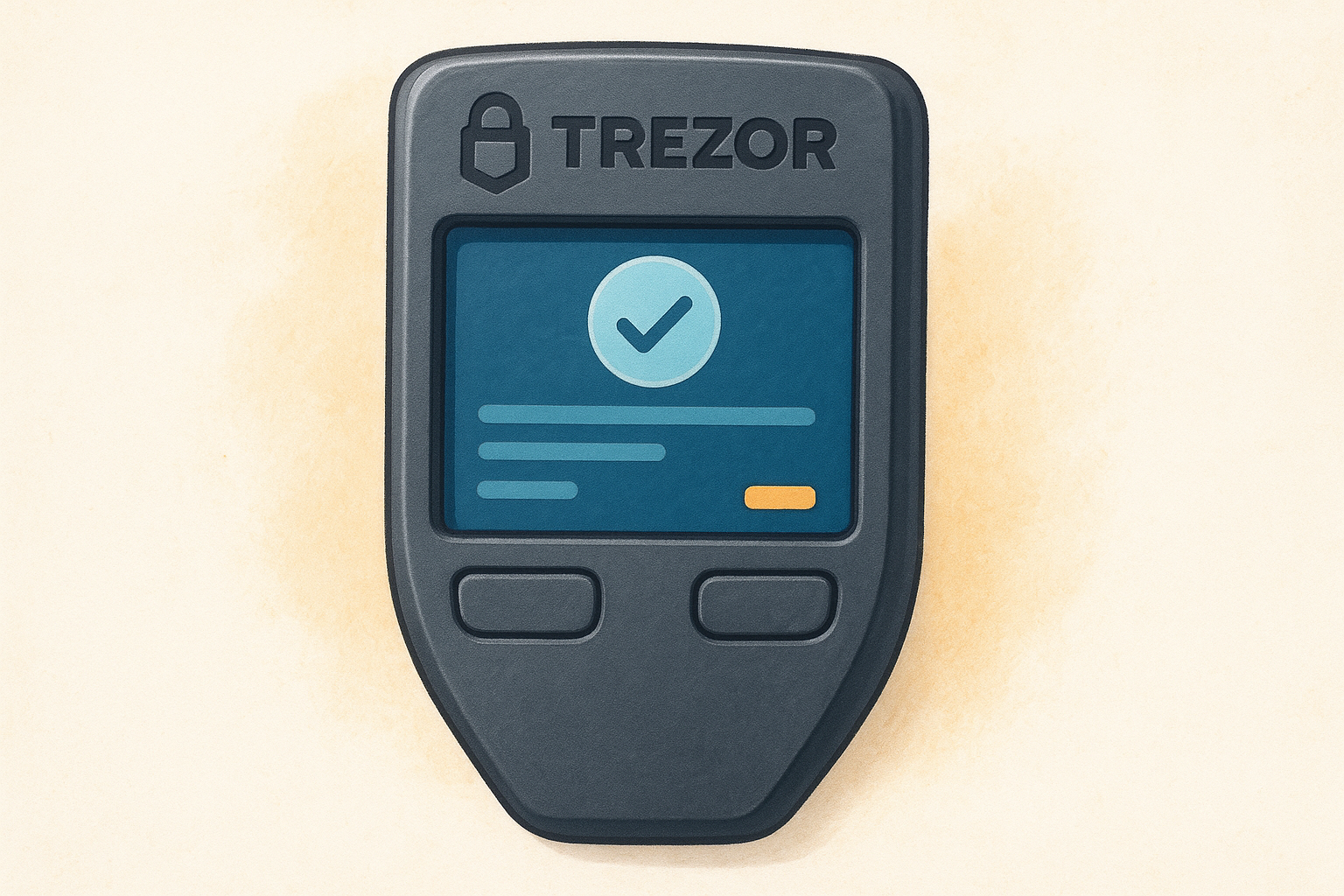
The Trezor Safe 7 is Trezor's flagship device and one of the strongest arguments for the most secure hardware wallet title in 2026. It pairs a certified secure element chip with a fully open-source firmware stack, a combination almost no other manufacturer offers. That transparency matters because it lets the security community audit exactly what the device does with your private keys, rather than asking you to trust a black box.
Security model and threat fit
The Safe 7 runs on a dual-chip architecture: a general-purpose microcontroller handles the firmware and user interface, while a separate EAL6+ certified secure element stores and protects your private keys. The secure element is specifically built to resist physical extraction attacks, side-channel analysis, and fault injection attempts. If your threat model includes someone getting physical access to your device, this architecture addresses it directly.
The combination of open-source firmware and a certified secure element puts the Trezor Safe 7 in a category most hardware wallets simply cannot match.
The device is best suited for users who want both strong hardware security and the ability to independently verify the software running on it. It supports over 7,000 coins and tokens, so asset coverage is rarely a limiting factor.
What you can verify on-device
The Safe 7 includes a large color touchscreen that displays full transaction details before you approve anything. You can confirm the recipient address, amount, and network fee on the screen without relying on a potentially compromised computer. Trezor Suite, the companion desktop and web app, is also fully open-source, so the complete signing pipeline from device to broadcast is auditable by anyone.
Tradeoffs to know before you buy
The Safe 7 connects via USB-C and Bluetooth, which means it is not air-gapped. If you specifically need a device that never touches a wireless signal, this is a real limitation worth considering. Bluetooth is optional and can be disabled, but the hardware capability still exists on the chip. Some advanced users also note that the secure element manufacturer does not publish its full specification sheet, which is a partial compromise on the total open-source ideal.
Pricing and availability
The Trezor Safe 7 retails for $169 USD directly from Trezor's official store. Always buy from the manufacturer or a verified reseller to avoid supply chain tampering. Trezor ships globally, and each device arrives with sealed holographic packaging that lets you confirm it has not been opened before you receive it.
2. Coldcard Mk4
The Coldcard Mk4 is the most Bitcoin-focused device on this list, and it earns serious consideration for the most secure hardware wallet title if your portfolio is Bitcoin-only. Built by Coinkite, it has a reputation in the Bitcoin security community for uncompromising design decisions that prioritize isolation over convenience.
Security model and threat fit
The Mk4 uses an ATECC608A secure element to protect your private keys and supports fully air-gapped transaction signing via microSD card or NFC. You can sign transactions without ever plugging the device into a computer, which removes an entire category of USB-based attack vectors. This approach suits users with a high-threat model who treat any connected computer as potentially compromised.
Air-gapped signing via microSD means your private keys never need to touch an internet-connected machine at any point in the signing process.
What you can verify on-device
The Mk4 displays the full PSBT (Partially Signed Bitcoin Transaction) details on its screen before you authorize anything. You can review the recipient address, the output amount, and the change address directly on the device. The firmware is fully open-source, and Coinkite publishes the complete build process so you can compile and verify the software yourself.
Tradeoffs to know before you buy
The Coldcard supports Bitcoin only, which is a hard stop if you hold any other assets. The interface is also menu-driven with physical buttons, so expect a steeper learning curve compared to touchscreen devices.
Pricing and availability
The Coldcard Mk4 retails for $149.99 USD directly from Coinkite's official store, which is the only verified purchase channel you should use.
3. Ledger Flex
Ledger's Flex model targets users who need multi-asset support combined with hardware-level key protection. It qualifies as a legitimate contender for the most secure hardware wallet category, sitting between the brand's entry-level and professional tiers with a polished experience built around a certified secure element.
Security model and threat fit
The Flex uses Ledger's ST33K1M5 secure element chip, rated at EAL6+, to isolate your private keys from the rest of the device. This chip is purpose-built to resist physical tampering and side-channel attacks. Connectivity runs through USB-C and Bluetooth, making the Flex well-suited for users who want convenient access to a wide range of assets without giving up hardware-grade key protection.
The EAL6+ secure element gives the Ledger Flex hardware security credentials that most software wallets and exchange accounts simply cannot match.
What you can verify on-device
Your transaction details appear on a large E Ink touchscreen before you confirm anything. You verify the recipient address and the amount directly on the device, independent of what your computer displays. Ledger Connect also lets you interact with Web3 applications through the device's secure signing layer.
Tradeoffs to know before you buy
Ledger's firmware is not fully open-source, which is the most significant concern from the security community. Parts of the stack are public, but the secure element operating system stays closed, limiting independent audits of the full signing pipeline. Ledger also experienced a notable customer data breach in 2020, which is worth factoring into your decision even though it did not compromise private keys directly.
Pricing and availability
The Flex retails for $249 USD directly from Ledger's official store. Buy only from verified channels to protect against supply chain tampering before the device reaches you.
4. NGRAVE ZERO
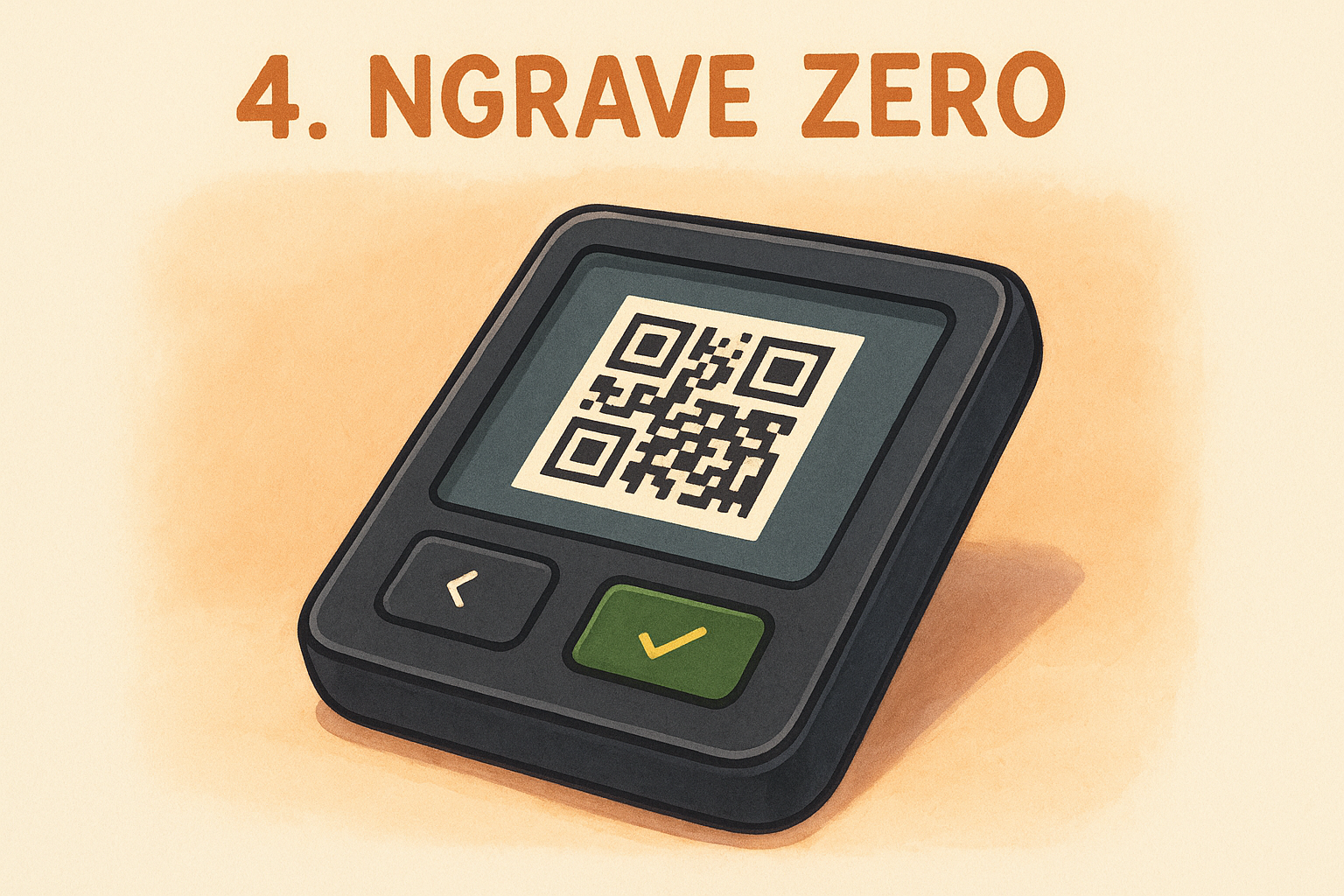
The NGRAVE ZERO is one of the strongest air-gapped options for anyone building around the most secure hardware wallet standard. It was designed from the ground up with a full air-gap architecture and carries formal security certification, making it a serious choice for users who treat zero connectivity as non-negotiable.
Security model and threat fit
The ZERO operates with no USB, Bluetooth, WiFi, or NFC connectivity whatsoever. Transactions move between the device and your computer exclusively via QR code scanning, which means your private keys never travel across any wired or wireless connection. It carries an EAL7 security certification, the highest rating available for a consumer hardware device, covering both the secure element chip and the overall system architecture.
An EAL7 certification is the highest achievable under Common Criteria standards, and the NGRAVE ZERO is one of the only consumer devices to reach it.
What you can verify on-device
Your transaction details appear on a large color touchscreen before you confirm anything. You review the recipient address, amount, and network fee directly on the device, with no reliance on a connected machine at any point in the process.
Tradeoffs to know before you buy
The biggest limitation is ecosystem support. The ZERO works exclusively with the NGRAVE LIQUID mobile app, which supports fewer assets than Ledger Live or Trezor Suite. The QR-based workflow also adds friction compared to plug-and-sign devices, which can slow down users who make frequent transactions.
Pricing and availability
The NGRAVE ZERO retails for $398 USD directly from NGRAVE's official store. It is the priciest option on this list, so it fits users who prioritize the highest certification credentials over keeping costs down.
5. OneKey Pro
The OneKey Pro makes a genuine case for users searching for the most secure hardware wallet at a competitive price point. OneKey publishes both its hardware designs and firmware as fully open-source, placing it alongside Trezor in terms of community-auditable transparency.
Security model and threat fit
OneKey built the Pro around a CC EAL6+ certified secure element that stores and protects your private keys, combined with a fully open-source firmware stack that anyone can review and compile independently. It also supports QR code-based air-gapped signing, so you can complete transactions without any USB or Bluetooth connection if your threat model demands full isolation. This flexibility makes it a strong fit for users who want to choose their own level of connectivity exposure depending on the situation.
What you can verify on-device
Your transaction details appear on a large color touchscreen before you sign, including the recipient address, network fee, and transfer amount. Because the firmware is fully open-source, you can verify the complete code path from key storage through to broadcast without trusting any closed component.
Full open-source transparency across both hardware and software gives the OneKey Pro a level of community-verified credibility most competitors cannot match.
Tradeoffs to know before you buy
Bluetooth and USB-C connectivity remain available on the device, which introduces wireless exposure if you skip the QR signing workflow. The OneKey brand is also less battle-tested than Trezor or Ledger, meaning its long-term security track record carries fewer years of real-world stress testing behind it.
Pricing and availability
OneKey sells the Pro for $99 USD directly through its official store. Purchase only from the official channel to avoid any supply chain risk before the device reaches you.
6. Trezor Safe 5
The Trezor Safe 5 sits one tier below the Safe 7 in Trezor's lineup but shares most of the same core security architecture. For users who want a strong candidate for the most secure hardware wallet title without paying flagship pricing, the Safe 5 delivers real protection without meaningful compromise on the security side.
Security model and threat fit
The Safe 5 runs the same dual-chip architecture as the Safe 7, pairing a general-purpose microcontroller with an EAL6+ certified secure element that stores and protects your private keys. It handles physical extraction attempts, side-channel attacks, and fault injection in the same way the flagship model does. The differences between the two sit in design details and connectivity options, not in the core security foundation.
The EAL6+ secure element gives the Safe 5 the same hardware-level key protection as the Safe 7 at a significantly lower price.
What you can verify on-device
Your transaction details appear on a color touchscreen before you confirm anything, letting you review the recipient address, amount, and network fee without relying on your computer's display. Trezor Suite is fully open-source, so the complete signing pipeline remains auditable by anyone who wants to inspect it.
Tradeoffs to know before you buy
The Safe 5 connects via USB-C only with no Bluetooth option, which actually reduces its wireless attack surface compared to the Safe 7. Air-gapped signing is not supported, so a physical USB connection is required for every transaction you complete.
Pricing and availability
The Safe 5 retails for $109 USD directly from Trezor's official store. Buy only from the manufacturer or a verified reseller to protect against tampering before the device reaches you.
7. Keystone 3 Pro
The Keystone 3 Pro gives you a fully air-gapped signing experience backed by open-source firmware at a price that sits well below the NGRAVE ZERO. If your threat model centers on keeping private keys permanently disconnected from any online device, Keystone's architecture is built specifically around that requirement.
Security model and threat fit
Keystone built the Pro around three separate secure element chips to store and protect your private keys, which is more hardware redundancy than any other device on this list provides. All transaction signing happens entirely offline via QR codes, eliminating USB and Bluetooth as attack vectors by design rather than by relying on user discipline. This approach puts it in direct competition with the NGRAVE ZERO as a genuine candidate for the most secure hardware wallet among users who demand full connectivity isolation.
Three secure element chips working in parallel provide a level of key protection redundancy that no other consumer wallet on this list currently matches.
What you can verify on-device
Your transaction details appear on a large color touchscreen before you approve anything. You review the recipient address, transfer amount, and network fee directly on the device, with no USB connection involved at any point in the process.
Tradeoffs to know before you buy
The QR-based workflow adds friction for users who sign transactions frequently, since each step requires scanning codes between your device and a phone or webcam. Keystone is also a younger brand compared to Trezor or Ledger, meaning its long-term security track record carries fewer years of real-world stress testing behind it.
Pricing and availability
Keystone sells the 3 Pro for $169 USD through its official store. Purchase only from the official channel to avoid any supply chain risks before the device reaches you.
8. Tangem Wallet
The Tangem Wallet takes a completely different physical form than every other device on this list. Instead of a traditional hardware device with buttons and a screen, Tangem uses NFC-enabled smart cards that store your private keys directly on the card's chip. For users who find conventional hardware wallets too complex or fragile, this card-based approach removes friction while still keeping your keys off the internet.
Security model and threat fit
Tangem stores your private keys on a CC EAL6+ certified chip embedded inside each card, and the key never leaves that chip under any circumstance. Keys are generated directly on the card during setup, meaning no seed phrase is ever created or displayed. This eliminates the seed phrase backup problem entirely, which is one of the most common failure points for self-custody users.
Removing the seed phrase closes one widely exploited attack vector, but it also means your backup strategy must account for physical card replacement rather than written recovery words.
What you can verify on-device
Since the card has no screen, all transaction verification happens through the companion mobile app. You review the recipient address, transfer amount, and fee on your phone before tapping the card to sign.
Tradeoffs to know before you buy
The absence of an on-device screen is the most significant tradeoff compared to every other most secure hardware wallet option in this list. You cannot verify transaction details without trusting your phone display, which creates real exposure if your phone carries malware or a compromised app.
Pricing and availability
Tangem sells its wallet in sets of two or three cards, starting at $54.90 USD directly from its official store. Buying multiple cards is essential since each card serves as your physical backup.
Your next step
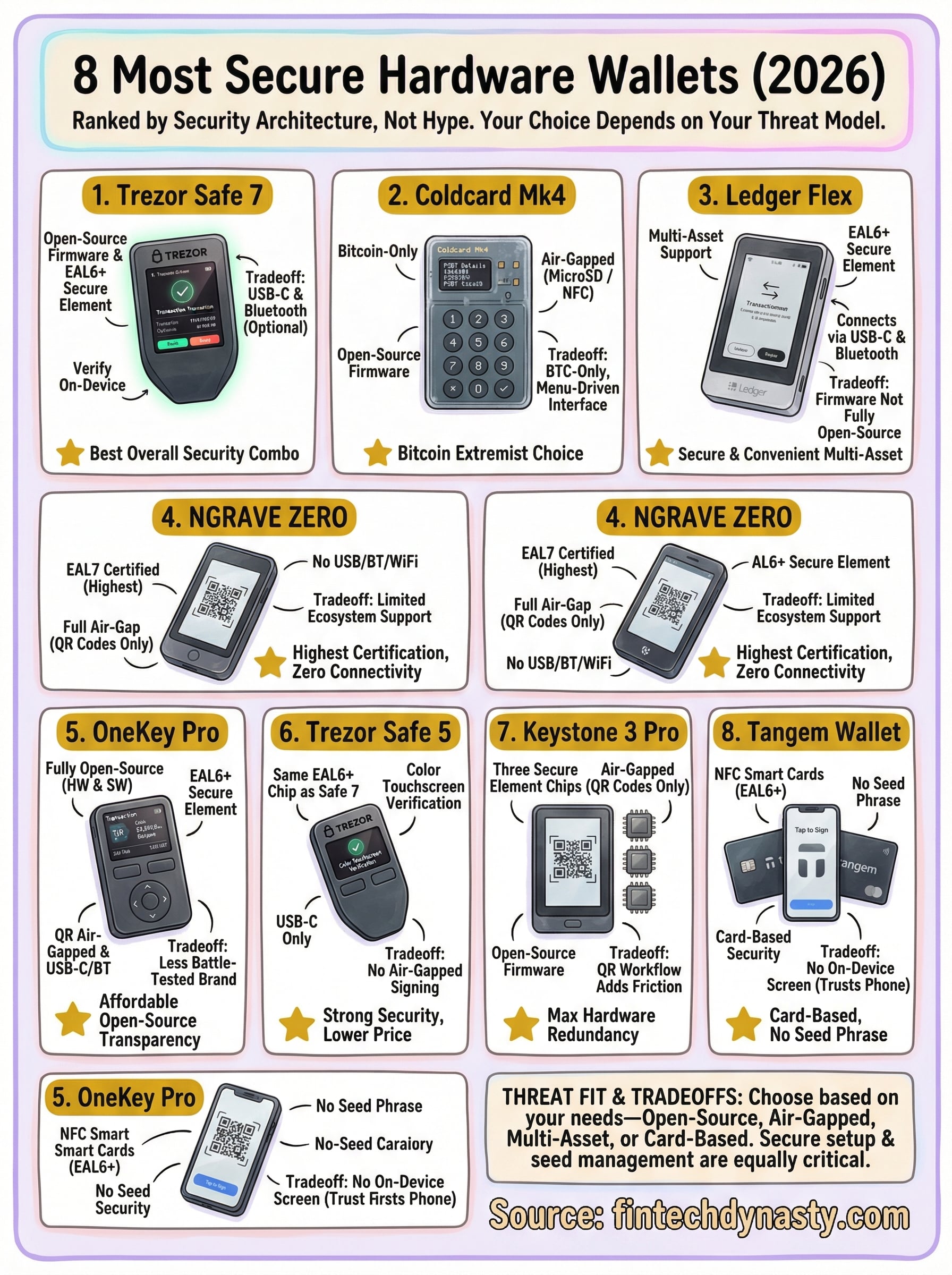
Every device on this list earns its place as a legitimate contender for the most secure hardware wallet in 2026, but the right pick depends on what you're actually protecting against. If you want full open-source transparency with strong hardware security, the Trezor Safe 7 or Safe 5 fit that profile. If your threat model demands zero connectivity, the Coldcard Mk4, NGRAVE ZERO, or Keystone 3 Pro each address it in different ways. Pick the device that matches your specific situation, not the one with the most marketing behind it.
Choosing the right wallet is only part of the equation. Understanding how to set it up correctly, store your seed phrase safely, and avoid the most common self-custody mistakes matters just as much as the hardware itself. If you want structured guidance through all of it, start with the FinTech Dynasty crypto education course and build your security foundation the right way.