

Phishing-Resistant MFA Solutions: FIDO2 & PKI Options In IT
Passwords get stolen. SMS codes get intercepted. Even authenticator app prompts get social-engineered out of tired employees at 2 a.m. Traditional MFA methods were a meaningful upgrade from passwords alone, but attackers have caught up. That's exactly why phishing-resistant MFA solutions have become a priority for IT teams and security architects who refuse to keep patching a fundamentally broken approach. These solutions don't just add friction for attackers, they make credential phishing structurally impossible by removing the human element from the verification loop.
At FinTech Dynasty, we focus on helping people protect digital assets through self-custody, hardware wallets, and sound security practices. The same principle that makes a hardware wallet superior to a browser extension, keeping secrets offline and bound to a physical device, is the core idea behind phishing-resistant authentication standards like FIDO2 and PKI. Whether you're securing a crypto portfolio or an enterprise network, the underlying lesson is identical: private keys should never be exposed to the environment where attacks happen.
This article breaks down how phishing-resistant MFA actually works at a technical level, compares FIDO2 and PKI-based approaches side by side, and walks through the specific vendor options available for enterprise deployment. If you're evaluating solutions to harden your organization's authentication stack, or simply want to understand why hardware-bound cryptographic proof beats every other method, you're in the right place.
Why phishing-resistant MFA matters now
Traditional MFA was built around shared secrets and real-time code delivery, both of which assume the user is interacting with a legitimate system. That assumption breaks the moment an attacker inserts themselves between the user and the real service. Adversary-in-the-middle attacks, SIM swapping, and push notification fatigue exploits have turned "something you have" into something attackers can harvest just as easily as a password. The threat landscape has shifted far enough that government agencies and major security frameworks now treat legacy MFA as an inadequate control for any high-value system.
The real cost of legacy authentication failures
Phishing attacks that bypass MFA are no longer rare edge cases. Microsoft's Digital Defense Report documented tens of thousands of adversary-in-the-middle phishing attempts per day targeting organizations running SMS-based and app-based MFA. In these attacks, a proxy site sits between you and the legitimate service, forwarding your credentials and session tokens in real time. By the time you realize something is wrong, the attacker already holds a valid, authenticated session token that works on the server's side without triggering any additional verification prompt.
Real-time phishing proxies defeat traditional MFA entirely because they steal live session tokens, not just passwords.
The financial and operational consequences compound fast. A single compromised admin account can expose internal systems, customer data, and financial infrastructure simultaneously. For organizations handling cryptocurrency custody, regulated financial data, or healthcare records, one successful session-hijacking attack can trigger mandatory breach notifications, regulatory fines, and reputational damage that dwarfs the cost of deploying a proper authentication upgrade. The calculation is straightforward: legacy MFA creates a ceiling on how secure your environment can actually get.
Why regulatory and compliance pressure is accelerating adoption
Governments have started to codify what security teams already understood. CISA's guidance on phishing-resistant MFA explicitly names FIDO2 security keys and PKI-based smart cards as the only acceptable phishing-resistant controls for federal agencies and critical infrastructure operators. The Office of Management and Budget Memo M-22-09 formalized a federal zero trust architecture mandate, requiring agencies to adopt phishing resistant MFA solutions across enterprise systems on defined timelines.
Private-sector compliance frameworks are moving in the same direction. PCI DSS 4.0 tightens authentication requirements for cardholder data environments in ways that older TOTP-based setups struggle to satisfy. NIST SP 800-63B, the publication that defines digital identity assurance levels, places hardware-cryptographic authentication at its highest assurance tier. If your organization operates under any of these frameworks, the practical question is no longer whether you need phishing-resistant authentication. The question is which standard fits your infrastructure and how quickly your deployment needs to move before your next audit cycle catches up with you.
How phishing-resistant MFA works in practice
The core difference between phishing-resistant MFA solutions and everything that came before them is where the secret lives. In traditional MFA, a shared secret (a TOTP seed, a password, a one-time code) travels across a network at the moment of authentication. That movement is the attack surface. Phishing-resistant methods flip the model entirely: the secret never leaves the device that holds it, and the verification happens through a cryptographic challenge-response exchange that an attacker cannot replay or intercept in any useful form.
The cryptographic handshake explained
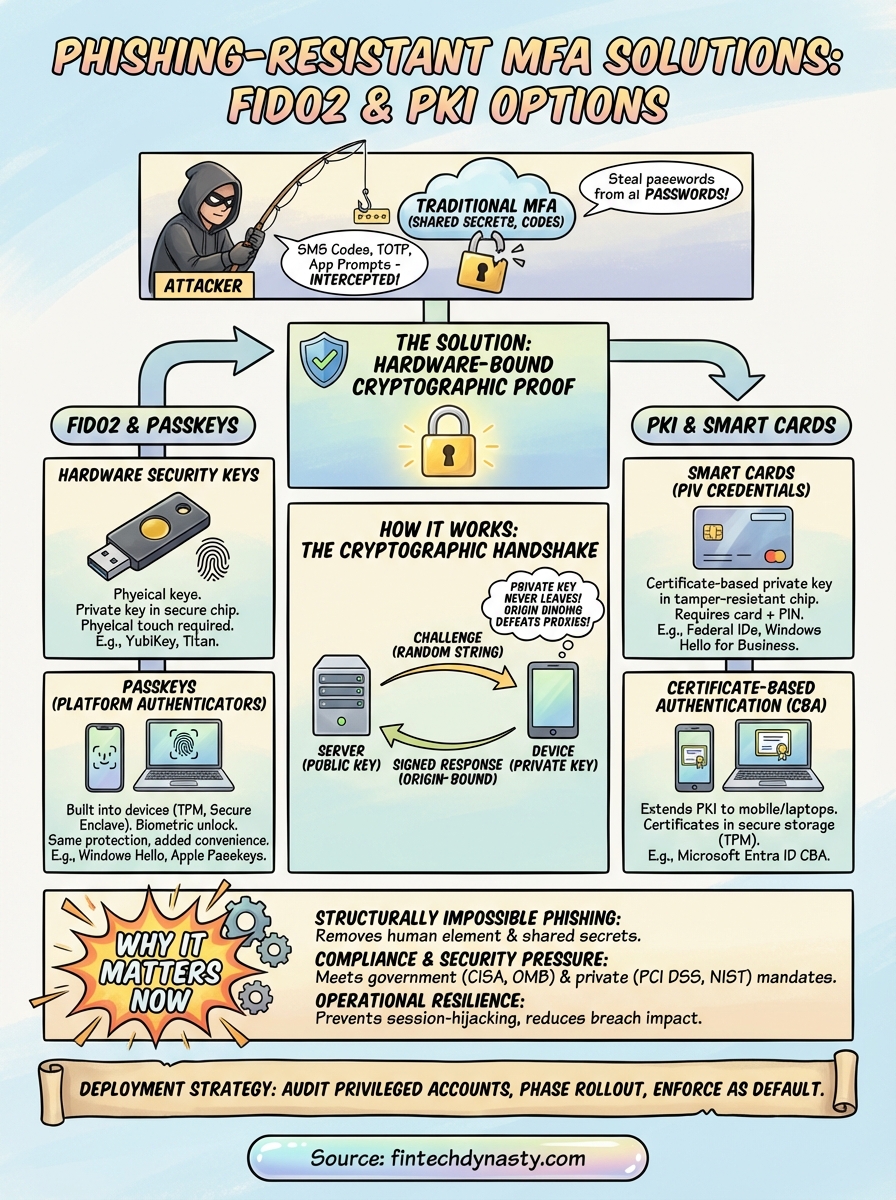
When you register a FIDO2 key or a PKI smart card with a service, the device generates a unique asymmetric key pair for that specific registration. The private key stays locked inside the hardware token or secure chip, isolated from the operating system. The public key gets stored on the server. At login, the server sends a cryptographic challenge, a random string of data specific to that session. Your device signs that challenge with the private key and sends back the signature. The server verifies the signature against the stored public key. At no point does the private key move.
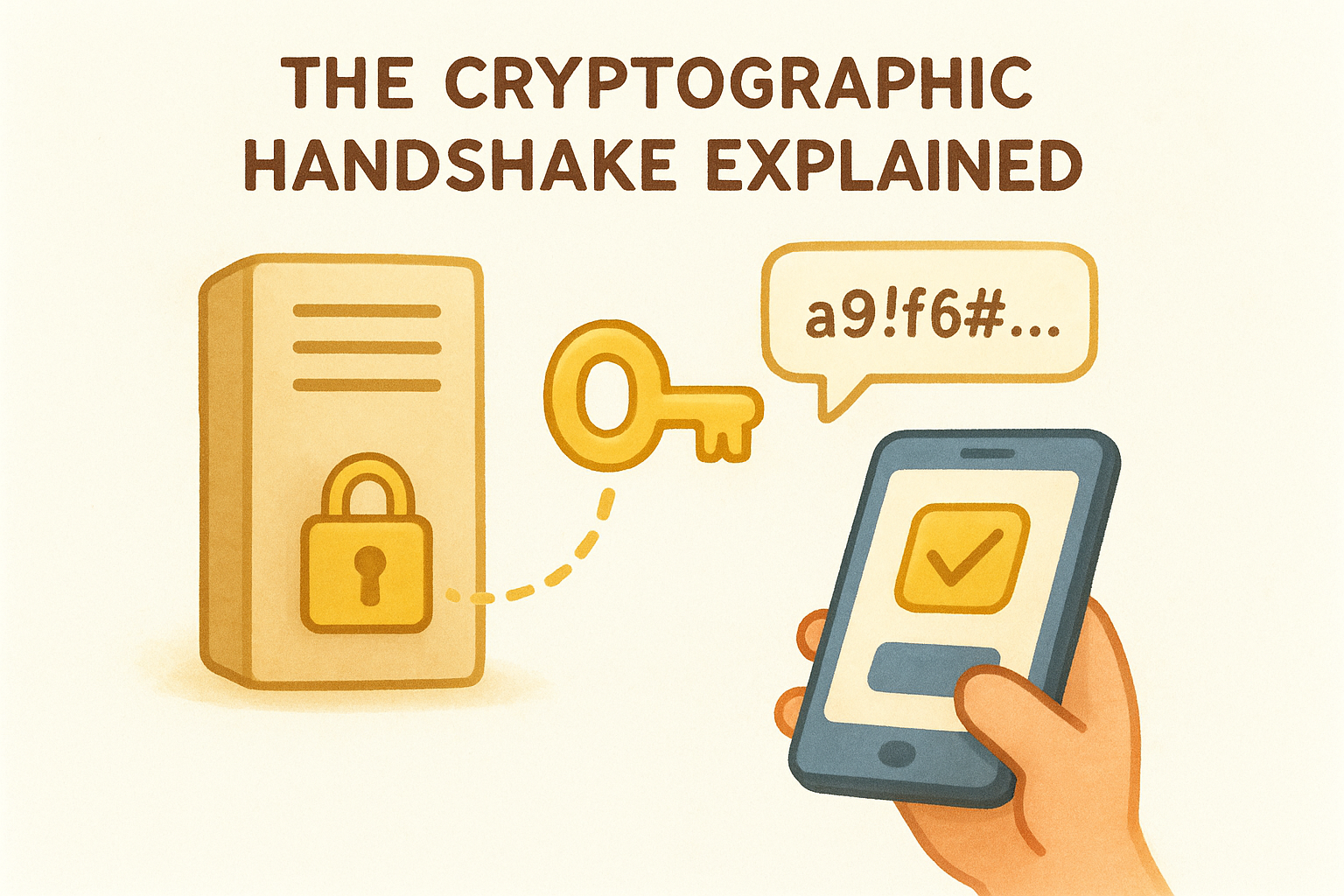
Because the private key never leaves the hardware, an attacker who intercepts the network traffic captures nothing they can use to authenticate.
Why origin binding closes the phishing loop
FIDO2 authentication embeds the origin of the request (the exact domain the browser is communicating with) into the signed response. If a phishing proxy forwards your challenge to a fake domain and then tries to replay the signed response against the real site, the origin in the signature will not match what the real server expects. The authentication fails automatically. This structural property makes origin-bound credentials fundamentally different from any code-based or token-based system, because a stolen response is cryptographically useless outside the exact context where it was created. No amount of social engineering changes that outcome.
FIDO2 and passkeys options
FIDO2 is the authentication standard that sits behind both hardware security keys and passkeys, and it represents the most widely deployed category of phishing-resistant MFA solutions available today. The standard is maintained by the FIDO Alliance and built on the W3C WebAuthn specification, which means browser and platform support has reached the point where deployment no longer requires exotic infrastructure. If your organization is evaluating where to start, FIDO2-based options give you the broadest ecosystem coverage with the lowest integration friction.
Hardware security keys
Physical FIDO2 security keys store the private key in a dedicated secure element chip that is isolated from the host operating system. Yubico's YubiKey line and Google's Titan Security Key are the two most referenced enterprise options, both supporting USB-A, USB-C, and NFC interfaces across their current product ranges. You register the key with a service once, and every subsequent login requires you to physically interact with the key, either by tapping it or pressing a capacitive sensor, which prevents automated remote attacks entirely.
A hardware key you physically touch at login cannot be silently compromised by malware running in the background on the same machine.
For enterprise rollouts, both Yubico and Google offer bulk provisioning tools and management APIs that integrate with identity providers like Microsoft Entra ID and Okta, letting you enforce key-based authentication as a policy rather than an option.
Passkeys for enterprise environments
Passkeys extend the FIDO2 model to platform authenticators, meaning the same cryptographic structure lives inside your device's trusted platform module (TPM) or secure enclave rather than a separate key. Microsoft, Apple, and Google all support passkey authentication natively on their platforms, and Microsoft's passkey documentation walks through how Windows Hello integrates directly with enterprise identity infrastructure. You get the same origin-binding protection as a hardware key, paired with the convenience of biometric unlock on devices your employees already carry.
PKI and smart card options
PKI-based authentication is the other major branch of phishing-resistant MFA solutions, and it has been a cornerstone of high-security environments, particularly in government and defense, for decades. Public Key Infrastructure relies on digital certificates issued by a trusted certificate authority (CA) to bind an identity to a cryptographic key pair stored on a hardware device. The same principle applies: the private key never leaves the card, the server validates the certificate signature, and there is no transferable secret for an attacker to steal.
Smart cards and PIV credentials
Smart cards follow the Personal Identity Verification (PIV) standard defined in NIST FIPS 201, and they are the default authentication hardware for U.S. federal employees and contractors. Each card holds a certificate-backed private key inside a tamper-resistant chip. At login, the card signs a server challenge using that key, and the server validates the response against the issuing CA's certificate chain. Because the CA controls which certificates it signs, a stolen card without the matching PIN provides nothing useful to an attacker.
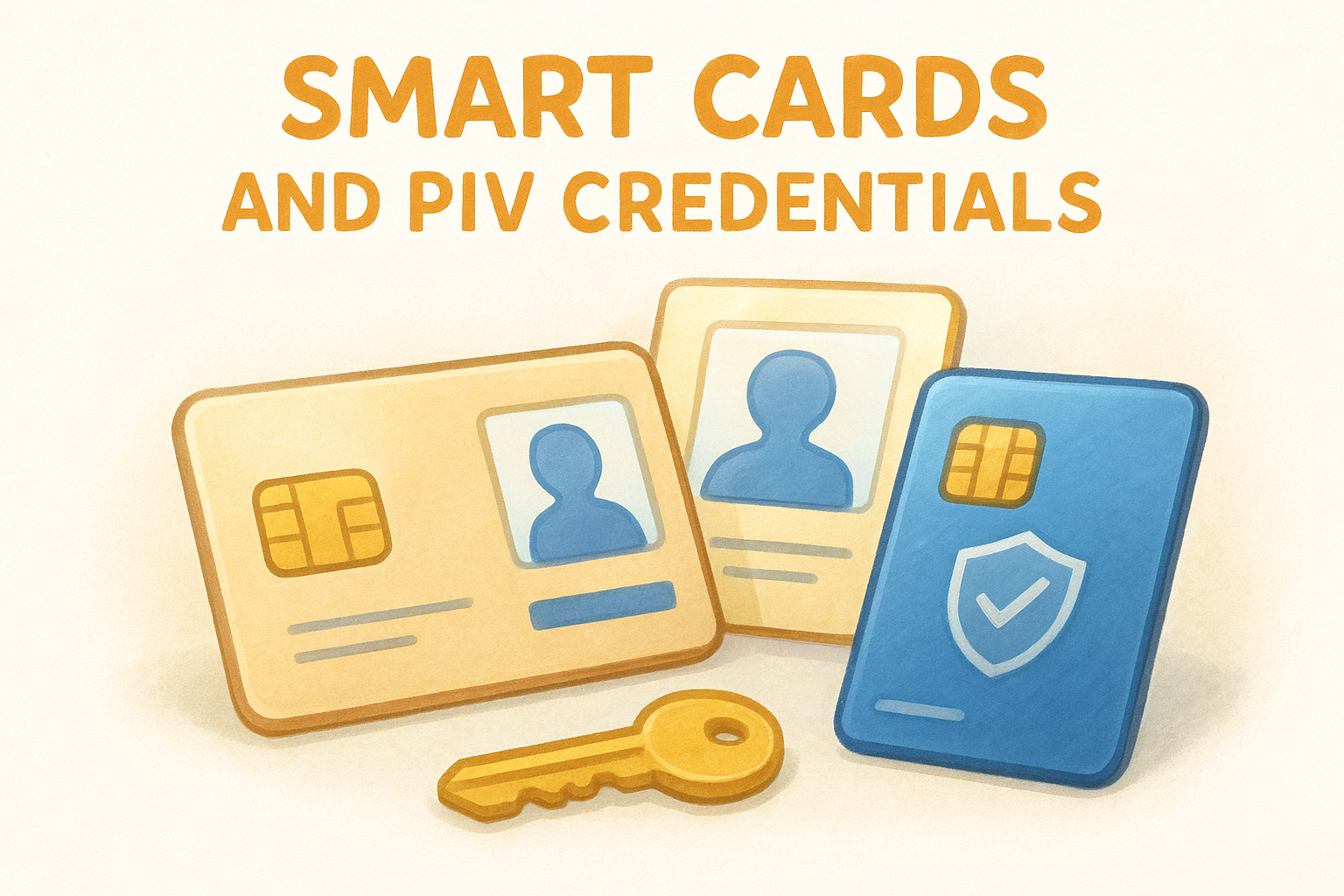
Smart cards require both physical possession of the card and knowledge of the PIN, giving you two independent factors that are structurally bound together rather than transmitted separately.
For enterprise deployments outside the federal space, Microsoft's Active Directory Certificate Services (AD CS) integrates directly with smart card authentication through Windows Hello for Business, letting you issue and manage certificates within your existing infrastructure without building a separate CA from scratch.
Certificate-based authentication for modern environments
Not every user in your organization sits at a desk with a card reader. Certificate-based authentication (CBA) extends PKI protections to mobile devices and laptops by provisioning certificates directly into device-bound secure storage, such as a TPM chip or a mobile device's secure enclave. Microsoft Entra ID supports CBA natively, as documented in Microsoft's certificate-based authentication overview, making it straightforward to enforce PKI-level assurance across a distributed workforce without requiring physical card hardware at every endpoint.
How to choose and deploy a solution
Selecting the right approach from the available phishing resistant mfa solutions starts with an honest inventory of your environment. Your decision hinges on three variables: the identity infrastructure you already run, the physical context your users work in, and the compliance framework your organization answers to. If you operate heavily within Microsoft's ecosystem and need to meet federal or financial compliance requirements, a PKI-based path through Microsoft Entra ID with certificate-based authentication will fit your existing tooling far more naturally than building new infrastructure from scratch.
The worst deployment mistake is choosing a technically superior standard that your identity provider cannot enforce as a mandatory policy.
Match the method to your environment
FIDO2 hardware keys are the right starting point for organizations with heterogeneous environments or distributed workforces that span multiple operating systems and identity providers. Passkeys work well when you want the same cryptographic guarantees without a physical token budget, especially on managed endpoints with TPM chips or secure enclaves already provisioned. Smart cards and PKI credentials remain the stronger choice for high-assurance use cases where certificate lifecycle management is already handled internally or through a managed CA service.
| Scenario | Recommended Approach |
|---|---|
| Mixed OS environment, remote workforce | FIDO2 hardware keys or passkeys |
| Federal compliance, PIV requirement | Smart cards (FIPS 201 / PIV) |
| Microsoft-centric enterprise, no card readers | Entra ID certificate-based authentication |
| Consumer-facing accounts with high-risk users | Passkeys via platform authenticator |
Plan your rollout in phases
Start with your highest-privilege accounts: administrators, finance teams, and anyone with access to sensitive infrastructure. These accounts carry the most risk and give you a contained, manageable cohort to work through deployment friction before you scale. Document every edge case you hit in this phase, because those cases will repeat across your broader user base.
Broad deployment comes after you've validated your help desk processes, recovery workflows, and fallback procedures. Removing all legacy authentication options too quickly creates lockout risks that generate more support burden than the migration itself. Enforce phishing-resistant methods as the default through conditional access policies, then retire weaker options on a set timeline rather than overnight.
Final takeaways
Phishing-resistant MFA solutions work because they remove the shared secret from the authentication exchange entirely. Private keys stay locked inside hardware, origin binding makes stolen credentials useless, and the cryptographic proof cannot be replayed across a different domain or session. Whether you deploy FIDO2 hardware keys, passkeys, smart cards, or certificate-based authentication depends on your existing identity infrastructure and compliance requirements, but all four options give you structural protection that SMS codes and TOTP apps simply cannot match.
Your next step is to audit your highest-privilege accounts first, pick the method that fits your environment, and enforce it through policy rather than preference. The same principle applies to protecting personal digital assets: hardware-bound keys keep secrets offline and out of reach. If you want to apply that same logic to your cryptocurrency holdings, explore the hardware wallet guides at FinTech Dynasty to see how physical security devices translate directly into real-world asset protection.