

6 Types Of Phishing Attacks (With Examples And Prevention)
Phishing remains one of the most effective tools cybercriminals use to steal credentials, drain accounts, and compromise digital assets. Whether you're managing a crypto wallet or protecting exchange logins, understanding the different types of phishing attacks is your first line of defense. These scams aren't slowing down, they're getting more sophisticated and harder to spot.
At FinTech Dynasty, we focus on helping cryptocurrency holders secure their assets through education and practical guidance. Phishing attacks specifically target crypto users because stolen seed phrases and private keys lead to permanent, irreversible losses. There's no customer support line that will recover your funds once they're gone.
This guide breaks down six common phishing methods you're likely to encounter, complete with real-world examples and actionable prevention tips. By the end, you'll know exactly what to look for and how to protect yourself from each attack vector.
1. Crypto wallet phishing
Crypto wallet phishing targets your seed phrases and private keys by tricking you into entering them on fake websites or apps. Among all types of phishing attacks, this one causes the most permanent financial damage to cryptocurrency holders because stolen credentials give attackers instant, irreversible access to your funds. Once they have your 12 or 24 word recovery phrase, they control your wallet completely.
How crypto wallet phishing works
Attackers create counterfeit versions of legitimate wallet interfaces that look identical to the real thing. When you enter your seed phrase to "restore" or "verify" your wallet, the fake site captures every word you type. The stolen information gets sent directly to the attacker, who then imports your wallet into their own device and drains your assets within minutes.
Where attackers lure victims
You'll encounter these fake wallet sites through sponsored search results that appear above legitimate links, phishing emails claiming your wallet needs an "urgent security update," and malicious ads on social media platforms. Attackers also use fake mobile apps uploaded to third-party app stores that mimic popular wallets like MetaMask or Trust Wallet. Discord and Telegram groups for crypto projects frequently contain scammers posting links to "exclusive wallet features" or claiming to offer technical support.
Red flags that show up in wallet scams
Legitimate wallet providers never ask for your seed phrase through customer support, email, or any form of communication. If a website or support representative requests your recovery words, you're dealing with a scam. Other warning signs include misspelled URLs like "metamaask.com" instead of "metamask.io," pressure to act immediately due to fake security alerts, and unsolicited messages offering to help with wallet issues.
No legitimate wallet service will ever ask you to verify, confirm, or re-enter your seed phrase after initial setup.
Example scenario in the crypto world
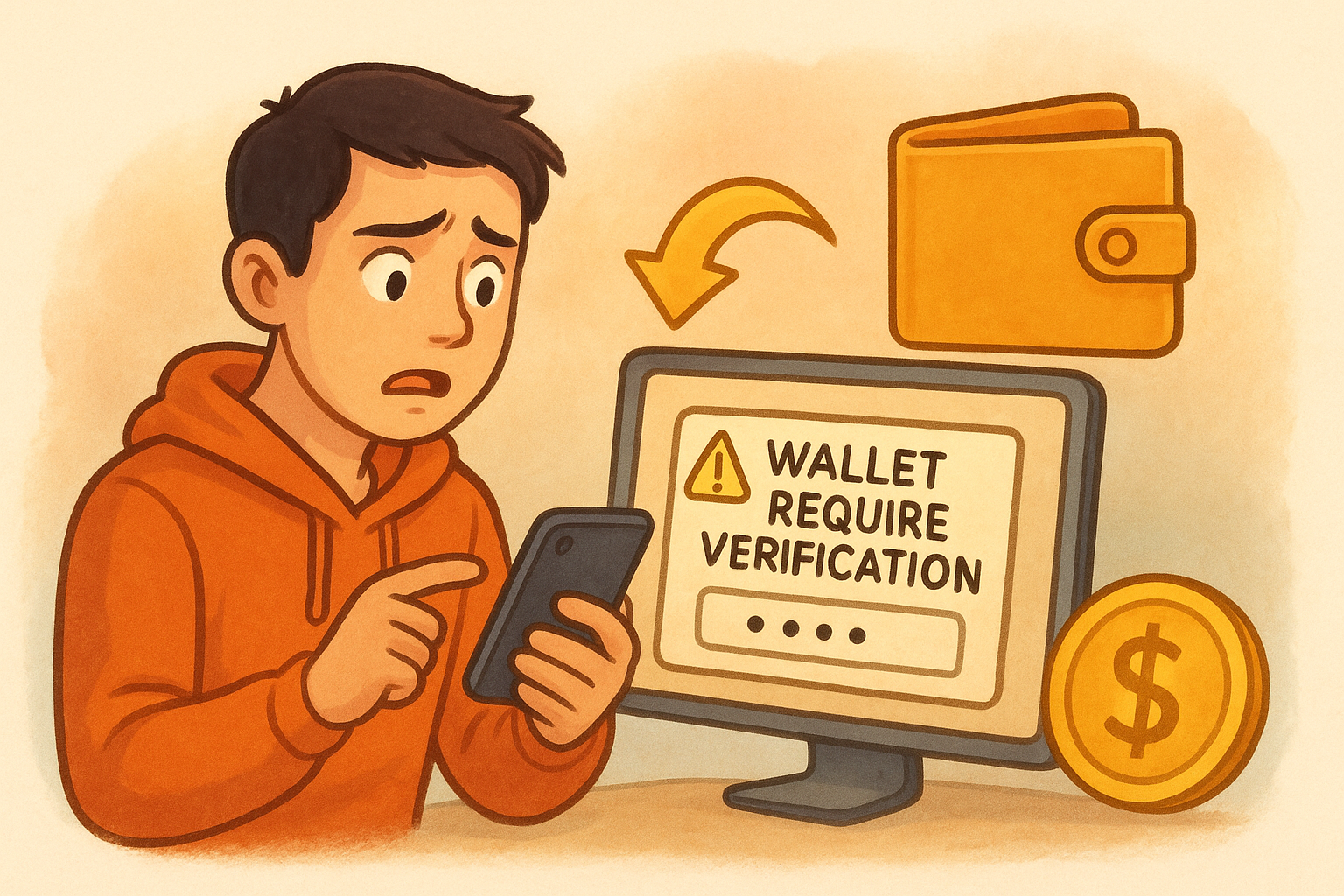
You search for "MetaMask wallet" and click the first result, which looks official but leads to metamask-verify.com. The site displays a popup claiming your wallet requires verification to prevent unauthorized access. After entering your seed phrase, the page refreshes and shows a loading screen. Within five minutes, your entire balance disappears because the attacker imported your wallet and transferred everything to their address.
How to prevent it in self-custody setups
Bookmark your wallet's official website directly from their verified social media accounts and always access it through that bookmark. Never type seed phrases into any website unless you're performing the initial wallet setup on hardware you control. Enable hardware wallet integration through devices like Ledger or Trezor that keep your private keys offline and require physical confirmation for transactions. Double-check URLs character by character before entering any sensitive information, and ignore all unsolicited messages claiming to be from wallet support teams.
2. Spear phishing
Spear phishing takes the shotgun approach of mass email scams and converts it into a precision rifle aimed at specific individuals. Unlike generic phishing campaigns that blast identical messages to thousands of people, attackers research their targets extensively and craft personalized messages that reference real names, job titles, recent transactions, or ongoing projects. This customization makes spear phishing one of the most dangerous types of phishing attacks for cryptocurrency users who maintain accounts on centralized exchanges or handle significant digital assets.
How spear phishing works
Attackers gather information about you from public sources like LinkedIn profiles, social media posts, company websites, and data breaches. They use these details to create emails or messages that appear to come from someone you trust, such as a colleague, business partner, or exchange representative. The message typically includes specific references to your work, recent activities, or shared contacts to build credibility before requesting action like clicking a link or downloading an attachment.
Who attackers target and why it works
Spear phishing campaigns focus on high-value targets including exchange account holders with large balances, employees at crypto companies with access to customer data, and individuals who publicly discuss their cryptocurrency holdings. These attacks succeed because the personalized details bypass your natural skepticism and create a false sense of legitimacy that generic scams cannot achieve.
Common spear phishing pretexts
Attackers impersonate exchange security teams warning about "unauthorized login attempts" from your specific location, send fake invoice requests that match actual business relationships, or pose as colleagues requesting urgent access to shared documents. You might receive messages claiming your KYC verification expired and needs immediate renewal, or fake meeting invitations from people you actually know that contain malicious links in the calendar attachment.
Personalized details in a message do not guarantee its legitimacy because attackers mine this information from publicly available sources.
Example scenario in a workplace or exchange account
You receive an email from what appears to be your exchange's security team addressed to you by name, mentioning your recent withdrawal from three days ago and claiming suspicious activity was detected. The message includes your actual email address, references the correct exchange you use, and provides a link to "verify your identity" that leads to a fake login page capturing your credentials and two-factor codes.
How to prevent it with verification habits
Contact the supposed sender through a different communication channel you know is legitimate, such as calling their official phone number or messaging them through the verified platform. Never click links in unexpected emails, even when they contain accurate personal details. Set up separate email addresses for financial accounts that you never share publicly or use for social media registrations.
3. Smishing
Smishing delivers phishing attacks through text messages instead of email, taking advantage of the fact that people trust SMS more than other communication channels. Among the various types of phishing attacks, smishing exploits the immediacy and personal nature of text messaging to create panic and force quick decisions. Your phone displays these messages alongside legitimate texts from friends and services, making them harder to identify as threats compared to obvious email spam.
How smishing works
Attackers send text messages that impersonate banks, delivery services, or government agencies to trick you into clicking malicious links or calling fake support numbers. These messages often contain shortened URLs that hide the actual destination, making it impossible to verify legitimacy before clicking. The links lead to phishing sites designed to steal credentials, install malware, or harvest personal information you enter.
Common smishing messages people fall for
You'll see texts claiming your package delivery failed and requires immediate action, bank alerts warning about suspicious transactions that need verification, or messages stating your account was locked and must be unlocked within hours. Tax season brings fake IRS texts demanding payment, while crypto holders receive alerts about exchange security breaches requiring password resets.
Red flags inside texts and short links
Legitimate companies send texts from consistent numbers you can verify on their official website, not random digits that change with each message. Generic greetings like "Dear Customer" instead of your actual name signal fraud, as do threats of account closure or legal action without prior contact through official channels.
Companies you have accounts with will never send unsolicited texts with links demanding immediate credential verification.
Example scenario using fake security alerts
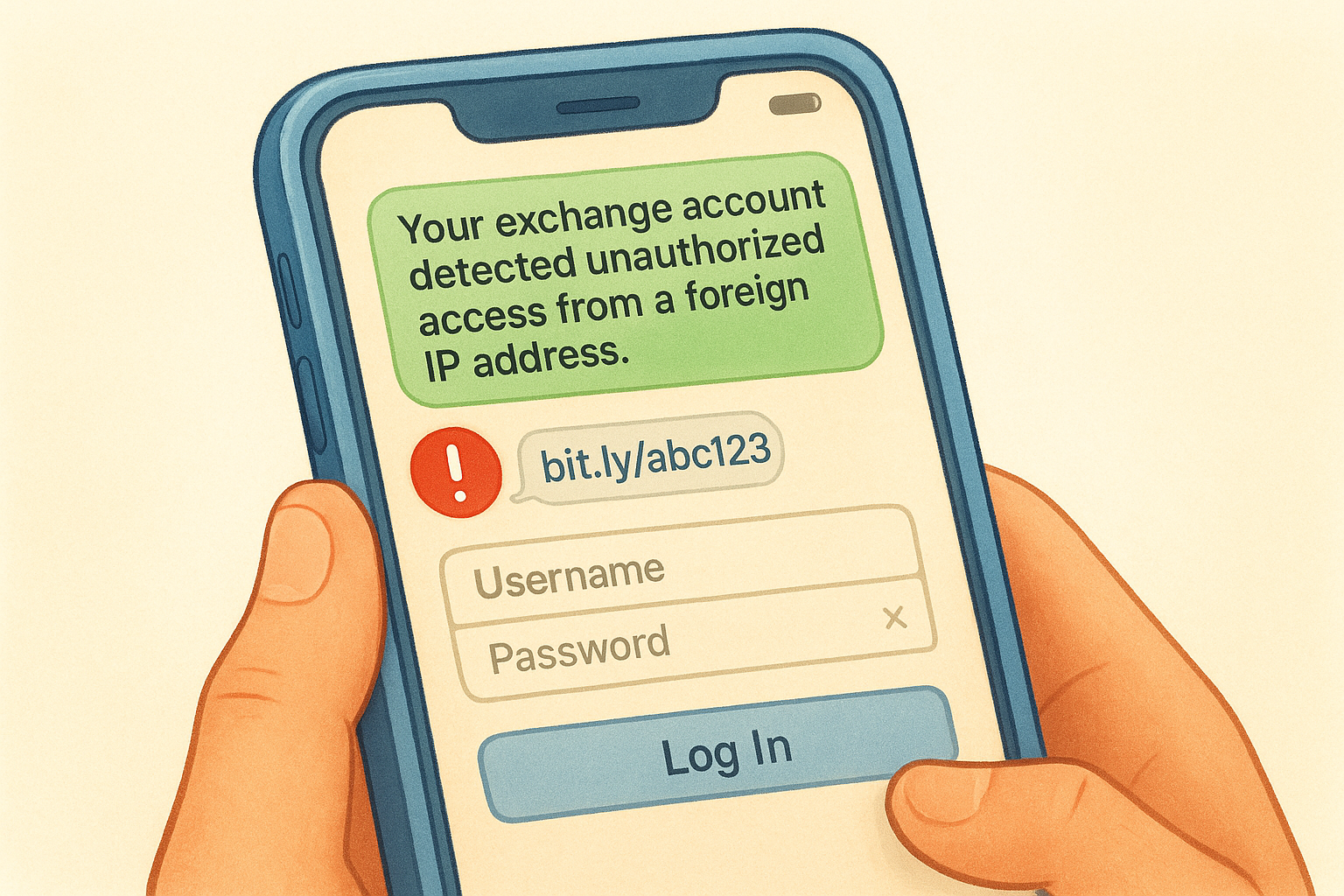
You receive a text claiming your exchange account detected unauthorized access from a foreign IP address. The message includes a bit.ly link to "secure your account immediately" that loads a fake login page capturing your username, password, and two-factor authentication code before displaying an error message.
How to prevent it on iOS and Android
Enable spam filtering in your phone's settings to automatically block suspicious texts. Never click links in unsolicited messages, instead open your browser and navigate directly to the official website or app. Contact the supposed sender through verified phone numbers listed on their official site, not numbers provided in the suspicious text.
4. Vishing
Vishing uses voice calls instead of emails or texts to execute phishing attacks, with criminals impersonating legitimate organizations to steal your credentials or manipulate you into making transfers. This variation of types of phishing attacks succeeds because phone calls create immediate pressure and exploit your trust in voice communication. Scammers frequently target cryptocurrency holders by posing as exchange support staff or security teams requesting account verification.
How vishing works
Attackers call you pretending to represent trusted organizations like your bank, a government agency, or crypto exchange support. They use social engineering tactics to create urgency, claiming your account faces imminent closure, suspicious activity was detected, or immediate action prevents financial loss. The conversation aims to extract sensitive information directly or convince you to perform actions like transferring funds or disabling security features.
Common impersonation scripts attackers use
Scammers claim to be fraud departments investigating unauthorized transactions on your account, exchange representatives verifying your identity after a security breach, or technical support resolving system errors. They reference recent crypto market events to build credibility, ask you to confirm personal details they already obtained from data breaches, and request verification codes sent to your phone during the call.
Red flags during a phone call
Legitimate companies never ask for your complete password or seed phrase over the phone. Pressure tactics demanding immediate decisions, requests to install remote access software, or instructions to move funds to "secure wallets" all signal fraud. Caller ID spoofing makes displayed numbers unreliable, and unsolicited calls about account problems almost always indicate scams.
Any call requesting your password, two-factor codes, or seed phrase is a scam, regardless of how official the caller sounds.
Example scenario with bank or tech support fraud
You receive a call from someone claiming to represent your crypto exchange's security team, stating hackers attempted to access your account. The caller knows your email address and asks you to verify the authentication code just sent to your phone, which they then use to access your actual account and drain funds.
How to prevent it with callback and account controls
Hang up and contact the organization through official phone numbers listed on their verified website or app. Never provide authentication codes, passwords, or personal information to inbound callers. Enable withdrawal whitelists on exchanges that restrict transfers to pre-approved addresses, preventing attackers from moving funds even if they breach your account.
5. Clone phishing
Clone phishing takes legitimate emails you previously received and creates nearly identical copies with malicious modifications. This method ranks among the most deceptive types of phishing attacks because attackers replicate real messages from trusted senders, replacing safe links or attachments with compromised versions. You naturally trust these emails since they reference actual conversations or transactions you recognize.
How clone phishing works
Attackers intercept or obtain copies of genuine emails from companies you interact with, then recreate them with subtle changes to embedded links or attached files. The cloned message appears to come from the same sender, uses identical formatting and logos, and references real transaction details from the original communication. Only the destination of links or the content of attachments gets modified to steal your information or install malware.
Why cloned messages look legitimate
These emails contain accurate information about your previous interactions because they originate from real correspondence. The sender's display name matches exactly, the email thread continues naturally from prior messages, and all branding elements remain unchanged. Your email client may even group the cloned message with the original thread, making detection nearly impossible without careful inspection.
Red flags in "re-sent" emails and attachments
Unexpected messages claiming to be corrected versions of emails you already received should trigger suspicion. Hover over links to check if destinations changed from the original message, and watch for slight variations in sender addresses like adding an extra letter or using different domains.
Legitimate companies rarely re-send corrected emails with different links unless they explicitly acknowledge an error in separate communication.
Example scenario using an "updated invoice" link
You receive what appears to be a re-sent invoice from a crypto service provider you use regularly, stating the previous payment link contained an error. The email matches your original invoice exactly except the payment button now directs you to a phishing site that captures your exchange login credentials.
How to prevent it with link handling and MFA
Always verify unexpected re-sends by contacting the sender through a separate channel before clicking any links. Use hardware-based two-factor authentication like YubiKey or physical security keys that phishing sites cannot intercept, unlike SMS codes or authenticator apps.
6. Evil twin Wi-Fi phishing
Evil twin Wi-Fi phishing creates fake wireless networks that mimic legitimate public hotspots to intercept your internet traffic and steal credentials. Attackers position themselves in high-traffic locations and broadcast networks with names identical to trusted Wi-Fi spots. When you connect, all your unencrypted data flows through their system, giving them access to passwords, account details, and browsing activity. This method stands out among other types of phishing attacks because it requires no clicking, just connecting to the wrong network.
How evil twin Wi-Fi phishing works
Attackers use portable equipment to broadcast wireless networks with names like "Airport_Free_WiFi" or "Hotel_Guest" that match legitimate services nearby. Your device connects automatically if you previously joined the real network, or you manually select it thinking it belongs to the venue. Once connected, the attacker intercepts your traffic through a man-in-the-middle attack, capturing login credentials when you access websites or apps.
Places where evil twin networks show up
You encounter these fake networks at airports, coffee shops, hotels, and conference centers where people expect free Wi-Fi access. Attackers also set up evil twins near cryptocurrency meetups and blockchain events targeting attendees who might access exchange accounts or wallets while connected.
Red flags before you join a network
Multiple networks with identical names appearing in your Wi-Fi list signal potential evil twins. Networks requiring no password in venues that normally use authentication, or connection screens that look different from your previous visits warrant suspicion.
Legitimate venue Wi-Fi networks maintain consistent security settings and connection processes across all guest sessions.
Example scenario at an airport or hotel
You arrive at your hotel and connect to "GrandHotel_Guest" from the available networks. After logging into your exchange account to check balances, an attacker captures your credentials through the fake network they created. Within hours, your account gets drained because they obtained both your password and session tokens.
How to prevent it with VPN and hotspot habits
Use a VPN service that encrypts all traffic before it leaves your device, making intercepted data useless to attackers. Create a mobile hotspot from your phone instead of joining public Wi-Fi when accessing financial accounts or cryptocurrency services. Disable automatic Wi-Fi connections in your device settings to prevent joining networks without your explicit approval.
Next steps to stay safer online
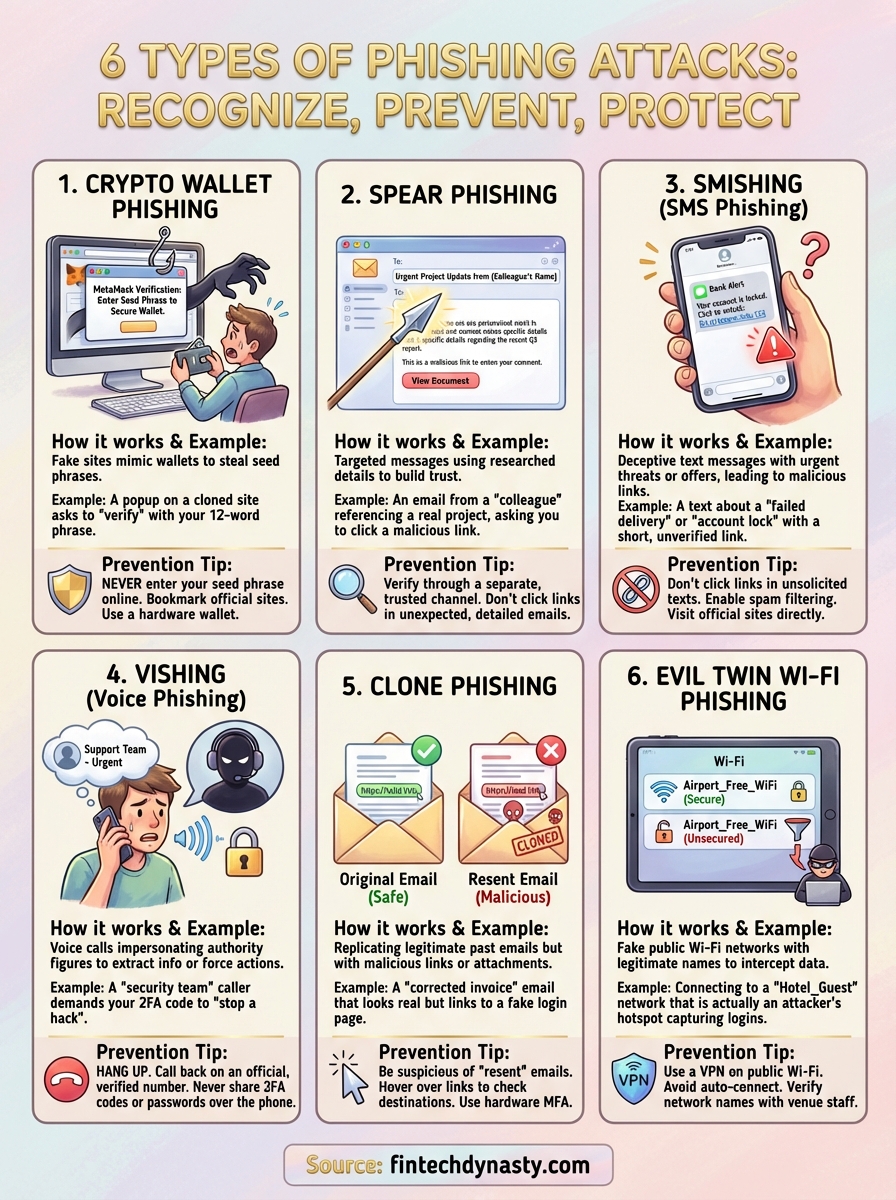
Understanding the different types of phishing attacks helps you recognize threats before they cause damage. Each method targets different vulnerabilities, but they all rely on deception and urgency to bypass your natural skepticism. Knowledge alone doesn't protect your cryptocurrency assets, though. You need to implement the prevention strategies consistently across all your accounts and devices.
Start by securing your cryptocurrency holdings with hardware wallets that keep private keys offline and require physical confirmation for transactions. Review your two-factor authentication settings on exchanges and switch from SMS codes to app-based or hardware authenticators. Create unique passwords for every financial account and store them in an encrypted password manager.
At FinTech Dynasty, we provide detailed hardware wallet comparisons and security guides specifically designed for cryptocurrency holders taking control of their digital assets. Your self-custody journey requires understanding both threats and defenses to protect what you've worked to build.