

What Is Two Factor Authentication (2FA)? How To Set It Up
Your password alone won't stop a determined attacker. Data breaches expose millions of credentials every year, and cryptocurrency accounts are high-value targets. If you're wondering what is two-factor authentication, you're already asking the right question, it's one of the most effective security measures available to protect your accounts and digital assets.
2FA requires two separate forms of proof before granting access: something you know (your password) and something you have (like your phone or a hardware key). This means that even if someone steals your password, they still can't get into your account without that second factor. For anyone holding crypto on exchanges or using software wallets, this protection isn't optional, it's essential.
At FinTech Dynasty, we focus on practical security measures that actually protect your wealth. This guide covers how 2FA works, the different types available, and step-by-step instructions for setting it up on major platforms. You'll finish knowing exactly how to implement this critical layer of defense across every account that holds value.
Why two-factor authentication matters
Your accounts face constant attack attempts from automated bots and organized crime networks. Password databases from major breaches sell for pennies on dark web marketplaces, giving attackers instant access to millions of login credentials. If you reuse passwords across multiple sites (and most people do), a breach at one service compromises all your other accounts. This creates a direct path to your email, banking, and cryptocurrency holdings.
The real cost of compromised accounts
Financial damage from account takeovers extends far beyond the immediate loss. Cryptocurrency theft is permanent and irreversible, with no bank or credit card company to reverse fraudulent transactions. Exchange accounts hold thousands or millions in user funds, making them prime targets for credential stuffing attacks that test stolen passwords across multiple platforms. Recovery processes can take weeks or months, during which you lose access to your assets and any market opportunities.
Beyond crypto, compromised email accounts give attackers the keys to reset passwords on every connected service. They can lock you out of social media, cloud storage, and financial accounts while impersonating you to contacts. Identity theft often starts with a single weak authentication point, cascading through your entire digital life before you realize what happened.
Why passwords fail on their own
Human memory limits create predictable password patterns that automated tools crack in seconds. Dictionary attacks test common words and phrases while rainbow tables resolve password hashes faster than ever. Even "strong" passwords fall to keyloggers, phishing sites, and social engineering tactics that bypass technical security entirely.
Credential reuse multiplies the damage from any single breach. When Adobe, Yahoo, or LinkedIn lose password databases, attackers immediately test those credentials against banking sites, exchanges, and email providers. You can't control whether a company protects your password properly, but you can add a second verification layer they can't steal.
Understanding what is two factor authentication means recognizing that physical possession of a device creates a security barrier that remote attackers cannot easily cross.
What makes 2FA effective
The security model behind two-factor authentication separates knowledge from possession. An attacker who steals your password still needs physical access to your phone, hardware key, or authentication app to complete login. This geographic separation creates a barrier that stops most remote attacks cold, forcing criminals to target you personally rather than your credentials.
Time-based codes expire in 30 to 60 seconds, making stolen screenshots or recorded codes worthless. Hardware keys generate unique cryptographic signatures that cannot be duplicated or transmitted electronically. Even if someone records you entering a 2FA code, that specific code will never work again. This dynamic verification process fundamentally changes the attack surface compared to static passwords that remain valid indefinitely.
How two-factor authentication works
The authentication process checks your identity through independent verification channels that attackers cannot compromise simultaneously. Each login attempt requires two separate pieces of proof: something only you know (your password) and something only you possess (your phone, hardware key, or biometric data). This dual verification model forces attackers to breach multiple systems in different locations, dramatically increasing the difficulty and resources required for a successful attack.
The authentication factors
Security systems categorize proof into three distinct types that work together to verify identity. Knowledge factors include passwords, PINs, and security questions, information stored in your memory that you can recall on demand. Possession factors require physical objects like smartphones, hardware tokens, or smart cards that generate or receive verification codes. Inherence factors rely on biometric data such as fingerprints, facial recognition, or voice patterns that identify your unique physical characteristics.
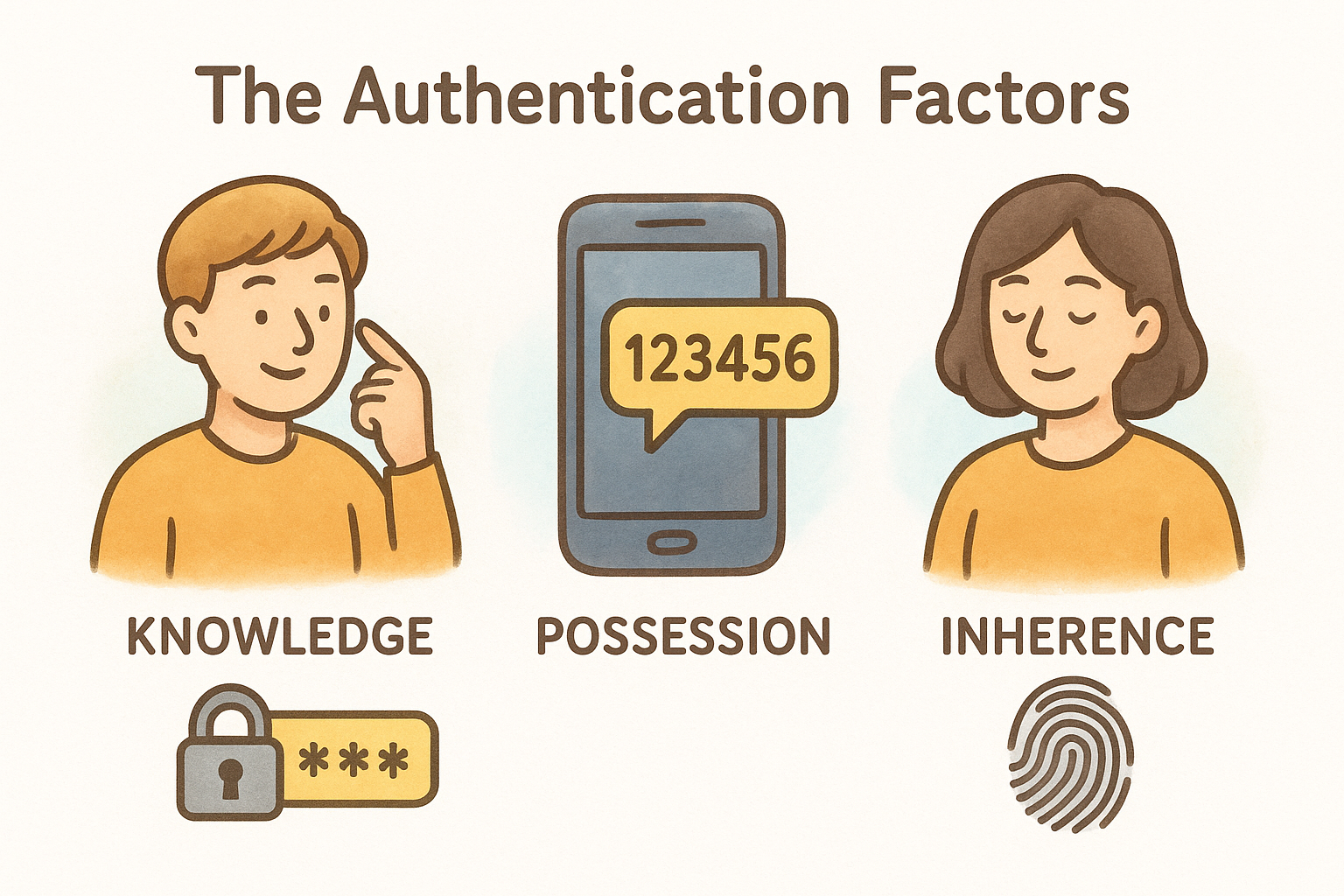
True two-factor authentication combines factors from different categories rather than using two from the same type. Entering both a password and a PIN counts as single-factor authentication because both represent knowledge you possess. The security improvement only appears when you mix categories, requiring both something you know and something you physically hold.
When you understand what is two factor authentication at the technical level, you recognize that cross-category verification creates exponentially stronger protection than any single-factor method.
The verification process
Your login attempt triggers a sequence that validates both factors before granting access. You first enter your username and password, which the system checks against its stored credentials. If that knowledge factor matches, the system sends a challenge to your possession factor, typically a code to your phone or a prompt on your hardware key. Only after you provide that second proof does authentication complete and the system grants access.
Time-sensitive codes expire within 30 to 60 seconds, preventing replay attacks where someone records your code and uses it later. Hardware keys use cryptographic challenges that generate unique responses for each login attempt. This dynamic verification ensures that even if someone observes one successful login, they cannot reproduce the sequence without physical access to your authentication device.
Common 2FA methods and which to choose
Your choice of 2FA method directly impacts both security strength and daily convenience. Each option provides different levels of protection against various attack types, from basic phishing attempts to sophisticated man-in-the-middle attacks. Understanding what is two factor authentication means recognizing that not all verification methods offer equal protection, especially for high-value cryptocurrency accounts.
SMS text message codes
Text message verification sends a numeric code to your phone number that you enter during login. Most services default to SMS because it requires no additional apps and works on any phone with cellular service. The setup process takes seconds, making it the most accessible option for users unfamiliar with security tools.
However, SMS codes face serious vulnerabilities through SIM swapping attacks where criminals convince phone carriers to transfer your number to their device. This attack grants instant access to all text-based verification codes. Attackers have successfully drained crypto exchange accounts worth millions using this exact method. SMS provides minimal protection for any account holding significant value.
Authenticator apps
Applications like Google Authenticator or Microsoft Authenticator generate time-based codes directly on your device without requiring cellular service. These apps work offline and remain immune to SIM swapping because they store secret keys locally rather than relying on phone networks. The codes refresh every 30 seconds, maintaining the same convenience as SMS while eliminating network-based attacks.
You should back up authenticator app secrets when setting them up because losing your phone means losing access to all connected accounts. Most apps now offer cloud backup options or you can save the QR codes during initial setup.
Authenticator apps provide the best balance between security and usability for most cryptocurrency holders who need protection beyond basic SMS verification.
Hardware security keys
Physical devices like YubiKey or Google Titan generate cryptographic signatures that cannot be phished or intercepted. Hardware keys require physical touch to approve each login, preventing any remote attack regardless of sophistication. They resist malware, keyloggers, and man-in-the-middle attacks that compromise other 2FA methods.
The main drawback is cost and compatibility. You need to purchase separate keys (typically recommended to buy two as backup) and some platforms still lack hardware key support for authentication.
How to set up 2FA on popular accounts
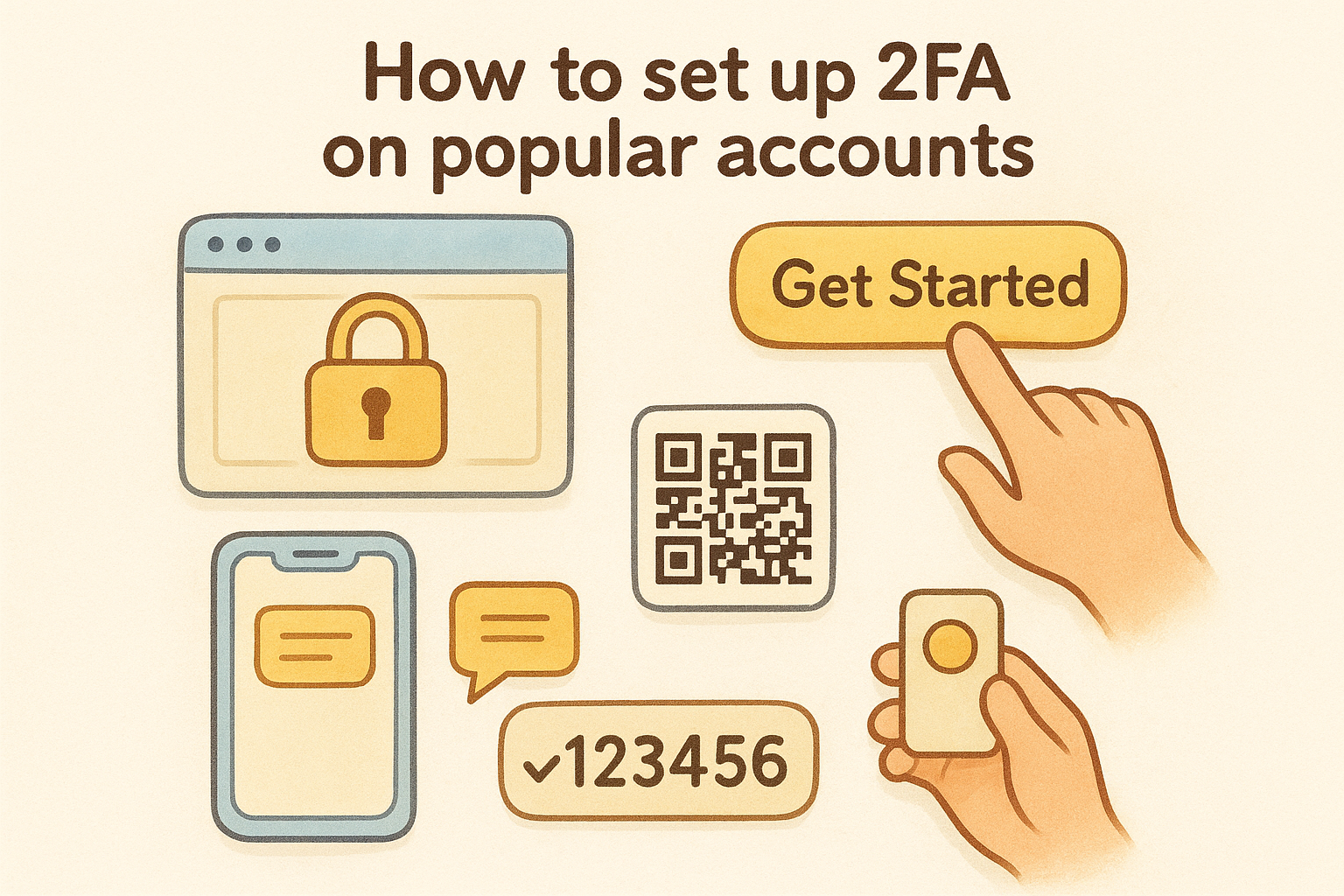
Implementing two-factor authentication takes minutes and requires no technical expertise. Most platforms place security settings in your account preferences under sections labeled "Security," "Privacy," or "Two-Step Verification." The process follows similar patterns across services: you enable 2FA, choose your verification method, and confirm with a test code. Walking through popular platforms demonstrates the straightforward nature of protecting your accounts.
Google accounts
Google protects your email, cloud storage, and connected services through centralized security controls. Navigate to your Google Account security page and locate the "2-Step Verification" section. Click "Get Started" and Google will prompt you to enter your password again for confirmation.
Select your preferred verification method from SMS, authenticator app, or hardware key options. If you choose an authenticator app, Google displays a QR code that you scan with your authentication application. Enter the six-digit code generated by your app to complete the setup. Google then provides backup codes that you should store securely in case you lose access to your primary 2FA method.
Cryptocurrency exchanges
Exchange platforms require the strongest available protection because they hold your funds directly. Most major exchanges force authenticator app usage rather than allowing SMS verification for withdrawals and trades. Access your account security settings and look for sections labeled "Two-Factor Authentication" or "Account Security."
Scan the provided QR code with your authenticator app and enter the generated code to link your account. Exchanges typically require you to confirm 2FA by entering a fresh code immediately after setup. Save the backup key or recovery codes that appear during activation because losing access to your authenticator means losing your funds until support manually verifies your identity.
Understanding what is two factor authentication means recognizing that exchange accounts demand hardware keys or authenticator apps rather than SMS for meaningful protection.
Microsoft accounts
Microsoft accounts secure Windows, Office 365, and Azure services through their integrated authentication system. Visit the Microsoft Account Security page and select "Advanced security options." Enable two-step verification and Microsoft walks you through adding your phone number or authenticator app.
Choose the Microsoft Authenticator app for passwordless sign-in capabilities that skip password entry entirely. After scanning the QR code and confirming the test notification, Microsoft generates recovery codes that bypass 2FA if your phone becomes unavailable.
Common 2FA mistakes and how to avoid them
Understanding what is two factor authentication includes recognizing where users commonly fail in implementation. Security measures only work when you use them correctly, and 2FA introduces several points where careless habits undermine its protection. Most compromised accounts with 2FA enabled fell victim to user error rather than technical vulnerabilities. Learning these mistakes before they cost you money saves you from expensive lessons.
Relying solely on SMS verification
SMS remains the weakest 2FA method yet users continue choosing it because it requires no additional setup. Phone carriers routinely fall victim to social engineering attacks where criminals impersonate you to transfer your number. SIM swapping takes minutes and costs attackers almost nothing while granting complete access to your text-based verification codes.
You need authenticator apps or hardware keys for any account holding value. Treat SMS as a temporary measure you replace immediately after creating your account.
Ignoring backup codes and recovery options
Platforms generate backup codes during 2FA setup that most users dismiss without saving. Your authentication device will eventually break, get lost, or become unavailable at the exact moment you need urgent account access. Without backup codes, you face weeks of identity verification with support teams while locked out of your own accounts.
Store backup codes in a password manager or physical safe where you can access them independently of your primary authentication method.
Approving authentication requests you didn't initiate
Attackers with your password send repeated 2FA prompts hoping you'll accidentally approve one out of annoyance. This attack works because users develop approval fatigue from legitimate notifications. Each unexpected authentication request signals an active attack on your account that requires immediate password changes and security review.
Never approve a 2FA prompt unless you personally attempted to log in seconds earlier. Enable authentication app notifications that show geographic location of login attempts to quickly identify fraudulent access.
Quick recap and next step
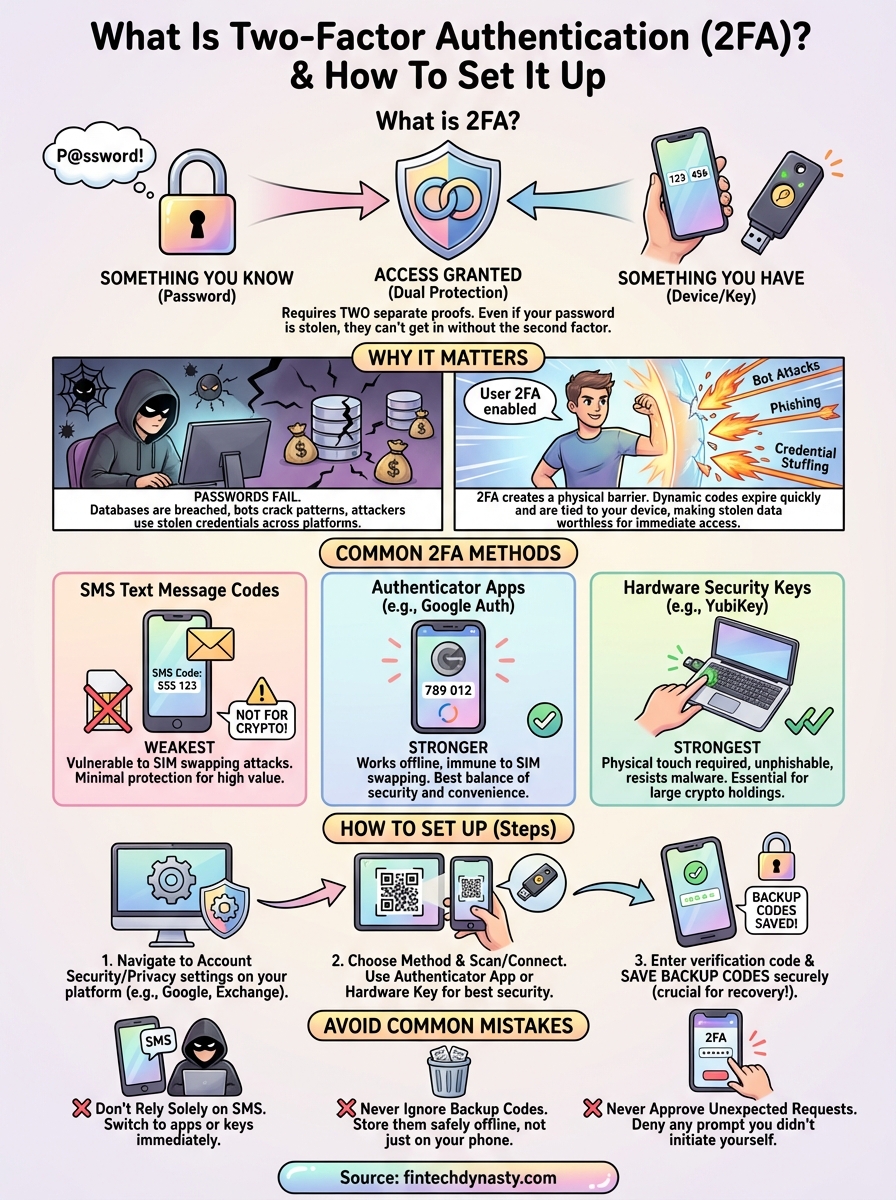
Two-factor authentication adds a critical possession layer to your password-based security by requiring physical access to your phone or hardware key. SMS codes provide minimal protection against determined attackers who can intercept texts or execute SIM swaps. Authenticator apps offer stronger security for most users while hardware keys deliver maximum protection for high-value cryptocurrency holdings.
Setup takes minutes across all major platforms, yet most account breaches still occur because users skip this basic protection. You need 2FA enabled on every account that connects to your finances, email, or crypto exchanges. Store backup codes safely and never approve authentication requests you didn't personally initiate.
Understanding what is two factor authentication means nothing without implementation. Start with your most valuable accounts today and work through the rest this week. For more guidance on securing your cryptocurrency assets and implementing comprehensive security measures, visit FinTech Dynasty where we focus on practical protection strategies that actually work.