

How Does Two-Factor Authentication Work? A Clear Breakdown
Your exchange password alone isn't enough to protect your crypto. Hackers use credential stuffing, phishing, and data breaches to compromise accounts every single day. Understanding how does two-factor authentication work gives you the knowledge to add a critical second barrier between attackers and your digital assets.
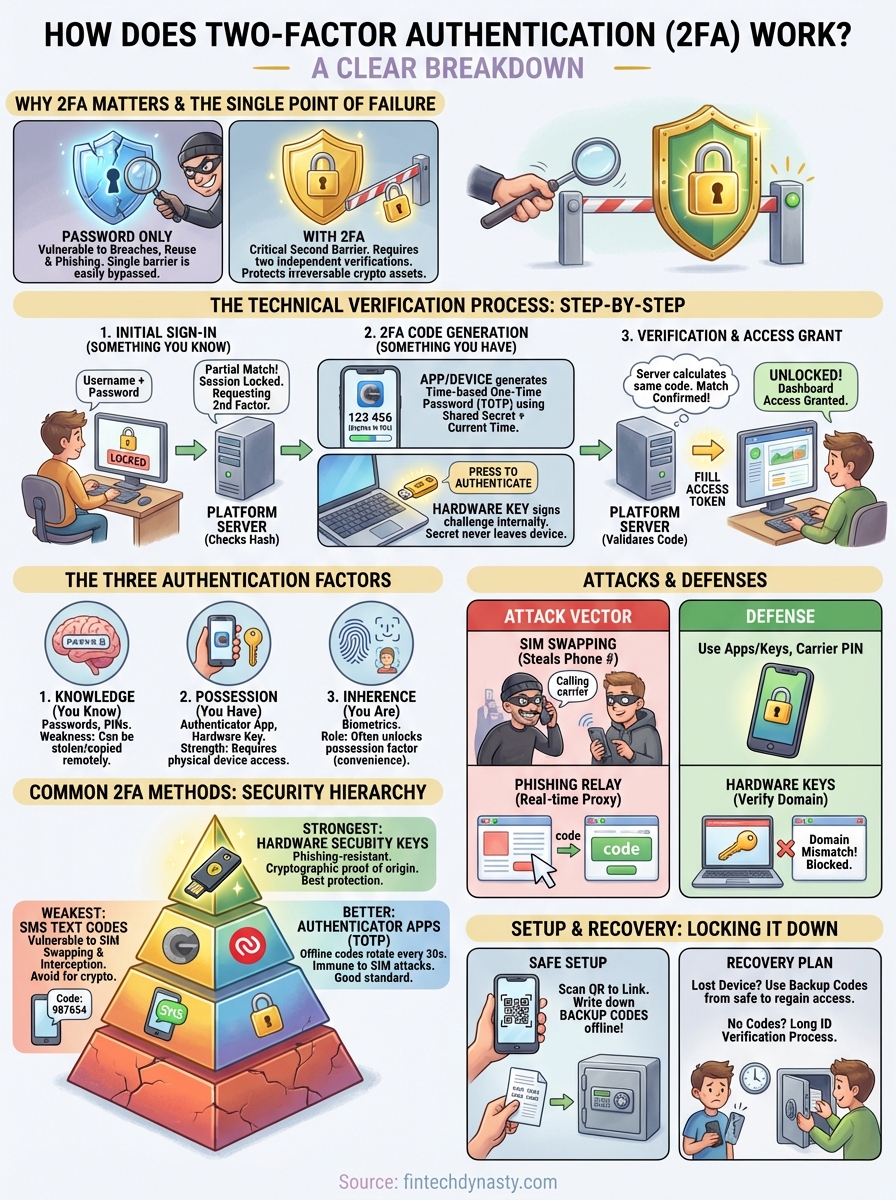
2FA requires you to verify your identity using two separate methods, typically something you know (a password) and something you have (a code or device). This guide breaks down the technical verification process step by step, explains the different 2FA methods available (SMS codes, authenticator apps, and hardware keys), and helps you determine which option provides the strongest protection for your cryptocurrency holdings.
At FinTech Dynasty, security education is what we do. Whether you're moving coins off an exchange or locking down your hot wallet, 2FA is a foundational layer you need to understand before implementing more advanced self-custody solutions. By the end of this article, you'll know exactly how each 2FA method works, why some are significantly more secure than others, and how to make an informed decision for your specific situation.
Why 2FA matters for everyday and crypto security
Password breaches happen constantly. In 2023 alone, over 8.2 billion records were exposed through data leaks, and most of those contained passwords paired with email addresses. When you reuse passwords across multiple platforms (and most people do), a single breach on a random forum or shopping site gives attackers the exact credentials they need to access your exchange account, wallet interface, or email inbox. This is why understanding how does two factor authentication work becomes critical for anyone holding digital assets.
Your cryptocurrency holdings represent permanent, irreversible targets for theft. Unlike a compromised bank account where you can call customer support and reverse fraudulent transactions, stolen crypto leaves your wallet forever. Exchanges hold billions of dollars in user funds, making them constant targets for sophisticated attacks. When attackers gain access to your account, they can withdraw everything to an external wallet in minutes, and no regulatory body can reverse the transaction or force a refund.
Two-factor authentication creates a verification barrier that password databases alone cannot breach.
The real cost of compromised accounts
A stolen password doesn't just mean someone logs into your account. It means attackers can change your recovery email, set up new withdrawal addresses, disable security alerts, and systematically drain your holdings before you even realize something is wrong. They target high-balance accounts by cross-referencing leaked databases with blockchain explorers that show wallet activity, prioritizing victims with the most to lose.
The average cryptocurrency theft costs individual users $7,500 per incident according to documented cases, but many losses run into six or seven figures. Attackers don't need advanced technical skills anymore. Automated tools scan millions of leaked credentials against major exchanges daily, testing username and password combinations until they find active accounts. If your password is your only defense, you're relying on a single point of failure that has probably already been compromised somewhere on the internet.
Why cryptocurrency accounts are high-value targets
Cryptocurrency represents portable wealth that moves across borders instantly with no intermediary. Attackers prefer crypto theft over traditional financial fraud because transactions are final, wallets can be anonymous, and international law enforcement coordination is difficult. Exchange accounts give them direct access to liquid assets they can convert or move immediately.
Your exchange account also contains personal identification documents uploaded during KYC verification. These documents can be sold on dark web markets or used for identity theft separate from the cryptocurrency itself. Attackers who breach your account gain access to government IDs, proof of address documents, and sometimes even selfie photos, creating a secondary market for your stolen data beyond just the coins.
What 2FA actually protects against
Two-factor authentication blocks credential stuffing attacks where automated bots test millions of stolen password combinations. Even if your password appears in a leaked database, the attacker cannot generate the second factor without physical access to your device or authenticator app. This stops the vast majority of automated attacks cold.
Phishing protection also improves with 2FA, though not perfectly. If you accidentally enter your password on a fake website, the attacker still needs your second factor to complete the login. This gives you a narrow window to recognize the scam and change your password before they can act. Time-based codes expire quickly, limiting how long stolen credentials remain valuable.
Session hijacking becomes significantly harder when 2FA is active. Attackers who intercept your login cookies or tokens find that most platforms require re-authentication with the second factor for sensitive actions like withdrawals or security changes. This means stealing your active session doesn't automatically grant full account control the way it would with password-only authentication.
The two authentication factors explained
Understanding how does two factor authentication work starts with recognizing that authentication factors fall into distinct categories based on how they verify your identity. Security systems classify these factors as something you know, something you have, and something you are. Traditional password-only authentication relies entirely on the first category, creating the single point of failure that attackers exploit. Two-factor authentication combines factors from different categories, forcing attackers to compromise multiple independent systems before they can access your account.
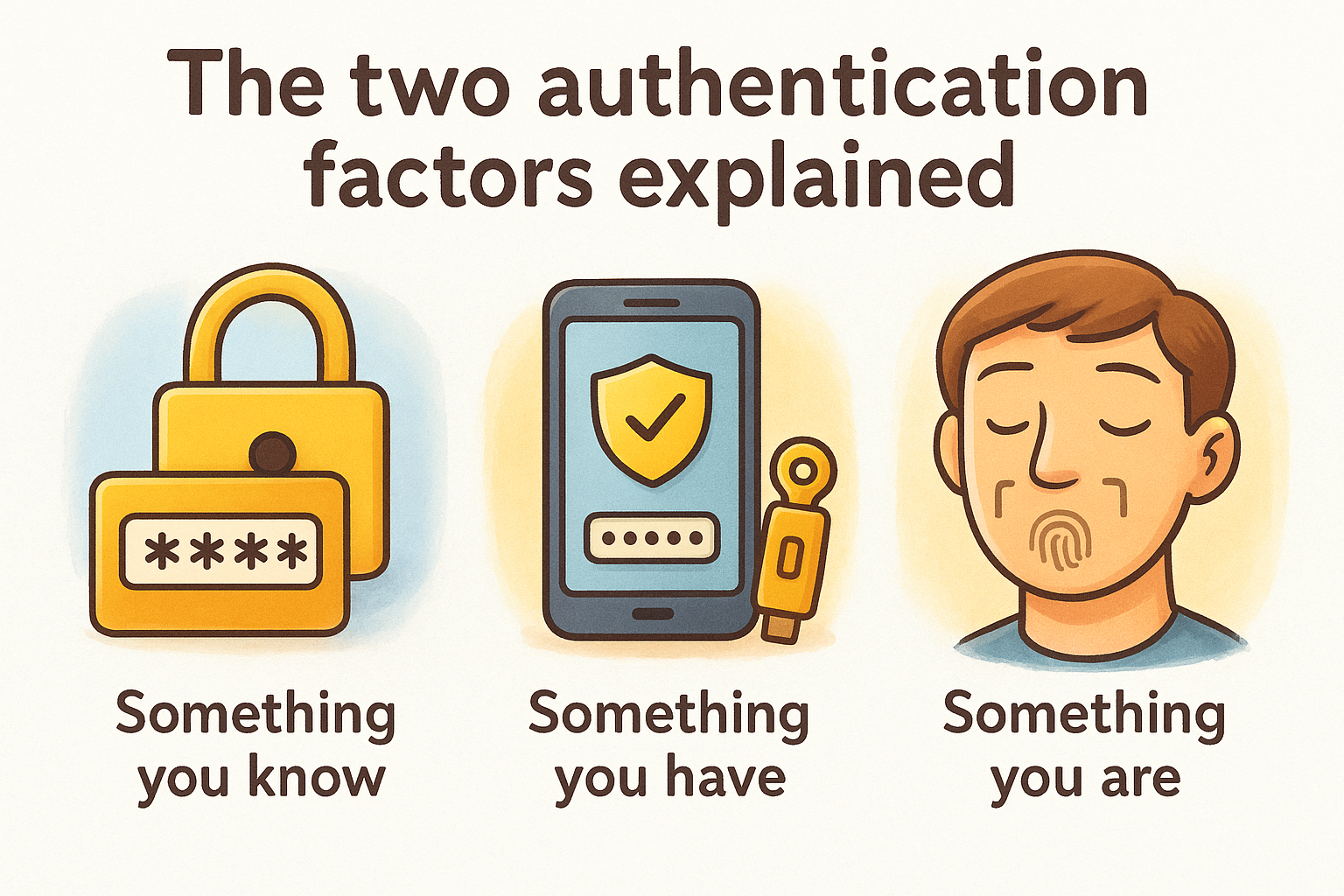
Each factor type provides protection against specific attack vectors. Knowledge-based factors (passwords, PINs) stop unauthorized users who don't have your credentials. Possession-based factors (physical devices, codes) stop attackers who stole your password but don't have physical access to your authenticator. When you combine these categories, you create overlapping security layers that dramatically increase the effort required for successful account compromise.
Combining authentication factors from different categories creates exponentially stronger protection than using multiple factors from the same category.
Something you know (knowledge factors)
Your password represents the primary knowledge factor, but this category also includes security questions, PIN codes, and any other information stored in your memory. Attackers target these factors through phishing sites, keyloggers, database breaches, and social engineering. Knowledge factors alone fail because humans reuse passwords, choose predictable patterns, and store credentials insecurely in browsers or text files.
The fundamental weakness of knowledge factors is that they can be copied without detection. When someone steals your password, you don't lose access to it. The attacker simply possesses the same information you do, and the system cannot distinguish between legitimate and malicious use based on the password alone.
Something you have (possession factors)
Possession factors require physical or digital objects that exist outside your memory. Your smartphone running an authenticator app qualifies as a possession factor because the app generates codes using a unique seed stored on that specific device. Hardware security keys like YubiKey represent pure possession factors because they contain cryptographic secrets that never leave the physical device.
Attackers must either steal your physical device or compromise the specific system where your possession factor exists. This raises the difficulty bar significantly because remote attacks become insufficient. Even if someone phishes your password from across the world, they cannot generate your authenticator codes without physically accessing your phone or intercepting SMS messages through telecom vulnerabilities.
Something you are (biometric factors)
Biometric authentication uses fingerprints, facial recognition, or iris scans to verify your physical characteristics. While increasingly common on mobile devices, biometrics function more often as convenience features that unlock access to possession factors rather than as standalone second factors for account authentication. Your fingerprint unlocks your phone, which then provides the actual second factor through an authenticator app.
How 2FA works step by step during sign-in
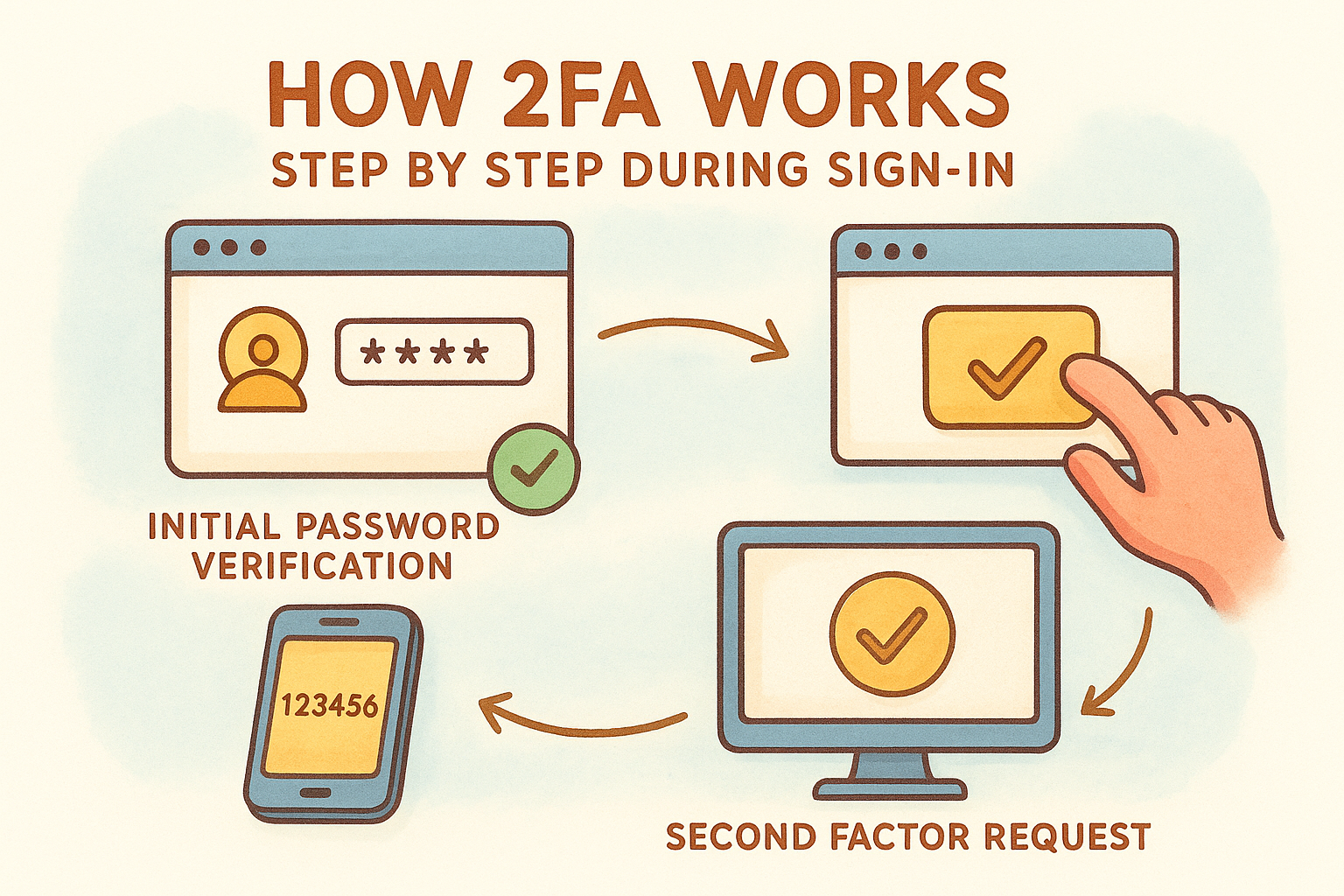
The authentication process begins the moment you click the login button on your exchange or wallet interface. Your browser sends your username and password to the platform's authentication server, which checks these credentials against its database. If the password matches, the system doesn't immediately grant access. Instead, it recognizes that your account has two-factor authentication enabled and triggers the second verification stage. This is where understanding how does two factor authentication work becomes practical rather than theoretical.
The initial password verification stage
Your exchange validates your password by comparing a cryptographic hash of what you entered against the stored hash in its database. Platforms never store your actual password as plain text. When the hashes match, the authentication system confirms that you possess the correct knowledge factor, but it marks your session as partially authenticated. Your browser receives a response indicating that a second factor is required before the platform will issue a full access token.
The system logs this authentication attempt with a timestamp, IP address, and device fingerprint. This metadata helps detect unusual login patterns, such as attempts from new locations or devices. Your account remains locked at this stage, with no ability to view balances, initiate withdrawals, or access sensitive settings until you complete the second verification.
The second factor request and generation
Your authenticator app or hardware key generates a time-based one-time password (TOTP) using a shared secret that was established when you first enabled 2FA. This secret never travels over the network during login. The authenticator app combines the secret with the current Unix timestamp (divided into 30-second intervals) and runs it through a cryptographic hash function to produce a six-digit code. Your exchange performs this exact same calculation on its servers using its copy of the shared secret.
The shared secret synchronization between your device and the server makes remote verification possible without transmitting the secret itself during each login.
The verification and access grant process
You enter the six-digit code into the login interface within the 30-second validity window. The platform's server calculates what the current code should be based on its copy of your shared secret and the current time. If your submitted code matches the server's calculation, the system knows you possess the physical device or app that holds the secret. The server then issues a session token that grants full access to your account, and your browser redirects you to the main dashboard with complete functionality enabled.
Common 2FA methods and how they differ
Not all second factors provide equal protection. The method you choose directly impacts your security against specific attack types, from basic phishing attempts to sophisticated telecom interception. Understanding how does two factor authentication work across different implementation methods helps you select the option that matches your threat model and the value of the assets you're protecting. Each method generates verification codes differently, with distinct vulnerabilities and practical considerations for daily use.
SMS text message codes
Your exchange sends a six-digit code to your registered phone number via text message when you attempt to log in. You enter this code to complete authentication, proving you control the phone number on file. This method appears convenient because nearly everyone owns a mobile phone and SMS requires no additional apps or hardware purchases.
SMS represents the weakest 2FA option available. Attackers exploit telecom vulnerabilities through SIM swapping attacks, where they convince your mobile carrier to transfer your phone number to a SIM card they control. Once they intercept your SMS codes, they bypass your second factor completely while you lose access to verification messages. SMS codes also travel unencrypted across carrier networks, creating interception opportunities at multiple points between the sender and your device.
Text message authentication stops casual attackers but fails against targeted threats willing to exploit telecom infrastructure.
Authenticator apps (TOTP)
Authenticator applications like Google Authenticator or Authy generate time-based codes directly on your smartphone using the shared secret established during setup. These apps calculate codes locally without requiring internet connectivity, making them immune to SMS interception attacks. Your codes rotate every 30 seconds, and the app continues generating valid codes even in airplane mode.
Apps provide significantly stronger protection than SMS because attackers must compromise your physical device rather than just your phone number. The shared secret never transmits during login, remaining stored only on your device and the platform's servers. Most authenticator apps also support multiple accounts, letting you manage 2FA codes for exchanges, email, and other services from a single interface.
Hardware security keys
Physical security keys like YubiKey or Google Titan store cryptographic secrets on tamper-resistant chips that never expose the secret to your computer or the internet. You insert the key into a USB port or tap it against your phone via NFC when prompted during login. The key performs cryptographic operations internally and sends only the signed authentication response to the platform.
Hardware keys represent the strongest 2FA implementation available to individual users. They resist phishing because the key verifies the website's identity before responding, refusing to authenticate on fake login pages even if they perfectly mimic the legitimate site. The cryptographic secret cannot be extracted from the device through malware, and physical theft becomes obvious immediately unlike compromised SMS or app-based codes.
How attackers bypass weak 2FA and how to stop them
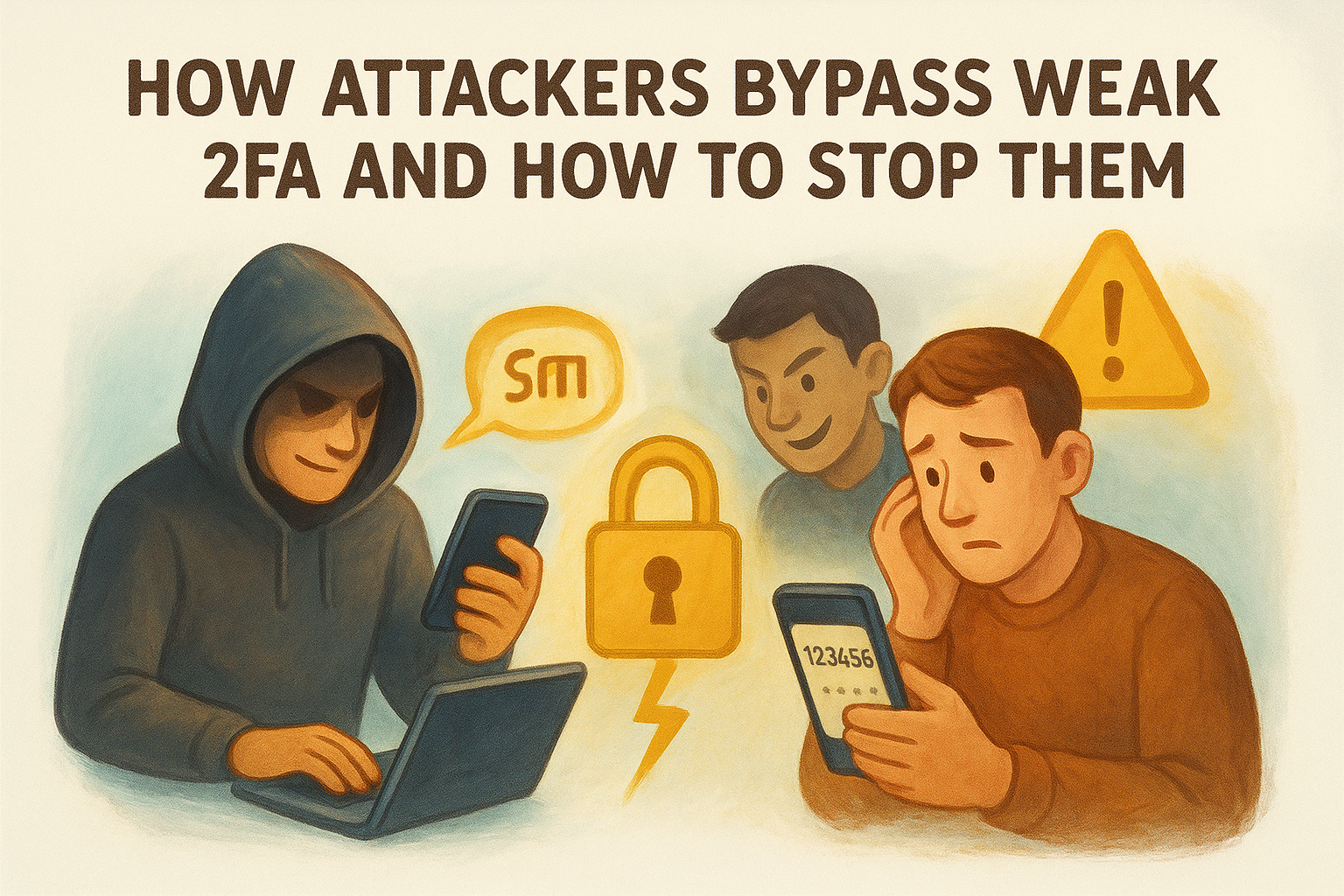
Understanding how does two factor authentication work includes recognizing that not all implementations resist determined attackers equally. Sophisticated threats target the weakest points in your authentication chain, exploiting technical vulnerabilities in SMS delivery, human behavior during phishing attempts, and device security gaps. Your defense strategy must address these specific attack methods rather than assuming any 2FA automatically provides bulletproof protection.
SIM swapping and SMS interception
Attackers call your mobile carrier pretending to be you, claiming they lost their phone and need your number transferred to a new SIM card. They use stolen personal information from data breaches to answer security questions, convincing carrier support staff to complete the transfer. Once they control your phone number, every SMS code arrives on their device instead of yours. You lose the ability to receive verification texts, and the attacker gains complete access to any account protected only by SMS-based 2FA.
Your defense against SIM swapping requires moving away from SMS authentication entirely. Contact your mobile carrier and request a PIN or password requirement for any SIM changes or port requests on your account. This adds friction but stops most social engineering attacks. Better yet, migrate your important accounts to authenticator apps or hardware keys that attackers cannot intercept through telecom vulnerabilities.
Phishing and real-time relay attacks
Modern phishing sites don't just steal your password anymore. Attackers build proxy pages that forward your credentials to the real platform in real time, prompting you for your 2FA code exactly as the legitimate site would. You enter the code thinking you're logging into your actual exchange, but the attacker's system immediately uses that code to authenticate against the real platform before it expires. The attack happens so quickly that the 30-second TOTP window provides enough time for the attacker to complete the login.
Hardware security keys defeat phishing proxies because they cryptographically verify the website's identity before responding, refusing to authenticate on fraudulent domains.
Protecting yourself requires verifying the domain name in your browser's address bar before entering any credentials. Bookmark your exchange's login page and always access it through the bookmark rather than clicking email links. Hardware keys provide the strongest phishing protection because they check the website's cryptographic certificate automatically, making real-time relay attacks technically impossible.
Malware and session hijacking
Device malware can steal authenticator app secrets by accessing your phone's file system or intercepting codes as your app generates them. Attackers who compromise your computer may also capture session cookies after you successfully authenticate, allowing them to hijack your active session without needing your password or 2FA code again. Your authenticated session becomes a direct path to account access.
Keep your devices clean by avoiding pirated software, suspicious app downloads, and clicking unknown links. Enable antivirus protection on computers and only install mobile apps from official stores. Platforms that require 2FA re-verification for sensitive actions like withdrawals provide additional protection against session hijacking even if malware compromises your device.
How to set up 2FA safely on your accounts
Setting up two-factor authentication correctly prevents future access problems while maximizing your security protection. The configuration process takes five to ten minutes per account, but mistakes during setup create recovery complications that can lock you out permanently if you lose your device. Understanding how does two factor authentication work during the initial setup phase helps you avoid these common configuration errors that weaken your protection or create unnecessary risks.
Choosing the right 2FA method for your situation
Your exchange or wallet platform typically offers multiple 2FA options during the security settings configuration. Start by completely avoiding SMS authentication for any account holding significant value or sensitive information. The telecom vulnerabilities we covered earlier make SMS unsuitable for protecting cryptocurrency holdings, regardless of convenience.
Authenticator apps provide the minimum acceptable standard for most users. They cost nothing to implement, work offline, and resist the bulk of automated attacks you'll encounter. Download Google Authenticator, Authy, or Microsoft Authenticator from your device's official app store before beginning the setup process on your exchange account. Hardware security keys represent the strongest choice for accounts with substantial balances, but they require a financial investment and careful physical security practices.
Hardware keys protect against phishing attacks that bypass app-based codes, making them worth the cost for high-value accounts.
The actual setup process step by step
Navigate to your account's security settings page and locate the two-factor authentication section. Your exchange displays a QR code containing the shared secret that your authenticator app needs. Open your authenticator app and select the option to add a new account by scanning the QR code with your phone's camera. The app immediately begins generating six-digit codes that refresh every 30 seconds.
Write down the alphanumeric backup code that appears below the QR code before proceeding. This plain-text version of the shared secret allows you to restore 2FA access if you lose your phone. Store this code in a physically secure location separate from your device, such as a locked drawer or safe. Never save it in cloud storage, email drafts, or anywhere accessible through your online accounts.
Testing before you enable protection
Enter the current code from your authenticator app into the verification field on your exchange's setup page to confirm everything works correctly. Your platform validates the code and activates 2FA on your account. Log out immediately and test the complete login process while you still have access to recovery options. This verification step catches configuration errors before they lock you out permanently during a real login attempt.
Recovery, backups, and what to do if you lose access
Your 2FA protection becomes a liability the moment you lose access to your authenticator device without proper recovery preparation. Most exchanges provide backup recovery codes during initial setup, but many users skip saving them or store them insecurely. Understanding how does two factor authentication work includes knowing exactly what happens when your phone breaks, gets stolen, or factory resets accidentally, and having a concrete plan to regain account access without compromising security in the process.
Backup codes and where to store them safely
Your platform generates one-time recovery codes (typically 8-10 alphanumeric strings) when you first enable 2FA. Each code works exactly once to bypass your normal second factor during login, letting you access your account to reconfigure 2FA on a new device. You should store these codes in a physically secure location completely separate from your devices, such as a locked safe, safety deposit box, or encrypted password manager with a strong master password you've memorized.
Never save backup codes in cloud storage, email drafts, or unencrypted text files on your computer. Attackers who compromise your email or cloud accounts gain instant recovery access to every platform where you stored codes digitally. Physical storage provides offline protection that digital systems cannot match, though you sacrifice convenience for security.
Recovery codes represent a permanent backdoor into your account that bypasses all other security measures, making their physical protection as critical as your password itself.
What happens when you lose your authenticator device
Your authenticator app and its stored secrets disappear permanently when your phone breaks or resets without a backup. Most platforms require you to contact customer support with identity verification documents to disable 2FA and regain access. This process takes days or weeks depending on the platform's security procedures and support queue length. Exchanges holding your funds may implement withdrawal holds after support-assisted recovery to protect against social engineering attacks.
Account recovery without backup codes forces you to prove your identity through government ID verification, selfie photos, or answering detailed account history questions. Your account remains locked throughout this period, preventing both legitimate access and potential theft, but also blocking your ability to respond to market conditions or move funds during the verification process.
Platform-specific recovery procedures
Different exchanges implement varying recovery policies based on their risk tolerance. Some platforms allow SMS fallback if you configured both authenticator apps and text message codes, though this creates the security vulnerabilities we discussed earlier. Other platforms offer no recovery options whatsoever, permanently locking accounts where users lose both their authenticator and backup codes.
Check your platform's specific recovery documentation before you need it. Test your backup codes while you still have access to your primary authenticator to confirm they work correctly. Replace any used backup codes immediately by regenerating a new set through your security settings.
Next steps to lock down your accounts
You now understand how does two factor authentication work from the technical verification process to the specific attack methods that target weak implementations. Your immediate action should be enabling authenticator app-based 2FA on every exchange, wallet interface, and email account you use for cryptocurrency activities. Start with your highest-value accounts first, then systematically work through the rest of your digital presence over the next week.
Replace any SMS-based authentication with app or hardware key protection to eliminate telecom vulnerabilities completely. Generate and securely store your backup recovery codes in a physical location separate from your devices before you need them. Test your full login process after enabling 2FA to catch configuration errors while recovery options remain available.
Hardware wallet security builds on the authentication fundamentals you've learned here. FinTech Dynasty provides detailed comparisons of cold storage devices and advanced self-custody strategies that extend beyond exchange account protection to full digital asset sovereignty.