

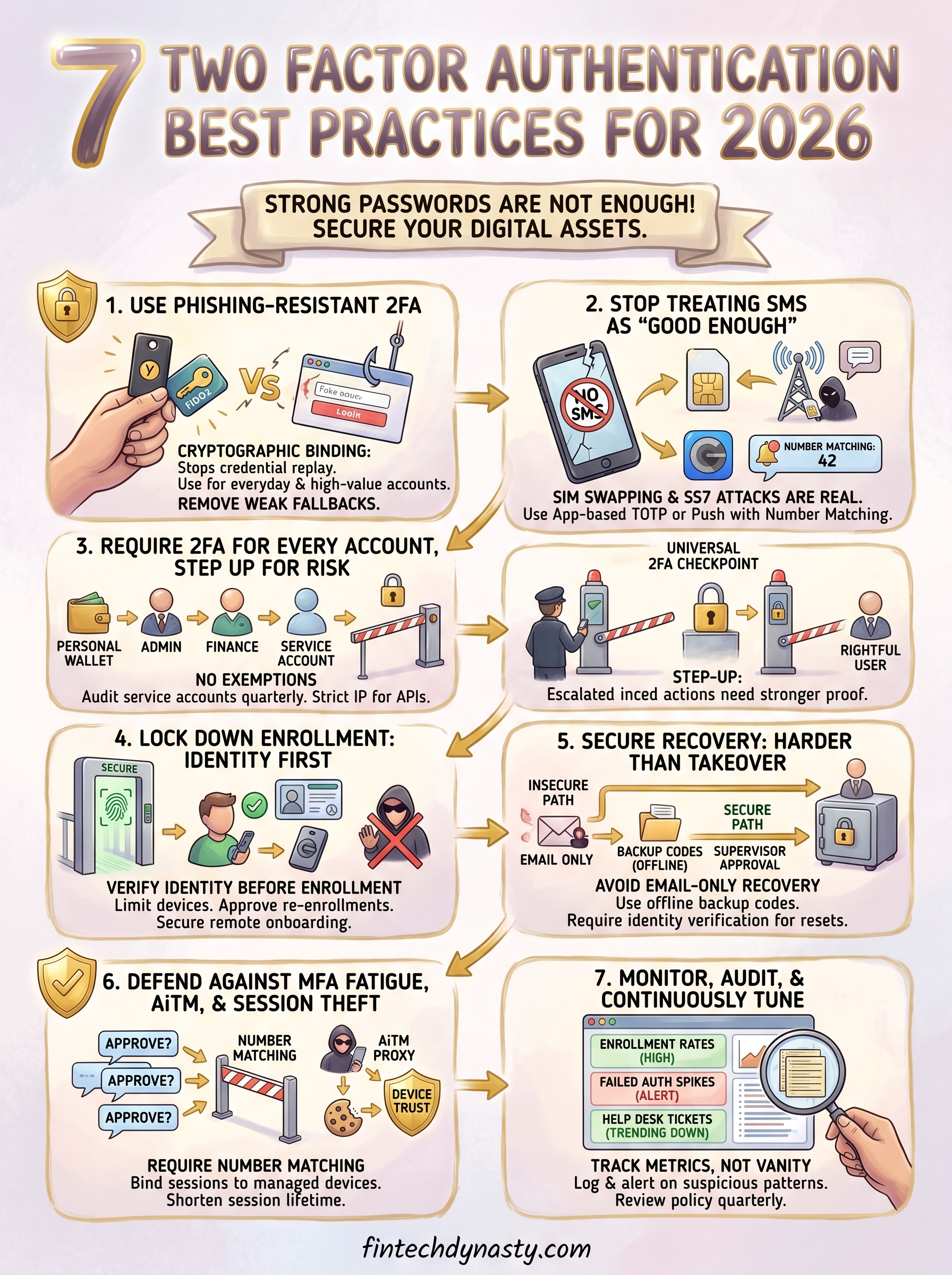
7 Two Factor Authentication Best Practices for 2026
A strong password alone won't protect your crypto accounts, exchange logins, or hardware wallet companion apps from unauthorized access. Attackers have gotten efficient at cracking, phishing, and brute-forcing credentials, which is exactly why two factor authentication best practices matter more now than ever. If you're serious about self-custody and keeping your digital assets secure, 2FA isn't optional, it's foundational.
At FinTech Dynasty, we focus on the practical side of protecting your crypto: from cold storage comparisons to the security layers surrounding every access point in your workflow. Two-factor authentication sits right at that front line. Done right, it locks down your accounts even when a password gets compromised. Done poorly, it creates a false sense of security that can cost you everything you've worked to protect. The difference comes down to how you implement it.
This guide breaks down seven proven practices for deploying 2FA effectively in 2026, covering method selection, backup strategies, and the mistakes that still catch people off guard. Whether you're securing a personal wallet interface or tightening access across an organization, these recommendations will help you build a setup that actually holds up under real-world threats.
1. Use phishing-resistant 2FA wherever possible
Not all 2FA methods are equal. SMS codes, email one-time passwords, and push notifications can all be intercepted or spoofed by a determined attacker. Phishing-resistant 2FA removes the credential handoff that makes those methods vulnerable, and it's the strongest layer you can add without overhauling your entire login flow.
What phishing-resistant 2FA means in 2026
Phishing-resistant 2FA uses cryptographic binding between your authenticator and the exact site you're logging into. That means even if an attacker tricks you into visiting a fake login page, your credentials never validate on the fraudulent server. In 2026, the two primary options are FIDO2/WebAuthn-based passkeys and physical hardware security keys like a YubiKey or Google Titan Key.
Phishing-resistant authentication stops credential theft at the source because your login proof is mathematically impossible to replay on any other domain.
When to use passkeys and hardware security keys
Use passkeys for everyday accounts where convenience matters: email, social media, and exchange logins that support the WebAuthn standard. Reserve hardware security keys for your highest-value targets, specifically admin accounts, crypto exchange logins with large balances, and any account tied directly to financial access. A physical key requires physical possession, which is a barrier that remote attackers cannot easily bypass.
A hardware key on your key ring also acts as a practical safeguard: if it is missing, no one gets in, which creates a clear accountability signal you can act on immediately.
How to roll it out for crypto, email, and admin logins
Start with your email account, because email controls password resets for nearly every other service you use. Then move to your crypto exchange accounts and wallet management interfaces. For admin logins, require hardware key enrollment as a precondition for granting elevated access, not a step added afterward. A simple priority order helps:
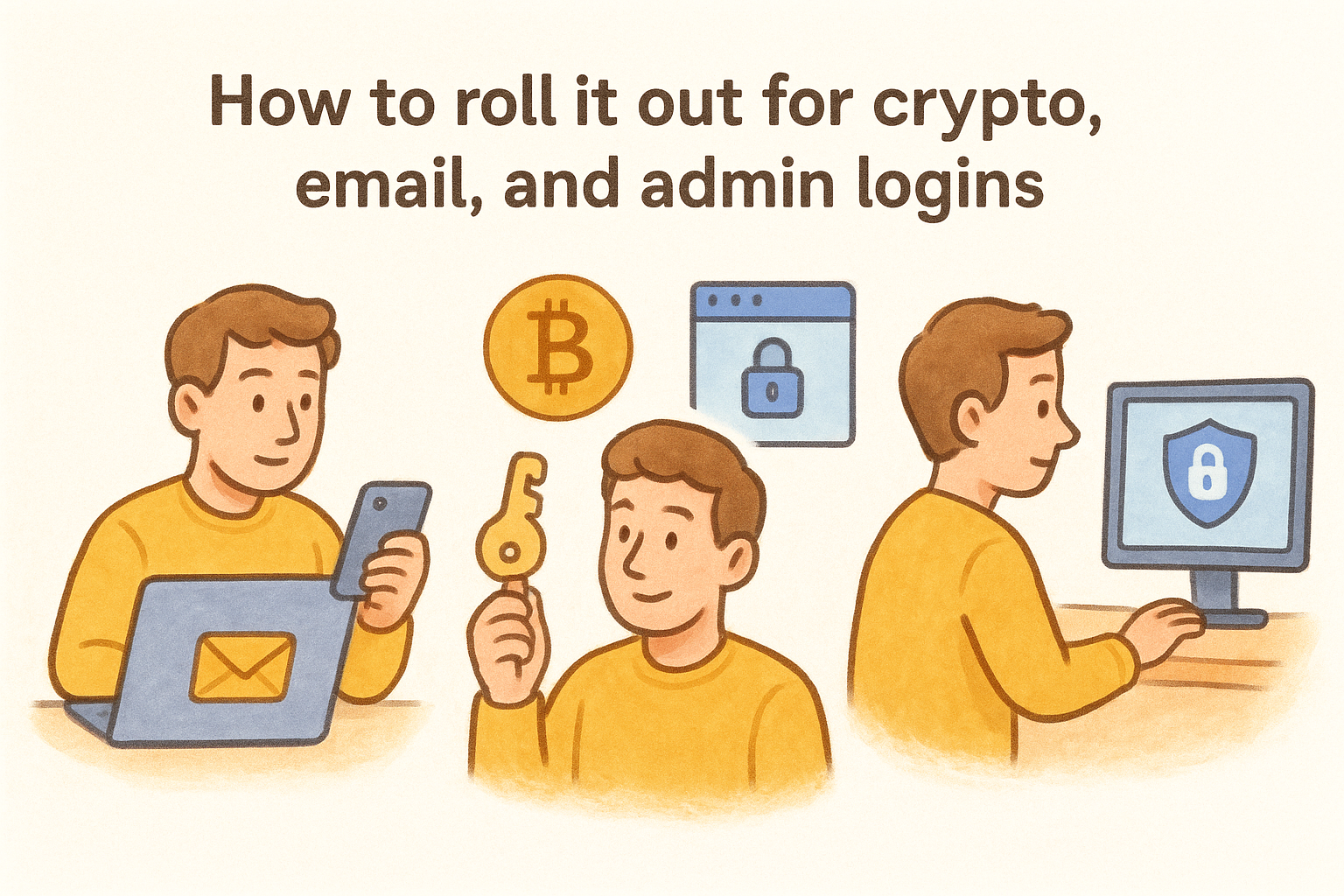
- Email accounts
- Crypto exchanges and wallet interfaces
- Admin and privileged accounts before any escalation
Common pitfalls to avoid
The most common mistake in two factor authentication best practices is enrolling a hardware key and then leaving SMS or email as an active fallback. That fallback immediately becomes the weakest link. Remove weaker recovery options once your phishing-resistant method is confirmed working. Avoid these two setups specifically:
- Keeping SMS backup active after hardware key enrollment
- Storing backup codes in a cloud note app or screenshot folder, which directly cancels the offline security model you just built
2. Stop treating SMS codes as "good enough"
SMS-based 2FA feels secure because it adds a second step, but attackers have well-established methods to intercept those codes without touching your phone. Relying on text messages as your primary second factor puts your accounts at real risk regardless of password strength.
Why attackers still beat SMS 2FA
SIM swapping is one of the most reliable attack methods against SMS 2FA in 2026. An attacker calls your carrier, impersonates you, and ports your number to a device they control, redirecting every verification code you would receive.
SS7 protocol weaknesses add another layer of risk. Carrier-level interception is technically feasible for sophisticated actors, meaning the network itself can be exploited before a message reaches your device.
Once your number is compromised through either method, your second factor is effectively neutralized.
Safer alternatives that keep UX reasonable
Switching away from SMS does not have to frustrate your users. TOTP apps like Google Authenticator or Microsoft Authenticator generate codes entirely offline, removing carrier interception from the equation. For higher-assurance situations, push authentication with number matching is a practical step most users adopt quickly.
What to do if you must keep SMS for a small segment
If certain users genuinely cannot switch to an app-based method, limit their account access proportionally to the risk they carry. Apply dedicated monitoring rules to those accounts so unusual login attempts trigger alerts before damage occurs.
Migration checklist to phase out SMS
Following two factor authentication best practices means actively moving users off SMS. Use this checklist to structure the transition:
- Audit all accounts using SMS as primary or backup 2FA
- Set a firm cutoff date for stronger-method enrollment
- Publish plain-language migration guides before that deadline
- Remove SMS as a fallback once app-based setup is confirmed
3. Require 2FA for every account, then step up for risk
A flat 2FA requirement across every account is the only policy that holds under pressure. Partial coverage creates gaps, and attackers find gaps. Two factor authentication best practices start with one rule: no account gets an exemption just because it appears low-value.
Minimum baseline policy for all users
Every user, regardless of role, needs a verified second factor before accessing any system. Set this as a technical enforcement, not a suggestion.
When you rely on voluntary opt-in, adoption stays low and coverage stays dangerously uneven. Enforce enrollment at the account creation stage so gaps never appear in the first place.
Step-up rules for admins, finance, and sensitive actions
Baseline 2FA handles standard access, but privileged actions require higher assurance. Require re-authentication with a stronger method whenever a user escalates permissions, initiates a transfer, or changes security settings.
Tie step-up requirements directly to specific actions, not just login time, so your authentication level matches actual risk.
How to handle service accounts and non-human access
Service accounts rarely support traditional 2FA, so use certificate-based authentication or API keys with strict IP restrictions instead. Treat every service account as a high-risk identity with logging, rotation schedules, and tightly scoped permissions.
Audit service account access quarterly to catch credential sprawl before it becomes a problem.
How to prevent "MFA exceptions" from becoming permanent
Temporary exceptions need a hard expiration date built directly into your policy. Without one, exceptions quietly accumulate and become permanent weaknesses without anyone making a conscious decision.
Require written justification and a scheduled review date for every exception you grant.
4. Lock down enrollment so attackers cannot hijack setup
Enrollment is the moment your 2FA system is most vulnerable. An attacker who intercepts or manipulates the setup process owns the second factor before you even start using it. Two factor authentication best practices require treating enrollment as a security event, not a routine onboarding step.
Secure first-factor proofing before 2FA enrollment
Before you allow any user to register an authenticator, verify their identity through a trusted channel. This means confirming their identity using an existing verified credential, a video call, or a government-issued document check, depending on your risk level. Never let an unverified identity claim an authenticator.
Enrollment without identity proofing gives attackers a clean path to register their own device under someone else's account.
How to prevent device and authenticator swapping
Limit the number of authenticators a single account can hold and require approval for adding new devices. Each new device registration should trigger a notification to the account's existing contact points so the legitimate user can detect unauthorized additions immediately.
How to handle re-enrollment after phone changes
When a user loses or replaces their phone, the re-enrollment process needs supervisor approval or verified identity confirmation before proceeding. Treat re-enrollment with the same scrutiny as first-time setup to prevent social engineering through the help desk.
Controls for remote onboarding and contractors
Remote users and contractors present elevated enrollment risk because you cannot verify physical presence. Require video verification and time-limited enrollment links that expire within a short window to close that gap.
5. Make account recovery harder than account takeover
Your recovery process is only as secure as your weakest step. Attackers actively target recovery flows because many organizations harden the login path but leave recovery wide open. Two factor authentication best practices require you to treat recovery with the same rigor you apply to initial authentication.
Design a secure recovery flow that users can finish
Build recovery around verified identity, not just account knowledge. Require users to confirm identity through a pre-registered backup channel or supervisor approval before any credentials reset. A flow that is too difficult will push users toward insecure workarounds, so test the process with real users before enforcing it at scale.
Recovery that is easier than account takeover defeats the entire purpose of your 2FA program.
Self-service recovery vs help desk recovery
Self-service recovery works well for lower-risk accounts when you enforce identity verification steps like backup codes paired with a registered email confirmation. Route higher-privilege accounts through help desk recovery with mandatory identity checks to prevent social engineering attacks from succeeding against your support staff.
Backup methods that do not become bypasses
Backup codes must be treated as secrets, not convenience tools. Store them offline and limit each code to a single use. Never allow email-only recovery as a fallback for accounts protected by hardware keys, since that collapses your security to the weakest link.
How to handle lost devices without lowering assurance
Require users to notify you immediately when a device is lost, then suspend that authenticator before issuing a replacement. Never bypass identity verification to speed up the process, because urgency is exactly what social engineers exploit to pressure help desk staff into skipping checks.
6. Defend against MFA fatigue, AiTM, and session theft
Attackers who cannot steal your password have moved on to stealing your session or overwhelming you with approval requests until you make a mistake. Two factor authentication best practices now require you to defend against three distinct attack vectors: push spam, adversary-in-the-middle interception, and post-authentication session theft.
How MFA push spam works and how to stop it
MFA fatigue attacks flood your phone with push approval requests until you tap "approve" just to stop the noise. Require number matching on all push notifications so you must confirm a code displayed on screen at login before the request processes, which eliminates the blind-approval problem entirely.
Why attackers target sessions instead of passwords
Once you authenticate, your browser holds a session token that proves your identity for the remainder of that session. AiTM proxies capture that token in real time, letting attackers bypass 2FA entirely without ever touching your credentials.
Protecting the session after login is just as critical as protecting the login itself.
Device trust, conditional access, and reauthentication triggers
Bind sessions to registered, managed devices using conditional access policies tied to device health signals. Require reauthentication whenever you switch networks, escalate privileges, or initiate sensitive transactions to limit how long a stolen token stays valid.
Browser, endpoint, and token hygiene basics
Set short session expiration windows on high-value accounts and enforce full-disk encryption on every endpoint you use for authentication. Restrict token lifetime inside your identity provider settings to shrink the window an attacker has to exploit a captured session.
7. Monitor, audit, and continuously tune your 2FA program
Deploying 2FA is not a one-time task. Threats evolve, user behaviors shift, and gaps you missed at launch grow into serious vulnerabilities over time. Build a continuous monitoring loop into your program from day one so problems surface before attackers exploit them.
Metrics that show security and adoption, not vanity
Track enrollment rates by account type and failed authentication attempts per user, not just total login volume. These numbers reveal where coverage is weak and where attackers are actively probing your system.
Focus on metrics that drive decisions:
- Percentage of accounts with phishing-resistant 2FA enrolled
- Failed authentication spikes per user per hour
- Help desk tickets tied to account recovery requests
Logging and alerting for suspicious auth patterns
Log every authentication event, including failures, method switches, and new device registrations. Configure automated alerts for impossible travel, repeated failures, and off-hours access attempts on sensitive accounts.
A log you never review gives you forensic data after a breach, not protection before one.
Regular policy reviews tied to real threats and changes
Schedule quarterly reviews of your 2FA policy and tie each review to actual threat intelligence, not just calendar time. Update your allowed methods list whenever a previously accepted approach gets compromised at scale.
Accessibility and usability checks that reduce support load
Following two factor authentication best practices means confirming your setup works for every user, including those with disabilities or older devices. Run usability tests at least twice per year and use the results to reduce help desk tickets proactively.
Next steps
Following these two factor authentication best practices puts you ahead of the vast majority of targets attackers actively pursue. You now have a clear framework covering method selection, enrollment security, recovery design, and ongoing monitoring, which gives you everything you need to build a 2FA program that holds up under real pressure.
Start with the highest-risk accounts you manage today. Phishing-resistant methods on your email and crypto exchange logins deliver the most immediate security return, so prioritize those before expanding coverage. Work through each section of this guide as a checklist, document your current gaps, and schedule your first quarterly review before you consider the rollout complete.
Building strong 2FA is one layer of a larger self-custody security model. If you want to go deeper on protecting your digital assets from the ground up, the FinTech Dynasty crypto education course walks you through wallet security, self-custody fundamentals, and practical protection strategies designed for real users, not just security professionals.