
FINTECH DYNASTY • WALLET GUIDE
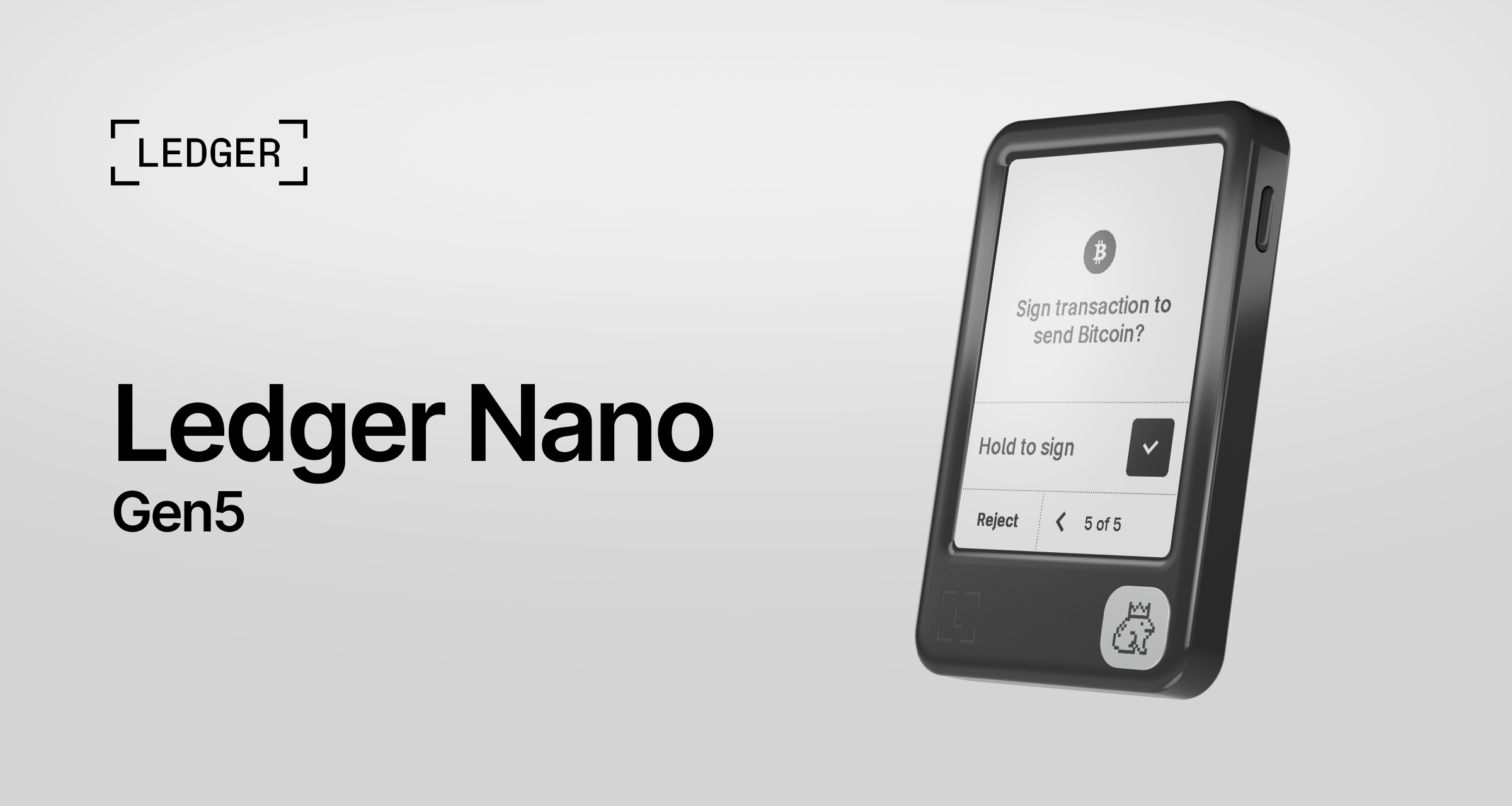
Ledger Nano Gen5
A touchscreen hardware wallet for managing crypto with on-device transaction checks.
This guide explains the device, recovery choices and practical limitations. It is based on manufacturer documentation, rather than a hands-on product test.
Check Price at Ledger ↗Opens Ledger’s store. Select Nano Gen5 to check current pricing, stock, delivery and bundle contents.
Affiliate disclosure: FinTech Dynasty may earn a commission from qualifying purchases through our Ledger shopping links, at no additional cost to you.
Information checked: October 4, 2026. Features and compatibility can change; confirm your requirements with Ledger before buying.
What does it do?
A hardware wallet protects the keys used to authorize transactions. Your assets remain on their blockchain; they are not stored inside the device. You use a companion app to view accounts and prepare transfers, then check and approve signing requests on the wallet.
Nano Gen5 replaces the classic Nano button interface with a touchscreen. Ledger Wallet is its main companion app, while some assets require a compatible third-party wallet interface.
Key specifications
| Display | 2.8-inch monochrome E Ink touchscreen; 300 × 400 pixels |
|---|---|
| Connections | USB-C, Bluetooth BLE 5.2 and NFC |
| NFC use | Ledger Recovery Key and Ledger Security Key functions |
| Security chip | ST33K1M5 Secure Element; chip certification CC EAL6+ |
| Operating system | Ledger OS |
| Dimensions / weight | 79.4 × 53.3 × 8.6 mm / 46 g |
| Construction | Plastic frame and back; scratch-resistant display glass |
| Power | Built-in rechargeable battery; USB-C charging |
The chip’s certification is not a guarantee that every transaction, app or user action is safe.
Security features and trade-offs
Useful protections
- On-device checks: review transaction details on the wallet rather than relying only on a phone or computer.
- Clear Signing: supported integrations display human-readable signing information.
- Transaction Check: supported flows can flag potential threats before approval.
- PIN protection: three consecutive incorrect PIN attempts reset the device; recovery then requires a valid backup.
Limits to understand
- Clear Signing and threat checks depend on the supported app, network and transaction. They do not cover every request.
- A hardware wallet can still approve a harmful transfer or token permission.
- Ledger’s software stack is not entirely open source. Some Secure Element and operating-system components remain proprietary.
- You still depend on genuine hardware, trusted software, firmware updates and protected recovery secrets.
USB-C and Bluetooth provide different connection options. Wireless connectivity is not the same as giving an app permission to spend funds. Always inspect the device’s signing screen; a connected phone does not make a request trustworthy.
Supported assets and phone compatibility
Check Ledger’s supported-assets directory for each exact coin, token and network. Device support and direct support inside Ledger Wallet are different. A third-party interface may be needed, and token names alone do not establish network compatibility.
Ledger lists iOS 15+ and Android 10+ for this model, plus supported 64-bit Windows, macOS and Ubuntu desktop systems. It lists Chromebooks as incompatible. Check the latest application requirements and your computer architecture before purchasing.
For XRP holders: XRP appears on Ledger’s supported-assets list. Confirm your receiving account requirements, current reserve and any destination tag required by an exchange before transferring.
Understand the three recovery options
1. Your recovery phrase
The recovery phrase is a secret backup for your wallet. Record it accurately during setup and keep it offline, away from your device. Never photograph it, put it in cloud storage, paste it into an AI chat or enter it into a website. A PIN does not replace this backup.
2. Ledger Recovery Key
This is a physical, PIN-protected backup accessory that works offline through NFC with compatible Ledger touchscreen devices. It provides another way to restore wallet access. Protect the key and its PIN, follow its setup instructions, and retain your recovery sheet. Check compatibility before expecting it to work with a different wallet brand.
3. Ledger Recover
Ledger Recover is a separate, optional paid service with identity verification. It backs up encrypted fragments through third-party providers. You do not need to subscribe to use Nano Gen5. Consider its privacy requirements, provider dependence, fees and terms before opting in.
What is included?
Ledger currently lists the Nano Gen5, USB-C to USB-C cable, three recovery sheets, one Ledger Recovery Key and a safety/regulatory leaflet. Contents may differ by bundle or region; verify the selected offer at checkout.
A careful first setup
- Buy through a verified source. Use Ledger or a reseller listed by Ledger.
- Download official software. Navigate to Ledger’s setup page yourself and follow the Nano Gen5 instructions.
- Complete authenticity and update checks. Follow the official setup flow; packaging alone does not establish authenticity.
- Create a new wallet and PIN. Reject a device with prewritten recovery words or a supplied PIN.
- Record and verify your backup. Enter recovery words only on the Ledger device when its official process requires them. Set up the Recovery Key if you choose to use it.
- Add the right account. Confirm the asset and network, then verify the receiving address on the wallet.
- Test before transferring more. Allow for fees and receiving minimums. Confirm a small transfer arrived correctly, then recheck every subsequent transfer.
If your existing software-wallet phrase has been exposed, importing it onto hardware does not make it secret again. Create a fresh backup and transfer assets to the new wallet instead.
Who might consider it?
Our assessment: Nano Gen5 may suit someone who wants Ledger’s ecosystem and an easier-to-read touchscreen than the classic Nano devices. Compare it with other wallets if you prefer a wired-only device, a different recovery model or a more open software stack. Ease of use and security both depend on how you manage it.
Common questions
Is it a cold wallet even though it uses Bluetooth?
It is a hardware signer designed to keep signing keys in its Secure Element during ordinary transactions. The companion app connects to the internet to communicate with blockchains. Using hardware does not remove the risks of harmful contracts, approvals or exposed backups.
What happens if it breaks or is lost?
A damaged device does not erase assets from the blockchain. You can restore access using a valid recovery method. If someone may have accessed your secrets, move remaining assets to a fresh wallet using a trusted device and official instructions.
Does the PIN recover my wallet?
No. The PIN protects access to that device. Recovery requires the correct backup, plus the passphrase if your accounts use one.
Is Ledger Recover mandatory?
No. It is a separate opt-in service. You can use the device with your own offline recovery backup.
Does the device stop every scam?
No. Signing checks can help, but you must understand the destination and permissions. Stop if the wallet cannot display enough information for you to verify the request.
Compare before you choose
Check the current Nano Gen5 offer and supported assets at Ledger. The purchase button opens its general store.
Check Price at Ledger ↗Back to Hardware Wallet StoreOfficial references
- Nano Gen5 product specifications
- Nano Gen5 introduction
- Clear Signing
- Ledger’s open-source explanation
- Ledger Recovery Key
- Ledger Recover
- Passphrase guidance
Educational information, not financial advice. Manufacturer claims are not independent guarantees. No wallet eliminates every risk.