
FINTECH DYNASTY • WALLET GUIDE
ELLIPAL X Card
A battery-free NFC hardware wallet that signs transactions with a tap, using an offline Starter for initial setup.
This guide explains how the X Card works, its recovery options, phone requirements and security trade-offs. It is based on manufacturer documentation, not hands-on testing.
Check Price at ELLIPAL ↗Opens the ELLIPAL store. Confirm the X Card model, Starter bundle, pricing and availability before ordering.
Affiliate disclosure: FinTech Dynasty may earn a commission from qualifying purchases through our ELLIPAL shopping links, at no additional cost to you.
Information checked: October 11, 2026. Specifications and supported assets can change; verify current details with ELLIPAL.
What does it do?
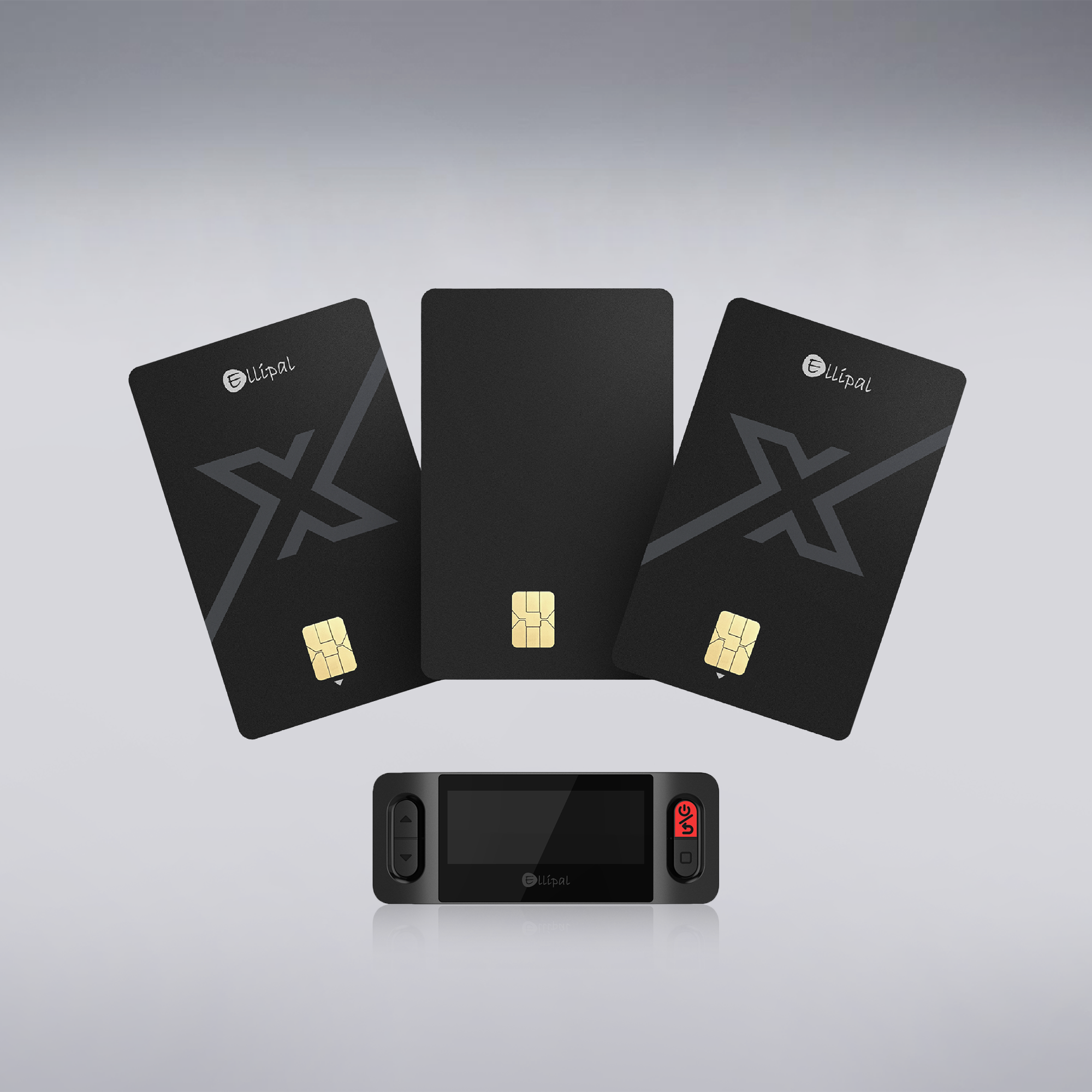
The ELLIPAL X Card is a self-custody cold wallet in a credit-card-sized format. Initial wallet creation or recovery uses the dedicated offline ELLIPAL X Card Starter. After setup, the card connects to a compatible phone through near-field communication (NFC) and signs transactions inside its secure chip.
Unlike the Titan 2.0 or Titan Mini, the X Card has no built-in screen for reviewing transaction details. You review the request in the ELLIPAL phone app before authorizing the card to sign it. NFC signing is different from the Titan models’ QR-code signing workflow.
Key specifications
| Wallet type | Self-custody NFC hardware cold wallet |
|---|---|
| Form factor | Credit-card size, 85.60 × 53.98 mm |
| Signing method | NFC tap signing with ELLIPAL mobile app |
| Secure chip | Manufacturer-listed CC EAL6+ secure chip |
| Display | No built-in screen; transaction details appear in the phone app |
| Power | Battery-free; powered during NFC communication |
| Initial setup | Offline setup using ELLIPAL X Card Starter |
| Recovery phrase | Create 12-, 18- or 24-word BIP39 phrase; recover compatible 12-, 15-, 18-, 21- or 24-word phrases |
| Passphrase | Optional passphrase supported |
| Card PIN | 6–16 digits; manufacturer states reset after 10 incorrect attempts |
| Supported assets | ELLIPAL advertises 10,000+ tokens across 45+ blockchains; verify exact asset and network |
| Phone requirements | Compatible NFC-enabled Android phone or iPhone XS or newer, with ELLIPAL app |
| NFT support | Manufacturer lists Ethereum and Polygon NFTs |
| Firmware | Manufacturer describes locked firmware without user updates |
Figures are manufacturer claims, not independent test results. A secure-chip certification does not certify the complete wallet workflow against every threat.
Security features and trade-offs
Useful protections
- Offline initialization: the Starter is designed to create or import a wallet without exposing the recovery phrase to a network-connected phone.
- Secure chip: private keys are intended to remain within the card during transaction signing.
- Card PIN: each signing action requires authorization; repeated incorrect PIN entries trigger a reset according to ELLIPAL.
- Standard recovery: BIP39 recovery phrase support can help avoid dependence on one physical card.
- Battery-free design: no charging cable or rechargeable battery is required.
Limits to understand
- No independent display: you cannot verify the transaction on a separate card screen. A compromised or misleading phone interface is a relevant risk.
- NFC and app dependence: signing requires a compatible phone and the app; NFC is a communication channel, not the same workflow as QR-based air-gapped signing.
- Starter dependency: initial setup and recovery require the offline Starter; confirm what is included in the purchase.
- Recovery-phrase exposure: anyone with the phrase and optional passphrase can potentially recover the wallet elsewhere.
- Firmware trust: locked firmware removes routine update capability but also limits how vulnerabilities could be patched.
Supported assets and compatibility
ELLIPAL advertises support for more than 10,000 tokens across over 45 blockchains, including Bitcoin, Ethereum, Solana and XRP. This does not mean every token, network, smart-contract interaction or feature is supported. Check ELLIPAL’s current coin list before transferring funds.
The X Card works with the ELLIPAL app on supported NFC-enabled Android devices and iPhone XS or newer. WalletConnect support is advertised for some decentralized applications; connecting to an application still requires careful review of permissions and signing requests.
For XRP holders: confirm XRP Ledger support, the correct receiving address and any destination-tag requirements before sending XRP.
Understand the recovery and access options
1. Recovery phrase
The Starter can generate a BIP39 recovery phrase offline. Keep the phrase private, record it accurately and store it away from the card and phone. Never type it into a website or send it to anyone claiming to be support.
2. Optional passphrase
An optional passphrase creates a distinct derived wallet. Losing that passphrase may prevent recovery of assets stored in the passphrase-protected wallet, even with the correct recovery words.
3. Card PIN and backup cards
The PIN authorizes use of the physical card. ELLIPAL also describes linking additional X Cards as backups for the same wallet. Separate cards can improve convenience but do not replace a secure recovery-phrase backup.
What is included?
ELLIPAL describes an X Card package containing the card, offline X Card Starter, quick-start information and recovery-recording materials. Product bundles and backup-card quantities can vary; check the exact package contents at checkout.
A careful first setup
- Check the package. Confirm the card and offline Starter are genuine and included in your chosen bundle.
- Follow the official setup guide. Use the Starter to create a new wallet or restore a compatible BIP39 wallet offline.
- Record the recovery phrase. Verify it carefully without taking photos or uploading it to cloud storage.
- Set a strong card PIN. Follow the Starter’s prompts and understand the consequences of repeated incorrect entries.
- Install the official ELLIPAL app. Confirm your phone supports NFC and the app’s requirements.
- Connect the card by NFC. Follow ELLIPAL’s pairing and tap-to-sign instructions.
- Verify with a small transaction. Check recipient, amount, network and permissions before approving a larger transfer.
Who might consider it?
Our assessment: the X Card may suit someone who wants a compact, battery-free cold wallet for use with a compatible smartphone. Users who prefer verifying transaction details on a separate hardware screen may prefer a device such as the ELLIPAL Titan 2.0 or Titan Mini.
Common questions
Does the ELLIPAL X Card have a screen?
No. You review transaction information in the phone app; the card signs via NFC after authorization.
Does it need charging?
No. The X Card is battery-free and uses NFC power during communication.
Is it the same as an air-gapped Titan wallet?
No. The Titan models use QR codes and have screens on the hardware devices. The X Card uses NFC and relies on the phone app for transaction display.
Can I restore it using a standard seed phrase?
ELLIPAL advertises BIP39 recovery support, subject to compatible derivation paths and assets. Follow its official Starter instructions.
What if I lose the card?
You may be able to restore the wallet using the correct recovery phrase and optional passphrase on a compatible wallet or replacement X Card. A PIN protects the physical card but is not a substitute for recovery information.
Does it support XRP?
ELLIPAL lists XRP among supported assets. Verify current XRP Ledger support and receiving requirements in the official compatibility list.
Can the card receive firmware updates?
ELLIPAL describes its X Card firmware as locked at manufacture. This reduces some update-related attack paths but also limits post-release patching.
Compare before you choose
Confirm X Card phone compatibility, Starter inclusion, recovery options and supported networks with ELLIPAL before buying.
Check Price at ELLIPAL ↗Back to Hardware Wallet StoreOfficial references
- ELLIPAL X Card product and technical specifications
- ELLIPAL NFC wallet and recovery explanation
- ELLIPAL official setup and help center
Educational information, not financial advice. Manufacturer claims are not independent guarantees. No wallet eliminates every risk.