

Securely Managing Private Keys for Beginners
Last Updated: October 23, 2026
Quick Summary
Managing private keys means securely storing and protecting the secret cryptographic code that controls your cryptocurrency. Use a hardware wallet or metal seed phrase storage, write down your 12 or 24-word backup phrase, test it with a small transaction, and store it safely in at least two locations.
- Your private key is a secret code that gives complete control over your cryptocurrency and must never be shared.
- Hardware wallets are the best option for most people holding significant amounts of crypto, balancing security and ease of use.
- Always test your backup seed phrase before depositing large amounts by recovering it on a separate device.
- Never store your seed phrase on a computer, photograph it, or type it into any internet-connected device.
- Store your backup in at least two different locations using fireproof and waterproof storage like metal seed phrase plates.
Table of Contents
- What Private Keys Are and Why They Matter
- Private Keys vs Public Keys: The Essential Difference
- How to Store Crypto Private Keys Safely
- Hardware Wallet Security for Beginners
- Crypto Wallet Backup Best Practices
- Private Key Backup and Recovery: Step-by-Step
- Common Private Key Security Mistakes to Avoid
- Frequently Asked Questions
What Private Keys Are and Why They Matter
A private key is a secret cryptographic code that gives you complete control over your cryptocurrency, making managing private keys essential for security. Think of it like the master password to your digital wallet.
When you own crypto, you don't actually hold anything physical. What you own is the right to move those coins on the blockchain. That right is proven by your private key. If someone gets your private key, they own your crypto.
This is why managing private keys is the single most important skill for anyone serious about self-custody. With the right approach, it's straightforward.
Your private key is different from your wallet address. Your wallet address is public. You can share it with anyone. Your private key must stay secret at all times.
Private Keys vs Public Keys: The Essential Difference
Understanding the difference between private and public keys is essential for secure crypto management.
A public key is derived from your private key using cryptography. You can share your public key with anyone. People use it to send you crypto.
A private key is the secret that unlocks your coins. You never share it. It's what lets you move your crypto.
Here's the relationship: your private key creates your public key through mathematical encryption. But you cannot reverse the process.
Think of it like a mailbox. Your public key is the address on the front. Anyone can mail you letters. Your private key is the key that opens the mailbox.
| Element | Public | Private | Share? |
|---|---|---|---|
| Public Key | Yes | No | Safe to share |
| Private Key | No | Yes | Never share |
| Wallet Address | Yes | No | Safe to share |
| Seed Phrase | No | Yes | Never share |
This distinction matters because it determines what you can do safely and what puts your coins at risk.

How to Store Crypto Private Keys Safely
The biggest mistake beginners make is storing their private key in an unsafe location. The second biggest mistake is not backing it up at all.
You have several options for storing your private key. Each has different security levels and recovery options.
Cold Storage and Offline Methods
Cold storage means keeping your private key completely offline. This removes it from the internet, where hackers cannot reach it.
The simplest cold storage method is writing your seed phrase on paper.
Paper storage is cheap and effective. The risk is physical loss, fire, water damage, or someone finding it. For this reason, many people use metal seed phrase storage instead.
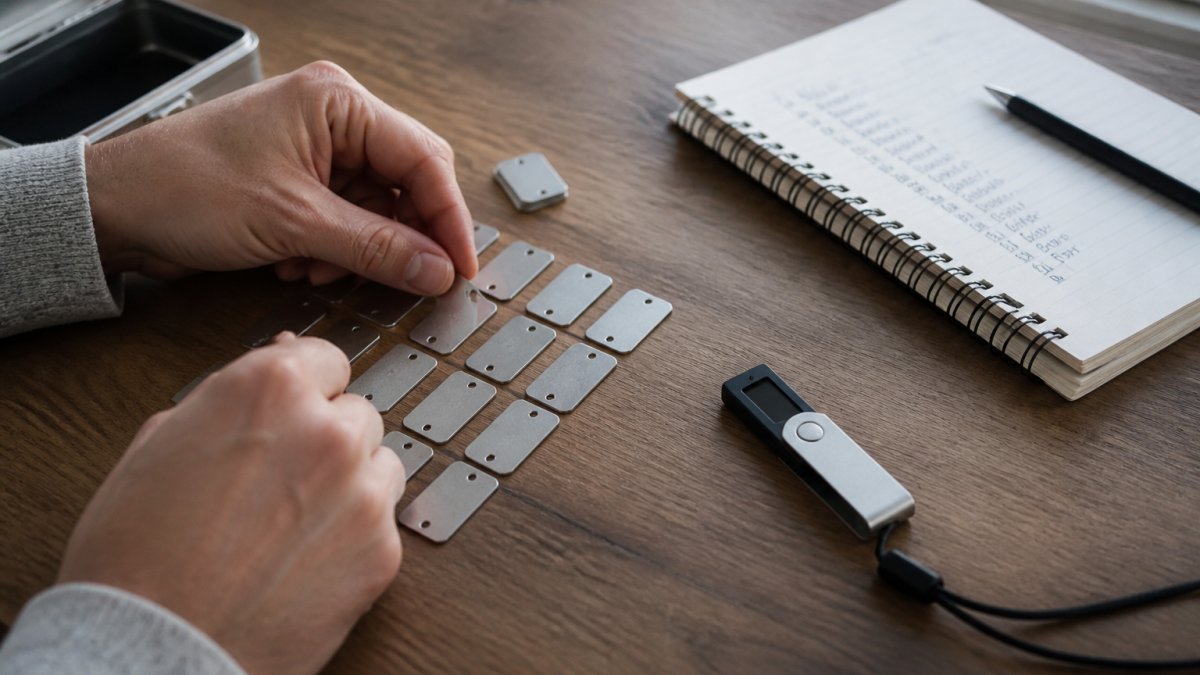
Metal seed phrase plates are fireproof and waterproof. You arrange metal tiles to spell out your seed phrase words.
FinTech Dynasty offers a Metal Crypto Seed Phrase Storage system with 480 metal letter tiles.
Another cold storage option is a hardware wallet stored offline. You set up the wallet, write down the seed phrase, then put the device in a safe.
Hardware Wallets for Beginners
A hardware wallet is a small physical device that stores your private key. It looks like a USB drive. The device keeps your private key offline and protected.
Hardware wallets work by connecting to your computer or phone when you want to move coins. You approve the transaction on the device itself. Your private key never leaves the device and never touches the internet.
This setup protects you from malware on your computer. Even if your computer is hacked, the hacker cannot access your coins because your private key is on the separate device.
Popular hardware wallets include Ledger and Trezor. They come with clear setup instructions and backup processes.
This is a good investment if you hold a meaningful amount of crypto.
Hardware Wallet Security for Beginners
Once you have a hardware wallet, you need to set it up correctly.
First, buy your hardware wallet directly from the manufacturer's official website. Never buy from a third party or used device.
Second, follow the setup process exactly as shown. The wallet will generate your seed phrase. Write it down immediately.
Third, test the recovery process before you deposit large amounts. Create a small transaction and recover your wallet using your backup.
Fourth, keep your hardware wallet in a safe place. A home safe or safety deposit box works well. You don't need to access it frequently.
Fifth, keep your PIN code separate from your hardware wallet. Write it down and store it somewhere different.
Never take a photo of your seed phrase. Never type it into a computer. Never email it to yourself.
Crypto Wallet Backup Best Practices
Your backup is your safety net. If your wallet breaks, gets lost, or is stolen, your backup lets you recover your coins.
The best backup is your seed phrase. This is the set of 12 or 24 words your wallet creates during setup.
Creating and Storing Your Seed Phrase
When you create a new wallet, the wallet generates your seed phrase. Write it down on paper or use a metal storage system.
The order matters. Write the words in the exact order they appear. Number each word 1 through 12 or 1 through 24. This prevents mistakes during recovery.
Store your backup in a safe place. A home safe, safety deposit box, or buried metal plate all work. The goal is to protect it from theft, fire, and water damage.
Metal Crypto Seed Phrase Storage, BIP39 Recovery Phrase Cold Storage Backup →
Consider creating two backups. Store one at home and one in a safety deposit box. This protects against losing both copies if your home is damaged.
Never share your seed phrase. Never type it into a computer. Never photograph it. These actions expose your backup to theft.
Backup Verification and Testing
Before you deposit large amounts of crypto, test your backup.
Here's how:
- Create a new wallet on a separate device
- Use your backup seed phrase to restore the wallet
- Check that your addresses match your original wallet
- Send a small amount of crypto to the restored wallet
- Confirm the coins arrive
This process proves your backup works. It also confirms you wrote down your seed phrase correctly.
Do this test within a week of creating your backup. Don't wait months. If your backup has errors, you'll discover them while the wallet is still fresh in your mind.
Private Key Backup and Recovery: Step-by-Step
Setting Up Your First Backup
Step 1: Create your wallet and write down your seed phrase.
Step 2: Store your seed phrase in a safe location. Use paper or metal storage.
Step 3: Create a second backup if you hold a large amount of crypto. Store it in a different location.
Step 4: Write down your wallet address and keep it somewhere safe. This helps you verify you're using the correct wallet during recovery.
Step 5: Test your backup with a small amount of crypto before depositing large amounts.
Recovering Your Wallet from Backup
If you lose your hardware wallet or need to access your coins on a new device, you can recover your wallet using your seed phrase.
Step 1: Get a new hardware wallet or use a wallet app on your phone or computer.
Step 2: Choose the option to restore from seed phrase.
Step 3: Enter your seed phrase words in the exact order you wrote them down.
Step 4: Create a new PIN code for the device.
Step 5: Wait for the wallet to derive your addresses from the seed phrase.
Step 6: Check that your wallet address matches your original wallet.
Step 7: Your coins are now accessible on the new device.
This process takes about 10 minutes. The key is entering your seed phrase in the correct order. If you make a mistake, the wallet will derive different addresses and you won't see your coins.
This is why testing your backup before you need it is critical.
Common Private Key Security Mistakes to Avoid
Many people lose access to their crypto because they make preventable mistakes.
Storing your seed phrase on your computer. Your computer connects to the internet. Malware can steal files.
Taking a photo of your seed phrase. Photos are stored in cloud services by default.
Sharing your seed phrase with anyone. Not even your spouse. Not even your accountant.
Using the same seed phrase for multiple wallets. Each wallet should have its own unique seed phrase.
Losing your backup. Store it in at least two locations. Use fireproof and waterproof storage. Test it every year to confirm it's still readable.
Forgetting your PIN code. Write it down and store it separately from your hardware wallet.
Buying a used hardware wallet. The previous owner could have copied the seed phrase.
Not testing your backup. Many people discover their backup is wrong only when they need it.
Protecting your private key is the foundation of secure self-custody.
Ready to take control of your digital assets?
Frequently Asked Questions
What is the best method for securely storing encryption keys?
For beginners managing private keys, cold storage methods offer the strongest security. Hardware wallets like Ledger store your private keys offline, isolated from internet threats. For maximum protection, combine hardware wallet storage with a metal seed phrase backup kept in a secure physical location. Metal storage systems, such as the 8-letter full-word seed phrase plate with 480 metal tiles, preserve your recovery phrase against fire and water damage. The key principle: keep private keys offline and backed up in multiple secure locations.
Should I use a hardware wallet to protect my private keys?
Yes, hardware wallets are one of the safest options for beginners managing private keys. They store your private keys on a dedicated device that never connects directly to the internet, protecting against malware and phishing attacks. When you approve a transaction, the hardware wallet signs it internally and only sends the signed transaction to the network. This means your private key stays isolated. For most beginners, a hardware wallet combined with a secure seed phrase backup provides robust protection against theft and unauthorized access.
What should I do if I lose access to my private key backup?
If you lose your seed phrase or private key backup, you cannot recover your cryptocurrency. This is why backup and recovery procedures are critical. Before you need recovery, test your backup by writing down your seed phrase in a secure location and verifying you can read it clearly. Store backups in multiple secure physical locations, such as a safe deposit box and a home safe. If you lose access, contact your wallet provider immediately, though they cannot retrieve your private keys. Prevention through multiple verified backups is your only safeguard.
Is it safe to store a private key on my phone or computer?
Storing private keys on internet-connected devices like phones or computers exposes them to malware, hacking, and theft. These devices connect to networks daily, creating multiple attack vectors. While mobile wallets and desktop wallets can be convenient for small amounts, they are riskier than cold storage methods. For significant holdings, use a hardware wallet or offline storage. If you do use a mobile or desktop wallet, enable all security features: strong passwords, two-factor authentication, and regular backups of your seed phrase stored securely offline.
