

Ledger vs Binance for Beginners: Which One Comes First?
Last Updated: November 18, 2026
Quick Summary
The ledger vs binance comparison is not a choice between two versions of the same tool: Binance is a custodial exchange where you buy and trade crypto, while Ledger is a hardware wallet that keeps your private keys offline for long-term storage. Most careful beginners use both, keeping trading balances on Binance and moving anything held past a few months into self-custody.
- Binance reported 323 million registered users in July 2026, making it one of the largest crypto exchange platforms.
- The Ledger Nano S Plus costs under $80 and keeps private keys offline.
- Always send a small test amount first before transferring your full balance from Binance to Ledger.
- A wrong network or missing memo can leave transferred funds stranded or uncredited.
- Keep trading balances on the exchange and move long-term holdings into self-custody.
Table of Contents
- Ledger vs Binance for Beginners: Two Different Tools
- Crypto Exchange vs Hardware Wallet: Custody and Private Keys
- Ledger vs Binance for Beginners Cost: Fees and End-to-End Expenses
- Security, Recovery and the Mistakes Beginners Cannot Undo
- How to Transfer Crypto From Binance to Ledger
- Ledger vs Binance vs Coinbase: Where Availability and Regulation Fit In
- Which One Is Right for You? A Beginner Decision Matrix
- Build Your Self-Custody Knowledge Before You Move a Single Coin
- Frequently Asked Questions
Ledger vs Binance for Beginners: Two Different Tools
The ledger vs binance for beginners question usually starts with a false assumption: that you are choosing between two versions of the same thing. You are not. According to Datawallet's 2026 Binance statistics report, Binance reported 323 million registered users in July 2026, making it one of the largest crypto exchange platforms in the world. Ledger makes hardware wallets. One is a marketplace where you buy and trade. The other is a vault where you store.
At FinTech Dynasty, we teach this distinction first, because beginners who miss it tend to keep large balances on an exchange out of habit rather than choice.
Here is the short version: Binance is where you acquire crypto assets. Ledger is where you protect them long term. You can use both, and most careful holders eventually do.
What Binance Actually Is
A centralized exchange is a platform where you open an account, deposit money, and buy, sell, or swap digital assets.
Your coins sit in a wallet Binance controls. You see a balance on screen, but you do not hold the private keys. That is what "custodial" means, and it is the single most important fact for a beginner to absorb.
The trade-off with a centralized exchange is that account access depends on the platform rather than on you.
What Ledger Actually Is
A hardware wallet is a small physical device that stores your private keys offline. It does not hold coins; the blockchain does. The device holds the keys that prove ownership.
When you send crypto, the Ledger signs the transaction internally. The keys never touch your internet-connected computer or phone. That is the whole point of cold storage.
A 2026 beginner wallet guide notes the Ledger Nano S Plus costs under $80 and keeps private keys offline (MemeBurn's beginner wallet guide).
Crypto Exchange vs Hardware Wallet: Custody and Private Keys
Custody is the dividing line in any crypto exchange vs hardware wallet comparison. An exchange holds your keys for you. A hardware wallet hands them to you, along with full responsibility.
This is where "not your keys, not your coins" comes from. On Binance, if the platform freezes withdrawals, gets hacked, or restricts your account, you have a claim, not control.
With self-custody, no company can freeze your assets. But no company can recover them either. Lose your recovery phrase and the funds are gone permanently.
If the custody distinction still feels abstract, our guide on what "not your keys, not your coins" means walks through exchange custody versus self-custody, including who carries the risk in each case.
Ledger vs Binance for Beginners Cost: Fees and End-to-End Expenses
The Ledger vs Binance for beginners cost comparison is not close on the surface, and that misleads people. But the exchange is not free over time, and the hardware wallet is not a one-time cost in isolation. The honest comparison is total cost of ownership across the full lifecycle of a purchase, a hold, and a sale.
| Cost Item | Binance (Exchange) | Ledger (Hardware Wallet) |
|---|---|---|
| Upfront cost | None to open | Device purchase, under $80 entry |
| Trading fees | Charged per trade | Not applicable on device; third-party swap services charge their own spread or fee |
| Spread | Built into quoted price | Not applicable unless using a swap service |
| Withdrawal fees | Charged when moving coins out | Not applicable |
| Network fees | On every on-chain transfer | On every on-chain transfer |
| Ongoing platform risk | Yes, custodial | No, self-custodied |
| Best for | Buying and trading | Long-term storage |
Security, Recovery and the Mistakes Beginners Cannot Undo
Security on an exchange and security on a hardware wallet fail in completely different ways. On Binance, the main threats are phishing, SIM-swap attacks, and account takeovers. Two-factor authentication and withdrawal allowlists help, but you are still trusting a company's defenses.
On a Ledger, the threat model flips. The device protects your keys from online attacks, but nothing protects you from your own mistakes. Three errors are effectively permanent:
- Losing the recovery phrase. No support line can restore it.
- Typing the phrase into a website. Every legitimate wallet provider will tell you never to do this. Phishing sites ask for it constantly.
- Storing the phrase digitally. Screenshots, cloud notes, and email drafts are all reachable by malware.
Watch out: the most common beginner disaster is photographing a seed phrase "just in case" and leaving it in a phone's camera roll. That single habit defeats the purpose of a hardware wallet.
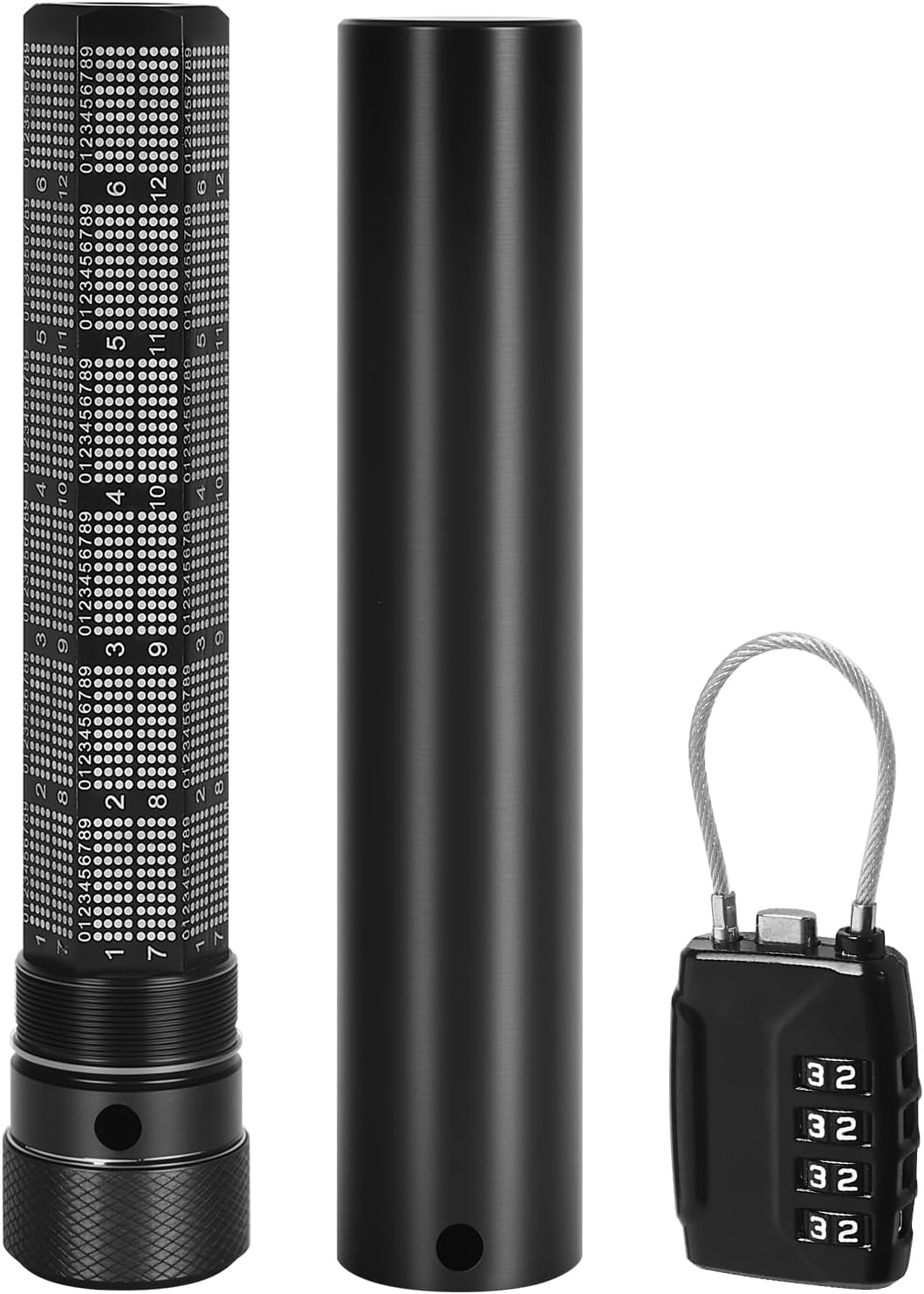
Our primer on private keys and seed phrases explains how recovery information controls access and how to back it up without creating a new exposure. For physical backup, a 72-word seed phrase storage capsule at $79.99 is one option for storing recovery words.
How to Transfer Crypto From Binance to Ledger
Transferring from Binance to a hardware wallet follows a fixed sequence. Do it once with a small test amount before moving anything significant.
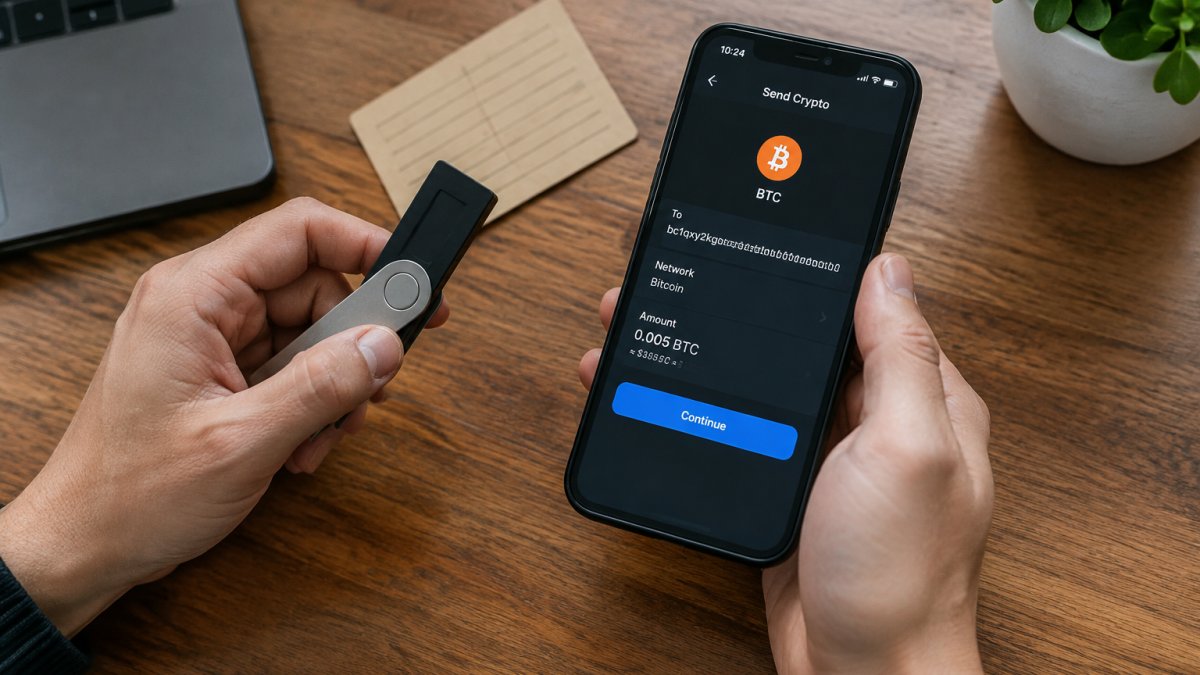
- Set up the Ledger and write down the recovery phrase by hand. Never photograph it. Confirm the phrase by re-entering it on the device when prompted.
- Install the official companion app for your wallet and add the coin's app to the device. The device must be unlocked and the correct coin app open before it will display a receive address.
- Open the receive screen in the app and copy the public address. Verify the first and last characters on the device screen itself, not just on your phone or computer. If they do not match, stop.
- In Binance, choose Withdraw, paste the address, and select the correct network. The network must match the network the Ledger app is set up for. A wrong network can destroy the funds.
- Send a small test amount first. A test transfer is not paranoia; it is the only way to confirm the address and network are correct before committing the full balance. Confirm it arrives on the Ledger before continuing.
- Send the remainder, then check the transaction on a block explorer using the transaction ID Binance provides.
The network selection step deserves its own explanation because it is the quiet killer. Many assets exist on multiple chains.
A second pitfall is the memo or destination tag. Some networks and some exchange deposit addresses require a memo or tag in addition to the address.
Moving assets back to an exchange follows the same logic in reverse. Copy the exchange's deposit address and any required memo, verify the address and network on your wallet's screen, and send a test amount first.
Watch out: if a transfer does not arrive, do not resend immediately. Check the transaction ID on a block explorer first. Our walkthrough on moving crypto safely covers address checks, network selection, fees, and destination tags in detail.
Ledger vs Binance vs Coinbase: Where Availability and Regulation Fit In
The Ledger vs Binance vs Coinbase comparison adds a third category question: which exchange can you actually use? Availability varies sharply by country, and regulatory status changes.
This matters for beginners because account restrictions can arrive without warning. A platform that suddenly limits withdrawals in your region turns a custodial balance into a problem. Hardware wallets have no such geography; a Ledger works anywhere you can hold a device.
Regulation also shapes what each exchange offers. Staking, derivatives, and certain trading pairs may be unavailable in your jurisdiction regardless of what the marketing pages show. Check local rules before committing funds.
If you are weighing exchange types more broadly, our breakdown of DEX vs CEX differences covers how custody, trading methods, and fees shift between centralized and decentralized venues.
Which One Is Right for You? A Beginner Decision Matrix
Many beginners start with an exchange and later consider self-custody. The decision matrix below settles it by situation.
| Your Situation | Start With | Why |
|---|---|---|
| Buying your first crypto | Binance or similar exchange | No device needed to start |
| Holding more than you can afford to lose | Ledger | Removes exchange custody risk |
| Trading weekly | Exchange only | Withdrawal fees outweigh the benefit |
| Holding for years | Ledger | One-time cost, permanent control |
| Living in a restricted region | Check availability first | Exchange access may be limited |
| Managing inheritance planning | Ledger plus documented recovery | Self-custody enables clear instructions |
A simple rule we give beginners: keep trading balances on the exchange, and move anything you plan to hold past a few months into self-custody. That split captures the convenience of Binance and the security of a Ledger without forcing a choice.
One caveat on scores. Comparison sites sometimes rank Binance above Ledger on overall score, but per BitDegree's comparison, the scoring methodology is not disclosed, and a single number cannot compare an exchange with a hardware wallet. They do different jobs.
Build Your Self-Custody Knowledge Before You Move a Single Coin
The biggest risk in the ledger vs binance decision is not picking the wrong product. It is setting up self-custody without understanding it. A device you do not know how to use is a liability with a battery.
Start with the mechanics: how wallets interact with blockchain networks, what a recovery phrase actually does, and why a hot wallet and cold storage serve different purposes. That foundation is what our beginner self-custody guide is built to provide.
If you want structured instruction rather than scattered videos, the FinTech Dynasty course at $99 covers how cryptocurrency systems work, how wallets interact with blockchain networks, the difference between hot wallets and cold storage, and how to protect digital assets.

The real challenge is not choosing between an exchange and a hardware wallet. It is learning to hold your own keys without losing them. FinTech Dynasty teaches that step by step, with structured lessons on wallet mechanics, seed phrase security, and responsible interaction with crypto systems.
Frequently Asked Questions
Is Ledger safer than keeping crypto on Binance?
They protect against different things. Binance is a centralized exchange that holds your private keys, so your balance depends on the platform's security and account protections. A Ledger is a hardware wallet that keeps your private keys offline, so no exchange breach can reach them. The trade-off is that you alone control the recovery phrase, and losing it means losing access permanently. Many beginners use both: an exchange for buying and selling, and a hardware wallet for long-term storage.
What fees should beginners compare between Ledger and Binance?
Compare more than the sticker price. Network fees apply whenever you send crypto on-chain, and they vary with blockchain congestion, so plan transfers when activity is lower and move larger amounts less often.
Can I lose my crypto on Ledger?
Yes, but the risk is almost always user error rather than a hack. If you lose your recovery phrase, or someone else reads it, the funds can be gone with no customer support line to call. Ledger keeps private keys offline, which removes remote attacks, but it cannot undo a mistyped address or a phrase photographed and stored in the cloud. Write the phrase on durable offline media, store it somewhere private, and never type it into a website or share it with anyone.
Should beginners use an exchange and a hardware wallet together?
For most people, yes. An exchange platform is the practical place to buy and sell, while a hardware wallet is where long-term holdings sit under self-custody. The common workflow is to buy on the exchange, transfer to the hardware wallet, and confirm the receiving address on the device screen before sending. Keep only what you plan to trade on the exchange. This split limits how much is exposed if an account is compromised.
What is the difference between Ledger Live and Binance Wallet?
The practical difference between a self-custody wallet and an exchange wallet is custody: a self-custody wallet works with keys you hold, while an exchange wallet balance depends on the platform. Beginners should understand which one they are actually using before moving funds.
