

Cisco Security Advisories And Alerts: Official List & Feeds
Protecting your crypto starts long before you pick a hardware wallet. The network infrastructure you rely on, routers, switches, firewalls, forms the first line of defense between your digital assets and an attacker. Cisco manufactures a massive share of that infrastructure, and Cisco security advisories and alerts are the official channel for disclosing vulnerabilities in those products. If you're running any Cisco gear at home or in a business environment where you manage crypto, ignoring these disclosures is a serious blind spot.
At FinTech Dynasty, we focus on every layer of crypto security, not just the wallet sitting on your desk. A compromised router can redirect your traffic, intercept sensitive data, or expose your network to man-in-the-middle attacks, all of which put self-custody setups at direct risk. That's why understanding where and how to monitor vendor security bulletins matters, especially from a company as widely deployed as Cisco. Network-level vulnerabilities don't care what's in your wallet; they exploit what's between your wallet and the internet.
This article breaks down Cisco's official advisory system: where to find the full list of published vulnerabilities, how severity ratings work, what the disclosure process looks like, and how to subscribe to real-time notification feeds. Whether you're a home user with a Cisco router or managing a more complex setup, you'll walk away knowing exactly how to stay current on patches and alerts that could affect your security posture.
Why Cisco security advisories and alerts matter
Cisco is one of the most widely deployed networking vendors on the planet. Routers, switches, firewalls, VPNs, and access points carrying the Cisco name are running in homes, small offices, data centers, and enterprise environments right now. When a flaw appears in any of those products, it becomes a target within hours, not days. Monitoring cisco security advisories and alerts is the most direct way to know whether the hardware you depend on just became a liability.
The scale of Cisco's attack surface
Cisco publishes advisories covering dozens of product lines, including IOS, IOS XE, NX-OS, ASA firewalls, Meraki devices, and Webex platforms. That breadth means a single critical vulnerability can affect millions of devices at once. Security researchers and threat actors alike monitor Cisco's disclosure schedule closely. When a patch drops, exploit code often follows within 24 to 72 hours, particularly for vulnerabilities rated Critical or High under the Common Vulnerability Scoring System (CVSS).
Scores run from 0.0 to 10.0. A rating of 9.8 means the flaw is remotely exploitable, requires no authentication, and carries high impact on confidentiality, integrity, and availability. Those three factors are exactly what an attacker needs to take full control of a device and everything sitting behind it. Cisco applies this scoring system consistently, which gives you a reliable way to prioritize your response.
A CVSS score of 9.0 or above means the vulnerability is exploitable with little to no effort, and you should treat patching it as urgent, not optional.
What attackers do with unpatched Cisco devices
An attacker who exploits a vulnerable Cisco router on your network doesn't need to touch your wallet directly. They can intercept DNS requests, redirecting you to a fake exchange or wallet interface that harvests credentials or seed phrase fragments. They can also run a man-in-the-middle attack that strips encryption from traffic you assumed was secure, capturing login sessions, API keys, or sensitive inputs in transit.
Beyond interception, a compromised device gives an attacker persistent footing. Firmware implants can survive reboots, letting an attacker monitor traffic silently for months. Long-term holders who leave patches unattended are especially exposed because the attacker has time to map the network, identify high-value targets, and choose the right moment to act.
How network security connects to your self-custody setup
Most people treat crypto security as a hardware wallet problem. Pick the right device, record your seed phrase correctly, and consider it done. That framing leaves a significant gap because your hardware wallet only protects assets at rest. The moment you connect it to sign a transaction, your local network is involved in that process.
If your router or firewall runs vulnerable firmware, an attacker positioned on your network can interfere with that transaction window. They can redirect the software interface or substitute wallet addresses in real time, capturing behavioral patterns that reveal when you transact and with what amounts. A secure cold storage setup sitting on an insecure network is a reinforced vault with an unlocked door.
Staying current with vendor bulletins is one of the practical steps that separates a genuinely hardened setup from one that only looks secure on the surface. Patching network infrastructure is not optional work for anyone who takes self-custody seriously. Real-world attack vectors target every layer of your setup, and the network layer is often the one that receives the least attention.
Where to find the official Cisco advisory list
The single authoritative source for cisco security advisories and alerts is Cisco's Product Security Incident Response Team (PSIRT) portal, which you can access directly at cisco.com/go/psirt. This page contains every advisory Cisco has published, organized by date, severity, and product line. Do not rely on third-party aggregators as your primary source; they often lag behind official disclosures or strip out context that changes how you should prioritize your response.
Navigating the Advisory Portal
The portal gives you several filtering options that make it easier to surface what's relevant to your specific setup. You can filter by severity level, choosing Critical, High, Medium, or Low to focus on the most urgent disclosures first. Filtering by product family or publication date range also helps you narrow a long list down to the hardware and software you actually run, cutting out the noise from product lines you don't use.
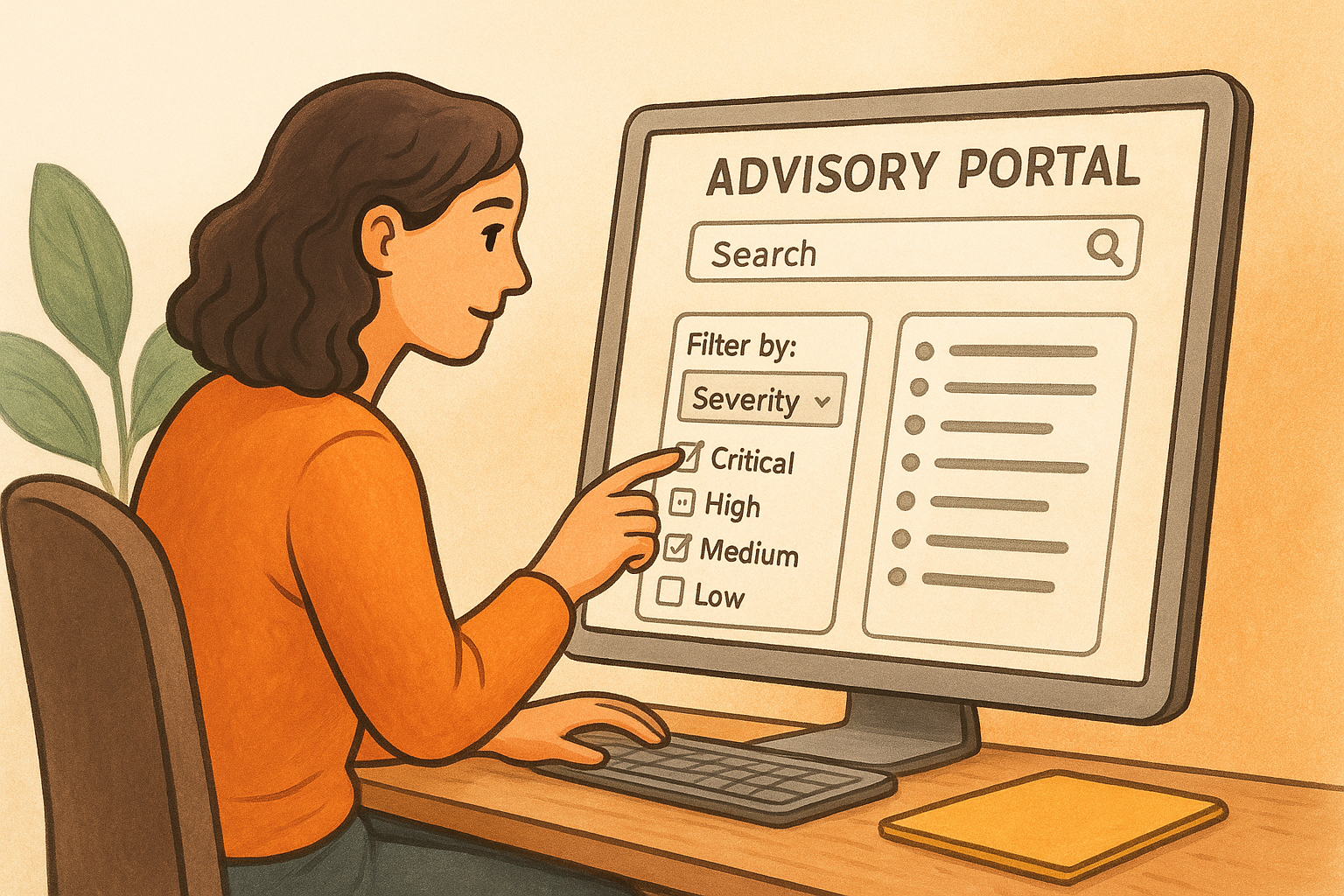
Each entry shows the advisory title, the CVSS score, the affected product families, and the publication date. Scanning this list once a week takes fewer than ten minutes and keeps you aware of newly published vulnerabilities before attackers have time to build working exploits around them.
The PSIRT portal is the only source you should treat as ground truth. If an advisory appears elsewhere first, verify it against the official portal before acting on it.
Understanding the Advisory Structure
When you click into a specific advisory, the layout follows a consistent format that Cisco applies across every disclosure. The summary section tells you what the vulnerability is, what conditions allow exploitation, and what impact it carries. Below that, you'll find the affected versions table, which lists every software release that contains the flaw alongside a fixed release column showing you exactly what version you need to upgrade to.
The advisory also includes a workaround section, and this part matters when an immediate patch is unavailable or your maintenance window is still days away. Workarounds are typically configuration changes that reduce exposure without requiring a full firmware update, and reading that section can buy you meaningful protection time.
Finally, check the indicators of exploitation section on every advisory you review. Active exploitation in the wild changes your urgency level immediately; a High-severity flaw with confirmed active exploitation warrants faster action than a Critical-severity flaw sitting at a theoretical risk level with no known exploit code in circulation.
How to subscribe to Cisco security alerts
Checking the portal manually works, but setting up automated delivery means you never have to remember to look. Cisco offers several subscription options that push new cisco security advisories and alerts directly to you the moment they publish, which matters most when a Critical advisory drops and every hour of delayed response widens your exposure window.
Using the PSIRT Email Notification Service
Cisco's PSIRT email subscription service is the most direct option available. You register through the Cisco PSIRT portal and select the product families you want to monitor, and Cisco sends you a notification each time a new advisory publishes for those products. The setup takes under five minutes, and the email you receive includes the advisory title, CVSS score, and a direct link to the full disclosure, giving you enough context to triage urgency before you even open the full document.
Subscribe to at minimum the product families that cover your router, firewall, and any managed switch on your network, even if those devices run older firmware you plan to replace soon.
When you configure your subscription, be specific. Subscribing to every Cisco product line generates a volume of email that trains you to ignore it. Narrow your selection to the exact hardware and software you run, and the signal-to-noise ratio stays high enough that you'll actually read each alert when it arrives.
Setting Up RSS Feeds
If you prefer a feed reader over email, Cisco publishes an RSS feed for all PSIRT advisories that you can pull into any standard feed aggregator. The feed URL is available directly from the PSIRT portal, and it updates each time Cisco publishes or significantly revises an advisory. Most feed readers let you apply keyword filters so you can surface only the product names or severity levels that match your environment.
Using both the email subscription and the RSS feed adds a redundancy layer that protects against a missed notification. Email clients sometimes filter security-related messages into spam folders, and a feed reader sitting in your browser or on your phone catches anything that doesn't make it to your inbox. Running both channels together closes that gap without creating extra work.
Integrating Alerts Into Your Patch Review Workflow
Receiving alerts only helps if you act on them. Set a fixed response rule for yourself: any Critical or High advisory for hardware you run triggers a patch review within 24 hours. You log the advisory, check your current firmware version against the affected versions table, and schedule the update or apply the available workaround before that window closes.
How to read a Cisco advisory fast and accurately
When a new advisory lands, reading it top to bottom before confirming whether it even affects you wastes time and delays your response. A deliberate scanning sequence answers the two questions that matter most: does this affect my environment, and how fast do I need to act? Building that habit turns a dense technical document into a fast triage decision.
Start with the CVSS score and summary
The CVSS score is the first number you look at, and it tells you immediately how to handle the next few minutes. A score of 9.0 or above means you stop other tasks and read the full advisory now. A score below 6.0 gives you room to schedule a proper review without treating it as an emergency. Below the score, the summary section states the vulnerability in plain terms, usually in two or three sentences, so you understand the core issue without wading through the full technical breakdown first.
Quick scan order for the opening section:
- CVSS base score and vector string
- Vulnerability type (remote code execution, privilege escalation, denial of service)
- Authentication requirements (none, local, or network-adjacent)
Check the affected versions table
The affected versions table is the most operationally important part of any advisory. It lists every software version containing the flaw alongside the first fixed release you need to upgrade to. Pull up your current firmware version before you open this table so you can match your version against the list in seconds rather than hunting through your device interface mid-read.
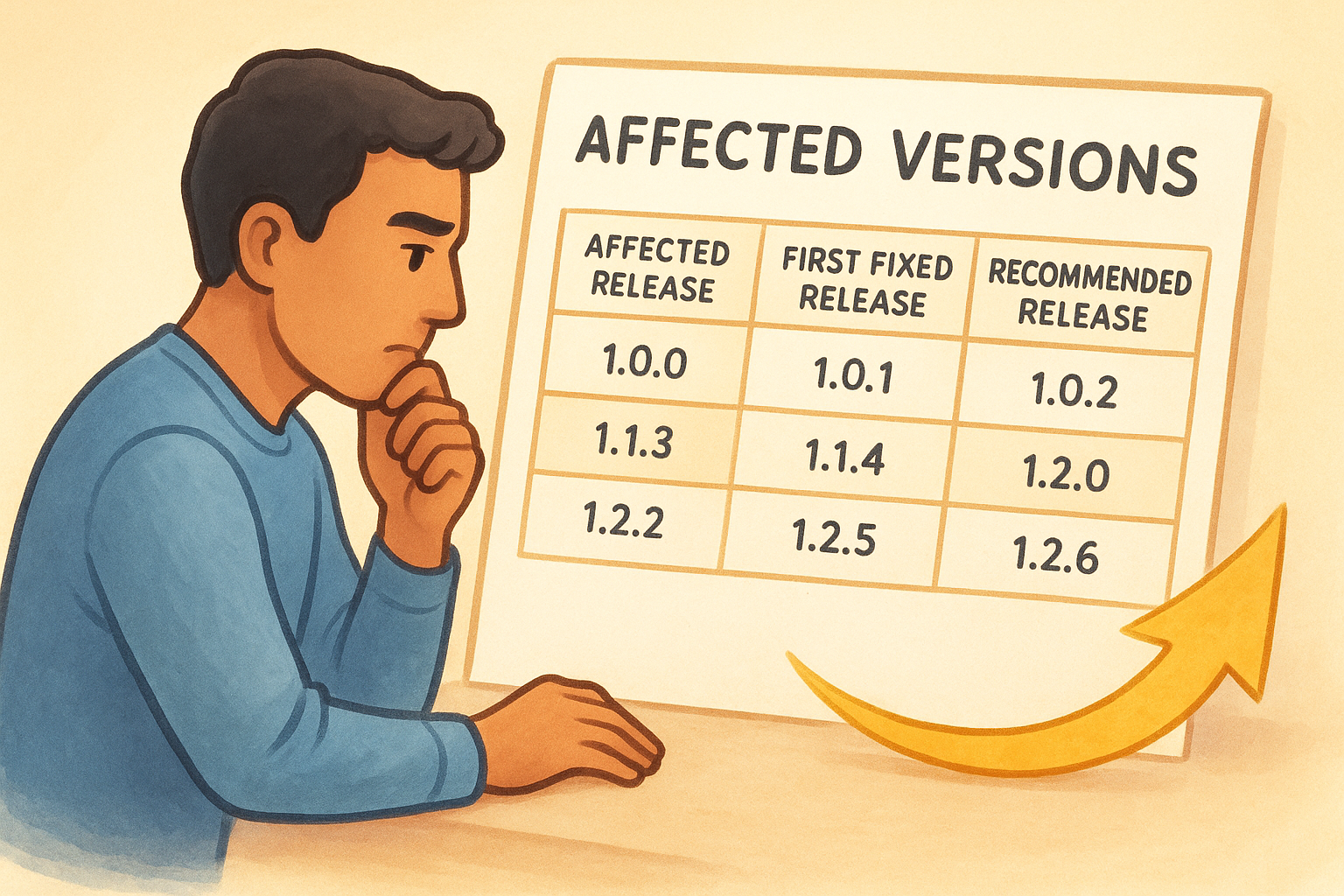
| Column | What to look for |
|---|---|
| Affected release | Your current version number |
| First fixed release | The minimum version that resolves the flaw |
| Recommended release | The version Cisco suggests for full protection |
Review workarounds and exploitation status
Workarounds describe what to do when patching isn't immediately possible, typically a configuration change that reduces exposure without a firmware update. Read this section even when you plan to patch right away, because it helps you confirm whether your current configuration already limits the attack surface.
Beyond workarounds, the exploitation status field tells you whether cisco security advisories and alerts are reporting confirmed active attacks in the wild. Confirmed exploitation moves any advisory up your priority list regardless of the CVSS score, because theoretical risk just became a documented real-world threat. A High-severity flaw with active exploitation outranks a Critical-severity flaw sitting at zero known exploit code in circulation.
If an advisory shows confirmed active exploitation, patch or apply the workaround before the end of that same day.
How to check exposure and plan patches
Reading an advisory tells you what's vulnerable. Checking your own environment tells you whether the problem is yours to solve. These are two separate steps, and skipping the second one means you either panic about vulnerabilities that don't apply to you or miss ones that do. Before you can build a coherent patch plan, you need a clear picture of every Cisco device on your network and the exact software version each one is running.
Confirm your current software versions
Start by logging into each Cisco device and recording the current firmware or software version. On most IOS and IOS XE devices, the command show version returns the exact release string you need to compare against the affected versions table in any cisco security advisories and alerts disclosure. Write these version numbers down in a simple document or spreadsheet you keep updated after every patch cycle. Relying on memory or guessing based on the last time you checked is a reliable way to miss a critical exposure.
A basic inventory doesn't need to be complex. Tracking three columns covers everything required for patch decisions:
- Device name or label
- Current software version
- Date last patched
Keep this inventory file somewhere you can open it within 30 seconds of receiving an advisory notification, because fast triage depends on fast version lookups.
Build a simple patch schedule
Once you know your versions, match them against the affected releases table in each advisory you're tracking. If your version appears in the affected column and a fixed release exists, you have a patch decision to make. The key variable is timing. Critical and High-severity advisories with active exploitation require same-day or next-day action, while Medium-severity issues without known exploits give you a reasonable window to schedule an update during a normal maintenance period.
Plan patch windows in advance rather than reacting each time an advisory arrives. A standing rule works well here: schedule one maintenance window per month for routine firmware updates and keep a second unscheduled window available for emergencies triggered by Critical advisories. This structure prevents both the risk of delaying urgent patches and the operational disruption of rushing changes into a live environment without preparation.
After each update, verify the installed version by running show version again and confirming it matches the fixed release listed in the advisory. Logging the verification step closes the loop and gives you a record you can check if a future advisory references the same product line.
Common pitfalls and verification tips
Even when you're actively monitoring cisco security advisories and alerts, a few consistent mistakes can undermine the effort. These aren't complex errors; they're habits that form when patch management runs without a clear process, and they tend to stay invisible until an incident exposes them.
Relying on unofficial sources
Third-party security blogs and aggregators often republish Cisco advisories with a delay, and in some cases they reproduce only part of the original disclosure, leaving out workaround instructions or revised CVSS scores that Cisco updated after the initial publication. Reading a summary instead of the original advisory means you might act on incomplete information, either understating the severity or missing a fixed release that shipped after the aggregator's post went live.
Always confirm every advisory directly against the Cisco PSIRT portal before you make any patching or configuration decision. If a third-party source alerts you to a new disclosure, treat that notification as a pointer, not a source.
Confusing advisory revisions with new disclosures
Cisco frequently revises existing advisories after initial publication to correct affected version lists, update workaround guidance, or raise a CVSS score following additional analysis. These revisions can arrive days or weeks after the original advisory and carry the same advisory ID, which means your email subscription or RSS feed may surface them again. Reading the revision date at the top of each advisory tells you whether you're looking at something new or a correction to something you already reviewed.
Always check the revision history table on any advisory you've previously acted on, because a score increase or an expanded affected versions list can change your patch priority.
Missing a revision is one of the most common ways that network administrators believe they've addressed a vulnerability when the actual scope grew after they patched.
Verifying that patches actually applied
Running the update and confirming the update are two different steps, and skipping the second one is a consistent source of false confidence. Firmware updates on network devices can fail silently due to storage issues, interrupted transfers, or compatibility conflicts. After every patch cycle, log into the device and run the version verification command to confirm the installed release matches the fixed version listed in the advisory.
Maintain a simple log that records the device name, the advisory ID you were addressing, the version you installed, and the date you verified it. This log protects you during future patch cycles when a new advisory references the same product line and you need to know exactly where your environment stands.
Next steps
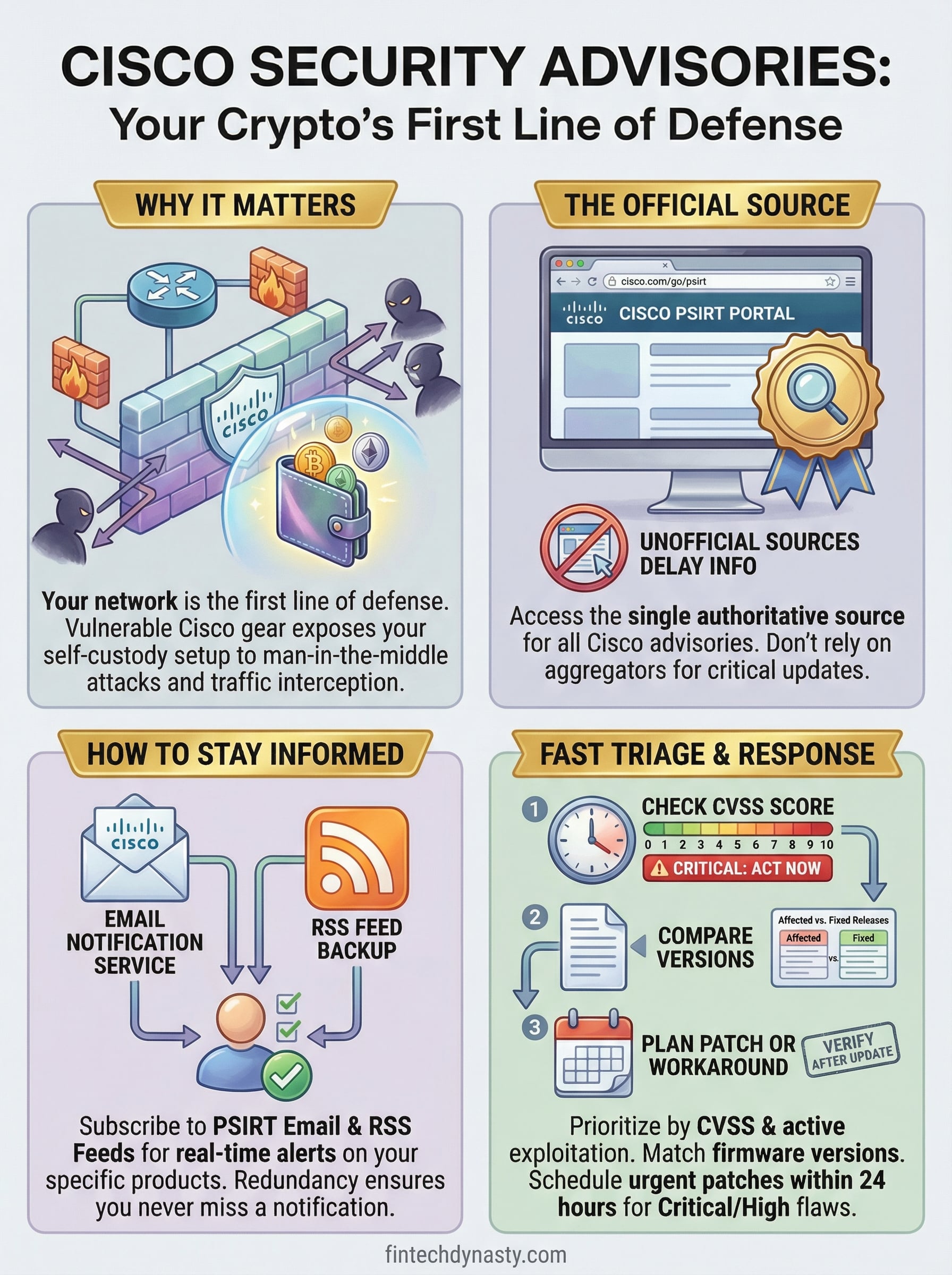
Staying current with cisco security advisories and alerts is a repeatable process, not a one-time task. Subscribe to Cisco's PSIRT notification service today, set up an RSS feed as a backup, and build a version inventory for every Cisco device on your network. Check that inventory each time a new advisory arrives, and give yourself a standing rule: Critical severity means you act within 24 hours, no exceptions. Patch, verify, and log the result before closing the advisory.
Network security is one layer of a complete self-custody setup, but it only holds when you understand how every piece connects, from your router firmware to your hardware wallet to the habits that protect both. If you want to build that understanding from the ground up, start with our crypto security course and work through the fundamentals at your own pace, with practical guidance that skips the hype.